Template details
Resume Builder
A resume builder website that lets users create and customize professional resumes with templates, PDF export, dark mode, and profile photo upload.
About this template
Resume Builder is an open-source React web application for creating, customizing, and exporting professional resumes through a guided template-based workflow.
What is Resume Builder?
Resume Builder is a client-side web app that converts user-supplied personal, education, and experience details into a formatted one-page resume. It provides a template selection page, a resume editing and live-preview builder, and a PDF download option, and it runs as a static site deployed on Vercel. The project is maintained by GitHub user codeaashu and is published under a permissive open-source license.
Key Features
Resume Builder's feature set covers the core resume production tasks: layout selection, content editing, and file export.
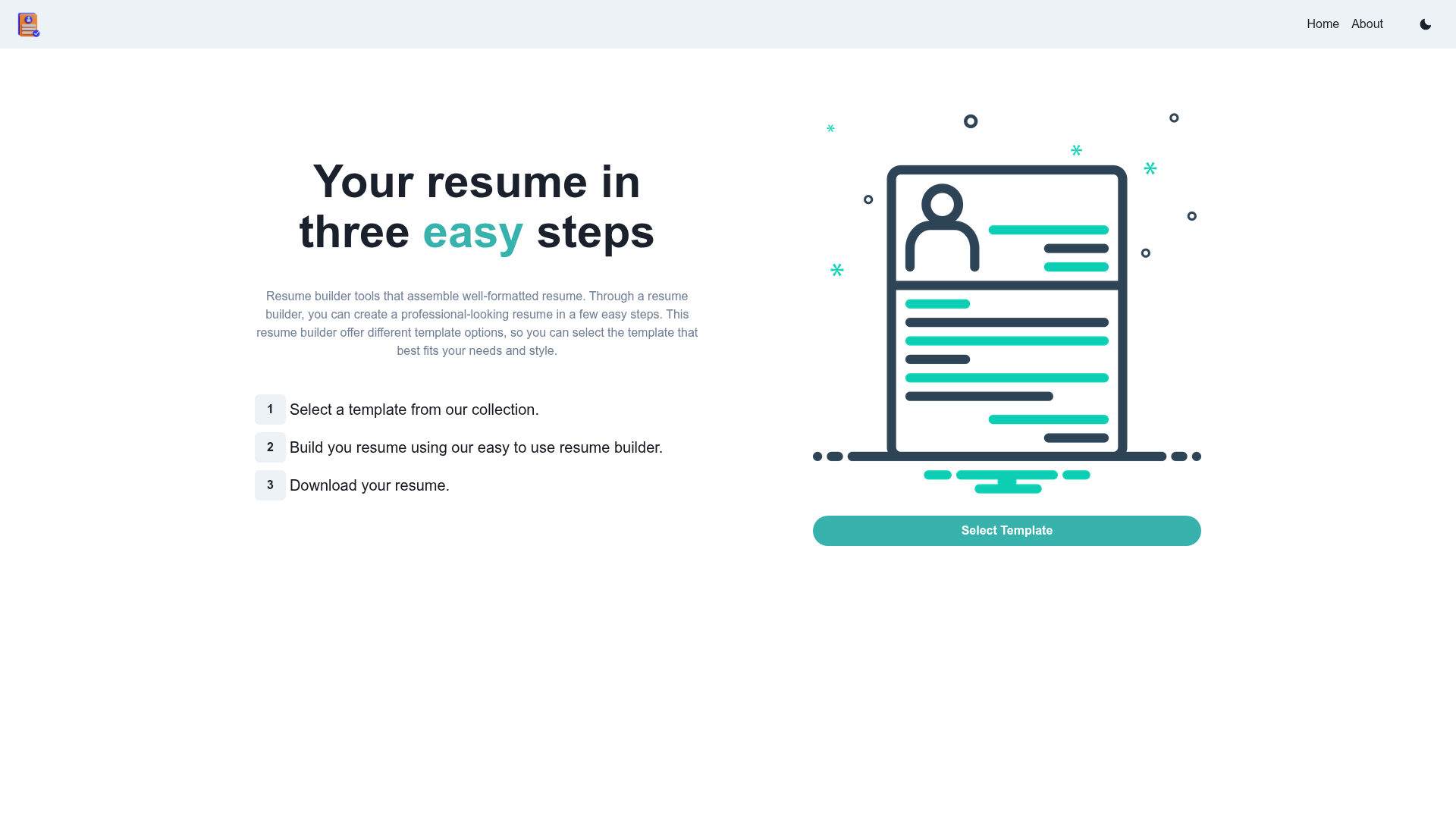
- User-friendly interface — The Home, Select Template, Resume Builder, and About pages guide users through the entire resume creation flow.
- Multiple resume templates — Templates are provided to cover different job industries, so users can pick a layout that fits their target role.
- PDF export — The final resume can be downloaded in PDF format using the react-html-to-pdf library, making it ready to send to employers.
- Responsive layout — The interface adapts to phones, tablets, laptops, and desktops, so resumes can be edited on any device.
- Dark mode — A built-in dark theme (with a light-mode option) makes long editing sessions easier on the eyes.
- Profile photo upload — Users can add a profile picture to their resume through the builder page.
- Modern technology stack — Built with React, Chakra UI, React Router, React Icons, React HTML to PDF, Bootstrap, and, according to the repository badges, Tailwind CSS and React Query, with deployment on Vercel.
Who is it for?
Resume Builder targets anyone who needs a professional-looking resume without paying for a design tool or struggling with document formatting.
- Job seekers — Individuals who need a clean, formatted resume quickly can fill in the provided forms and export a PDF without subscribing to a paid service.
- Students and recent graduates — Those with limited resume-writing experience can use the template selections and guided builder page to create a first professional CV.
- Open-source contributors — Developers with React knowledge can fork the repository, add new resume templates, and submit pull requests, as the project explicitly welcomes contributions.
- Developers needing a self-hosted app — Anyone who wants to run a resume builder locally can clone the repo, install dependencies with npm, and launch it on localhost:3000.
What can you do with Resume Builder?
Resume Builder lets users generate one or many resumes, each tailored to a specific opportunity.
- Create a CV from scratch — Choose a template, type in your information, and generate a ready-to-download PDF resume in minutes.
- Build multiple resumes for different roles — Since the app offers templates for different industries, you can switch layouts and details to tailor your resume to specific job applications.
- Edit on the go — Because the layout is responsive, you can open the app on a tablet or phone and make final edits before exporting.
- Customize the project — Fork the repository, add your own template, and deploy your customized version to Vercel or any static host.
How does Resume Builder work?
Resume Builder follows a straightforward page flow: pick a template, fill in your details, and export the finished resume.
The app exposes a Home page, a Select Template page, a Resume Builder page, and an About page. To run it locally, clone the repository, run npm install, then npm run start, and open http://localhost:3000.
FAQ
Is Resume Builder free?
Yes. The project is open source and free to use, with the README indicating an MIT-style license, so it can be modified and redistributed.
Can I export my resume as a PDF?
Yes. The app includes a PDF export option powered by the react-html-to-pdf library, letting you download the final resume as a PDF file.
Does Resume Builder have a dark mode?
Yes. Dark mode is included for easier viewing, and a light mode is also available — the README shows both Home Page Dark and Home Page Light snapshots.
Can I upload my profile picture?
Yes. The builder page supports image upload for a profile picture, which is then placed on the resume.
How do I run Resume Builder locally?
Clone the repository, navigate into the project directory, run npm install to install dependencies, then npm run start and open http://localhost:3000 in your browser.