Template details
HuWeihuang
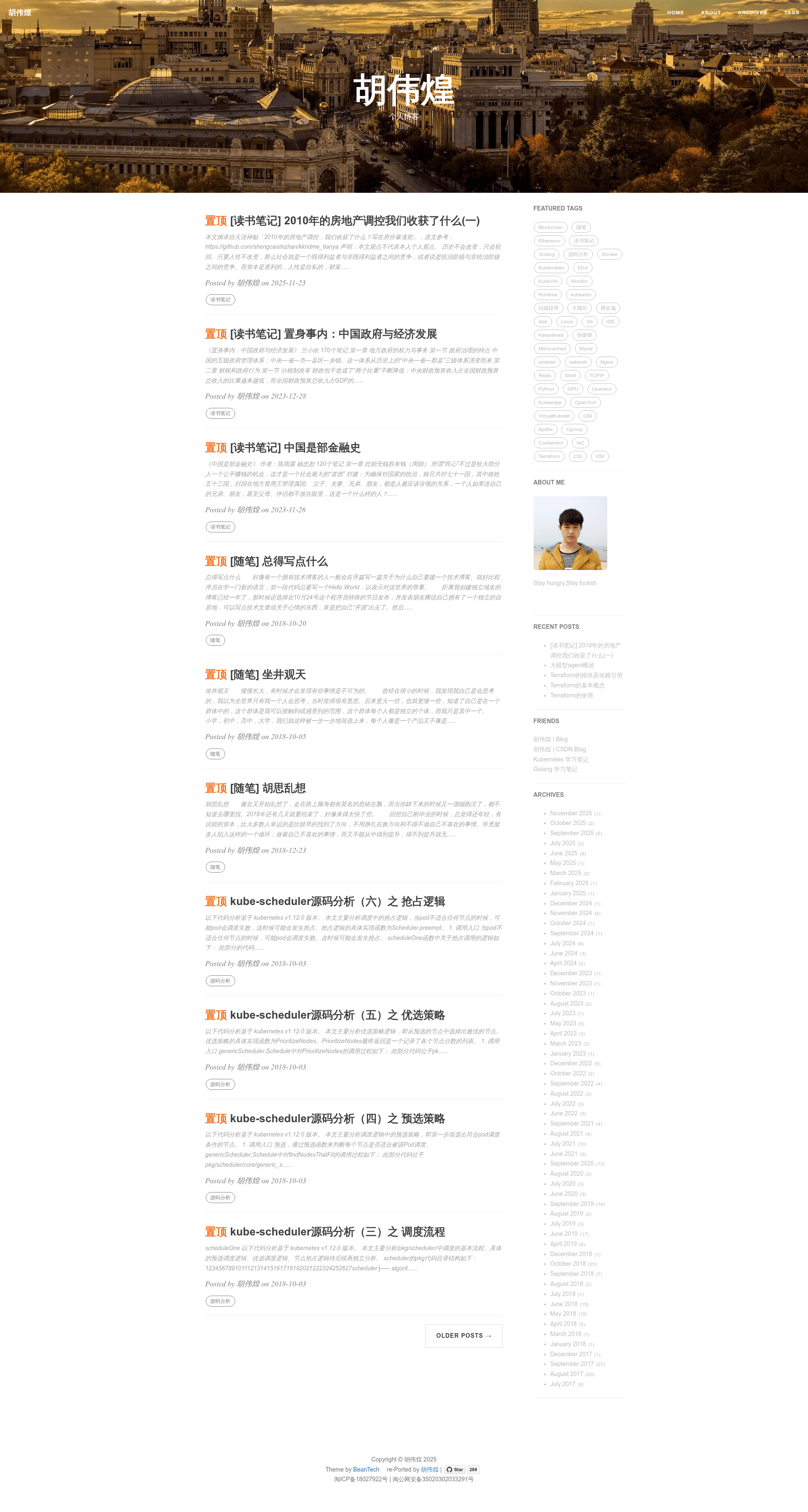
A Hexo blog theme ported from Hux Blog, with sidebar widgets, custom signatures, and one-command deployment.
About this template
HuWeihuang is a Hexo blog theme ported from the popular Hux Blog design, giving static site users a clean, widget-rich layout for personal blogs.
What is HuWeihuang?
HuWeihuang is an open-source Hexo theme created by Hu Weihuang, based on a port of Hux Blog (designed by Huxpro) and modified from YuHsuan's hexo-theme-beantech. The theme accepts Hexo markdown posts and renders them into a static personal blog with a sidebar, signature area, and configurable tag/navigation widgets. It is listed on the official Hexo theme directory and is free to use with the condition that the copyright notice remains visible on the site.
Key Features
- Configurable sidebar — Toggle the sidebar on or off with the
sidebarflag and activate widgets such as featured-tags, short-about, recent-posts, friends-blog, archive, and category directly from_config.yml. - Custom post signature — Enable a signature image after each post using the
signatureandsignature-imgsettings in the config. - Markdown-it rendering — Integrates the hexo-renderer-markdown-it plugin with options for HTML rendering, linkify, typography, and custom quotes.
- Tag display control — Show or hide post tags on the homepage using the
home_posts_tagflag. - One-command deployment — After configuring the
deploysection with a Git repo and branch,hexo deploypushes generated static files automatically. - Customizable icons — Replace the default Iron Man "go to top" icon by editing the image in
css/image, and change the header anchor unicode icon (defaultℬ) inlayout/post.ejs.
Who is it for?
- Personal bloggers on Hexo who want a sleek, Hux-style theme without designing from scratch.
- GitHub Pages users who need a theme with built-in deployment settings and widget sidebar.
- Developers who want a minimal EJS-based theme to customize and extend with their own widgets and styles.
Use cases
- Personal bloggers: Write markdown posts, enable the recent-posts and category widgets, set a signature image, and deploy to GitHub Pages for a professional blog.
- Portfolio sites: Use the short-about widget and archive navigation to present a minimal personal landing page with post history.
- Technical writers: Pair the featured-tags widget with long-form posts to create a navigable documentation-style blog.
How does it work?
Install Node.js and Git, then clone the HuWeihuang repository and run npm install. Edit _config.yml to set your deploy repo, sidebar preferences, widgets, and signature. Generate and preview the site with hexo clean && hexo generate and hexo server, then publish with hexo deploy.
FAQ
Is HuWeihuang free?
Yes, the theme is free to use. The only requirement is keeping the copyright notice visible on your website, as stated in the README.
What do I need to run it?
You need Node.js and Git installed. The theme runs on Hexo, so the hexo-cli package must also be installed globally.
Can I add my own sidebar widgets?
Yes. The README explains that you can add widgets by editing files in layout/_widget, and you can activate or comment out existing widgets in the widgets list in _config.yml.
How do I deploy to GitHub Pages?
Set your repository URL and branch (for example, gh-pages) in the deploy section of _config.yml, then run hexo deploy to push the generated static files to that branch.
How do I change the header anchor icon?
In layout/post.ejs, find the anchor-js configuration and replace the unicode icon (default ℬ) with a different character.