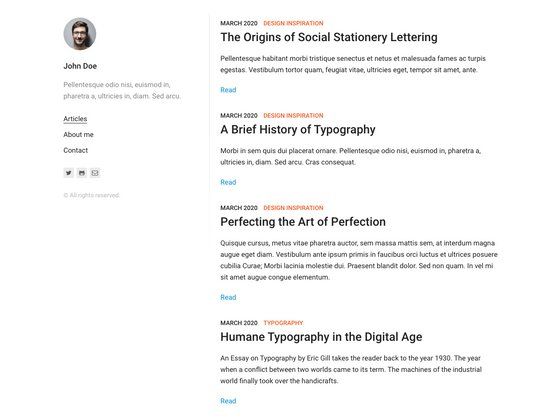
Template details
Source
The default theme for Ghost
About this template
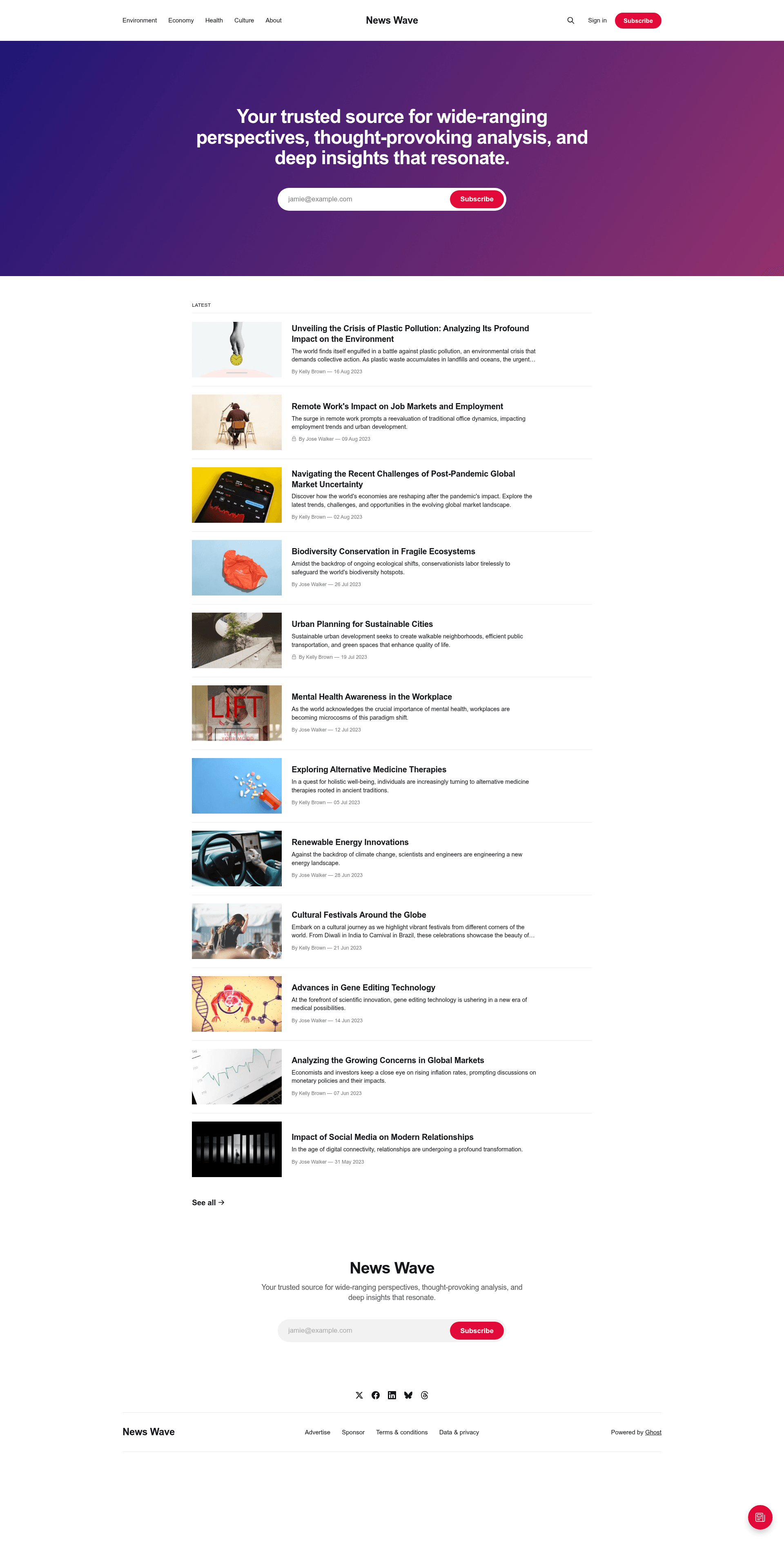
Source is the default open-source theme for the Ghost publishing platform, offering a Handlebars-based foundation for building blog, magazine, and news sites.
What is Source?
Source is the official default theme for Ghost, maintained by the Ghost Foundation and released under the MIT license. It takes Ghost's content — posts, pages, tags, and author archives — and renders them into a complete front-end theme using the Handlebars templating language. The theme is distributed through the Ghost repository and can also be downloaded from the releases page.
Key Features
- Handlebars templating — Source uses Ghost's simple templating language, with extensive code comments explaining how the theme works, making it a useful learning reference.
- Main template files — The theme includes
default.hbs,home.hbs,index.hbs,post.hbs,page.hbs,tag.hbs, andauthor.hbs, covering the core page types of a blog. - Custom templates by slug — You can create one-off templates such as
page-about.hbsfor an/about/page,tag-news.hbsfor a news tag archive, orauthor-ali.hbsfor a specific author archive. - Gulp/PostCSS build system — Styles are compiled with Autoprefixer, which automatically handles browser prefixes for the latest two major versions of every browser.
- pnpm-based development workflow — Run
pnpm install, thenpnpm devto compile/assets/css/files to/assets/built/, orpnpm zipto package the theme intodist/Source.zip. - Inline SVG icons — All icons are included via Handlebars partials in
/partials/icons; for example, include the RSS icon with{{> "icons/rss"}}. - Translation support — Localization follows the @TryGhost/Themes theme-translations package, with instructions in the repo.
- Open-source license — Copyright (c) 2013-2026 Ghost Foundation, released under the MIT license.
Who is it for?
Source is aimed at anyone building a publication on Ghost, from individual bloggers to large newsrooms. It serves as both a starter theme and a reference implementation for Ghost developers who want to create custom themes. Because the code is heavily commented, it's also a practical learning tool for developers new to Handlebars and Ghost theming.
What can you do with Source?
- Create custom page templates — For example, add
page-about.hbsto give your/about/page a distinct layout. - Design targeted tag archives — Use
tag-news.hbsto build a unique layout for posts filed under the "news" tag. - Personalize author archives — Make
author-ali.hbsto display a custom view for a specific author's posts. - Package the theme for upload — Run
pnpm zipto generate a zip file that you can directly upload to any Ghost site.
How does Source work?
To develop with Source, install Node.js and pnpm, then run pnpm install from the theme's root directory. Use pnpm dev to start a development server that compiles CSS changes automatically, edit files under /assets/css/, and finally run pnpm zip to produce dist/Source.zip for upload.
FAQ
Is Source free?
Yes, Source is open source and released under the MIT license, so you can use, modify, and redistribute it freely for any project.
What templating language does Source use?
Source uses Handlebars, the templating language built into Ghost. The theme's code is heavily commented to help explain how each template works.
How do I create a custom template for a specific page?
Create a file named page-about.hbs for the /about/ page, tag-news.hbs for the /tag/news/ archive, or author-ali.hbs for the /author/ali/ archive.
How do I compile the CSS?
Install pnpm, then run pnpm dev to watch and compile /assets/css/ files into /assets/built/. The Gulp/PostCSS setup includes Autoprefixer for automatic browser prefixing.
How do I package Source for upload?
Run pnpm zip from the theme's root directory. The Gulp task will create dist/Source.zip containing all the theme files needed for upload.