Template details
Hydra
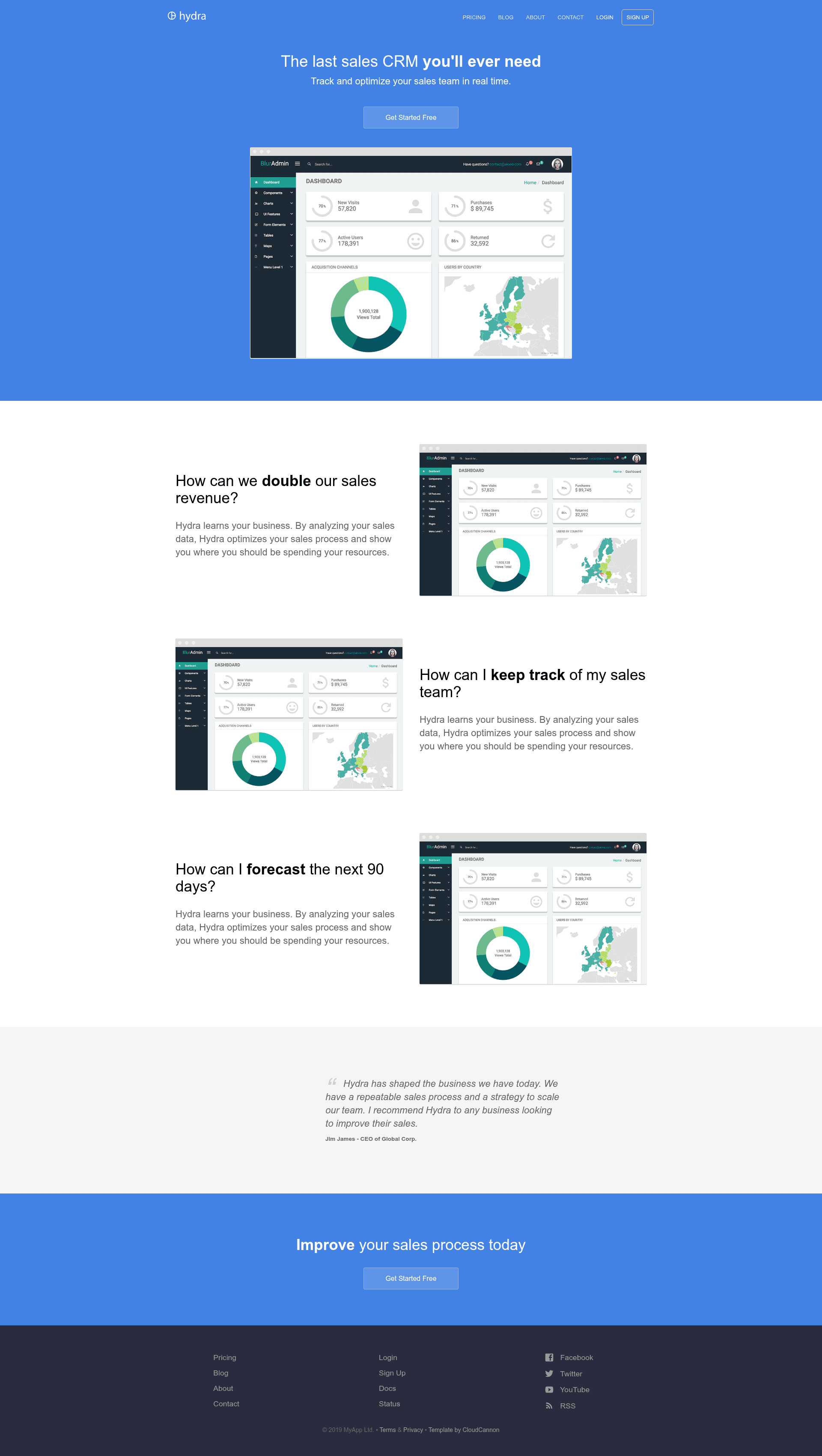
Hydra is a Jekyll marketing site template by CloudCannon with blog, contact form, staff system, and SEO features; legacy, no longer maintained.
About this template
Hydra is a Jekyll marketing site template created by CloudCannon, the Cloud CMS for Jekyll, for building brand and product websites; it is now marked as a legacy template no longer maintained. It turns a _config.yml file, content collections for posts and staff, and data files for navigation and footer into a static HTML site with a blog, contact form, and pre-built pages. The template runs on Jekyll 3.3.1 (with support for newer versions) and is optimized for editing in CloudCannon; a live demo is available at proud-alligator.cloudvent.net.
What is Hydra?
Hydra is a Jekyll-based marketing site template produced by CloudCannon. It provides pre-built pages, pre-styled components, a blog with pagination, post category pages, Disqus comments, a staff and author system, a configurable footer and navigation, an RSS/Atom feed, SEO tags, and Google Analytics. Inputs are site and author settings in _config.yml, posts from a Posts collection, staff members from a Staff collection, and navigation/footer structures from data files; the output is a static, deployable Jekyll site. The repository reports 459 stars on GitHub and lists topics jekyll, jekyll-template, and jekyll-theme.
Key Features
- Contact form — Preconfigured to work with CloudCannon and send email to the company address; the implementation can be swapped for FormSpree or another provider.
- Blog with pagination — Includes a blog collection with paginated post listings and dedicated post category pages.
- Staff and author system — A Staff collection links to a Staff Author field on posts, so author information is reused across the whole site instead of being duplicated.
- Configurable footer and navigation — Both are exposed as data files in the Data section, giving clients a simple editing surface without touching HTML.
- RSS/Atom feed — Generates an RSS/Atom feed for blog subscribers automatically.
- SEO tags — Outputs SEO meta tags on each page out of the box.
- Google Analytics — Accepts a Google Analytics key in
_config.ymlto track site traffic. - Pre-built pages and components — Ships with ready-made page layouts and styled components, so you do not need to define a separate CSS framework.
Who is it for?
- Small businesses and brands — Want to publish a professional marketing site with a blog and contact form without designing from scratch.
- Jekyll developers — Need a starter site that follows Jekyll conventions and can be extended for client projects.
- CloudCannon users — Want to hand content editing to clients through collections and data files, since the template is explicitly optimized for editing in CloudCannon.
What can you do with Hydra?
- Brand managers — Set up a marketing site with company details, staff bios, and a blog to promote products and share advice.
- Agencies — Deploy a static Jekyll site to CloudCannon or any Jekyll host and use data files to give clients control over navigation and footer.
- Content teams — Publish blog posts with author attribution, category pages, Disqus comments, and an RSS feed for subscribers.
How does Hydra work?
- Add your site and author details in
_config.yml. - Add your Google Analytics and Disqus keys to
_config.yml. - Get a workflow going with CloudCannon or run
bundle exec jekyll servelocally, using Bundler to manage Jekyll versions. - Edit posts, staff, navigation, and footer through CloudCannon collections and data files.
FAQ
Is Hydra still maintained?
No, the template is explicitly marked as a legacy template and is no longer maintained. It was built with Jekyll 3.3.1 but should support newer versions as well.
Does Hydra have a contact form?
Yes, Hydra includes a contact form preconfigured to work with CloudCannon. It sends email to the address listed in company details, and the setup can be changed to another provider like FormSpree.
Can I use Hydra with any static host?
Hydra is a standard Jekyll template, so it can be built and hosted anywhere Jekyll runs. It also includes a Deploy to CloudCannon button that connects the GitHub repository directly to CloudCannon.
How do I add comments to blog posts?
Hydra supports Disqus comments for posts. Add your Disqus shortname key in _config.yml, and comment threads will appear on post pages.