Template details
Jekyll Bulma Theme
A pure Bulma theme for Jekyll.
About this template
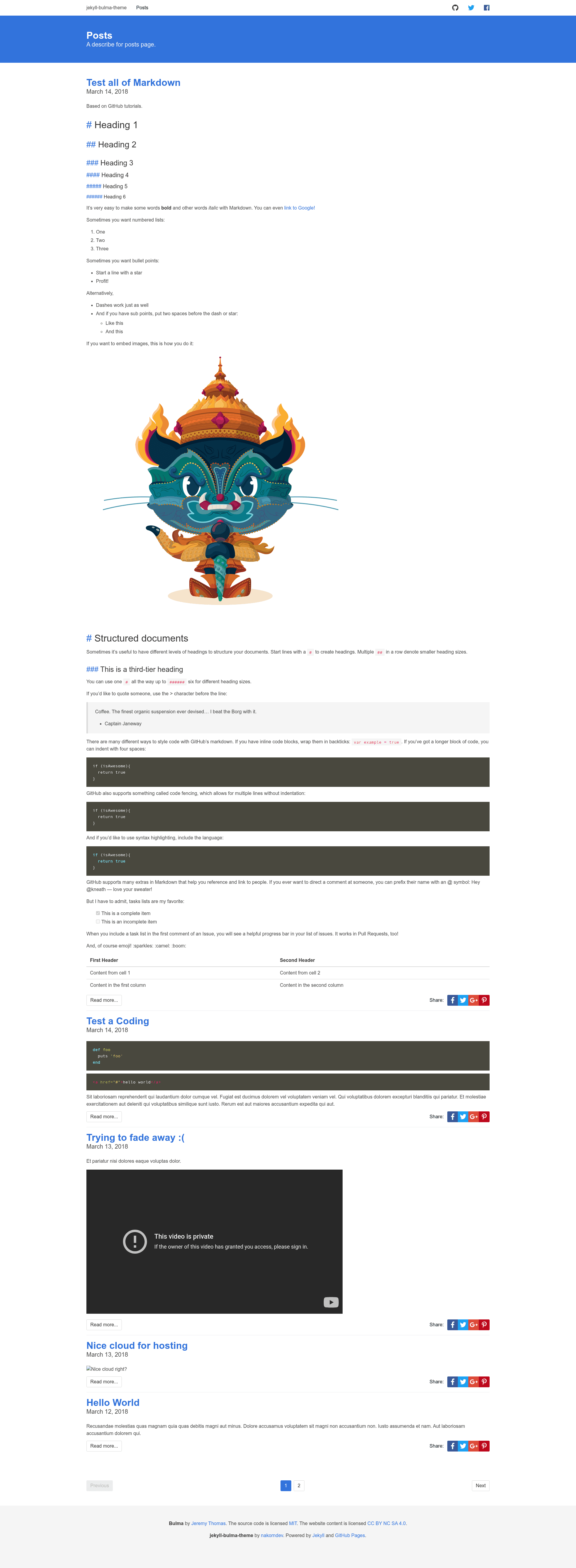
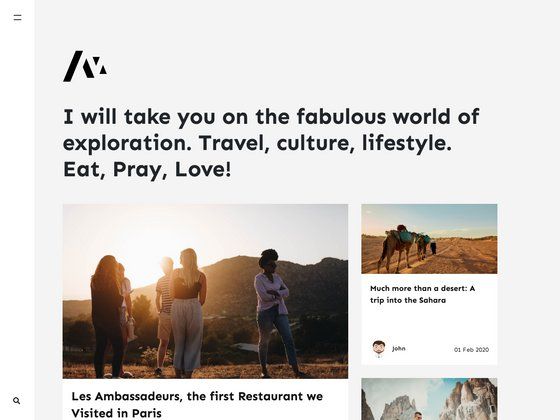
Jekyll Bulma Theme is a Jekyll 3 blog theme that applies the Bulma CSS framework through the cdnjs provider, so the theme works without npm and needs an internet connection to load styles.
What is the Jekyll Bulma Theme?
It is a pure Bulma CSS Framework theme for Jekyll 3, created by nakorndev and published as the jekyll-bulma-theme Ruby gem. It takes a standard Jekyll site as input and outputs a blog styled with Bulma, using cdnjs to load CSS and JavaScript instead of bundling them locally. The theme's default layout is cloned from the Bulma documentation site, giving a familiar Bulma look with fixed navbar, dropdowns, and modals.
Key Features
- Bulma styling via cdnjs — Loads Bulma from a content delivery network, so the theme requires an internet connection and does not allow custom Sass compilation.
- Fixed scroll-up navbar — The navbar hides when scrolling down and reappears when scrolling up, with a shadow applied when active.
- Dropdown and Modal support — Includes Bulma's interactive components in the default layout.
- Social share buttons — Provides share links for Facebook, Twitter, Google Plus, and Pinterest on posts.
- Pagination example — Ships an
index.htmlthat demonstratesjekyll-paginationfor listing posts. - Automatic meta descriptions — Pulls the post's excerpt (text before the
<!--more-->tag) into the page'sdescriptionmeta tag. - Markdown header anchors — Custom CSS displays a
#symbol next to headings, similar to GitHub's markdown style. - Author information — Includes support for displaying post author details.
- Configurable date formatting — Date display can be customized through the theme's configuration.
Who is it for?
- Jekyll bloggers who want a Bulma-styled theme without managing npm or a build step for Sass.
- Developers who prefer CDN-loaded CSS and want a theme to fork and customize.
- Users of Jekyll 3 specifically, as the theme targets Jekyll 3 rather than newer versions.
What can you do with it?
- Launch a blog quickly: Install the gem, add the theme to
_config.yml, and copy the providedindex.htmlto get a paginated blog index with Bulma styling. - Customize the layout: Replace the theme's
_includesor create a custom_layouts/default.htmlto adjust headers and navigation. - Add social sharing to posts: The built-in share buttons let readers share content to Facebook, Twitter, Google Plus, and Pinterest.
How does it work?
The theme is installed as a Ruby gem. After adding gem "jekyll-bulma-theme" to the Gemfile and theme: jekyll-bulma-theme to _config.yml, running bundle installs it. During site generation, Jekyll uses the theme's _layouts, _includes, _sass, and assets folders (tracked by Git) to build the final site.
FAQ
Is the Jekyll Bulma Theme free?
Yes, the theme is open source under the MIT License, and the repository is hosted on GitHub at https://github.com/nakorndev/jekyll-bulma-theme.
Does the theme work offline?
No, because Bulma is loaded from cdnjs, the site requires an internet connection during development and for visitors to see styled content.
Can I customize the Sass variables?
No, the theme uses the CDN version of Bulma and does not include a local Sass build, so customizing Bulma's Sass variables is not supported.
Does this theme support Jekyll 4?
The readme explicitly targets Jekyll 3; compatibility with Jekyll 4 is not mentioned.