Template details
Jekyll Clean Dark
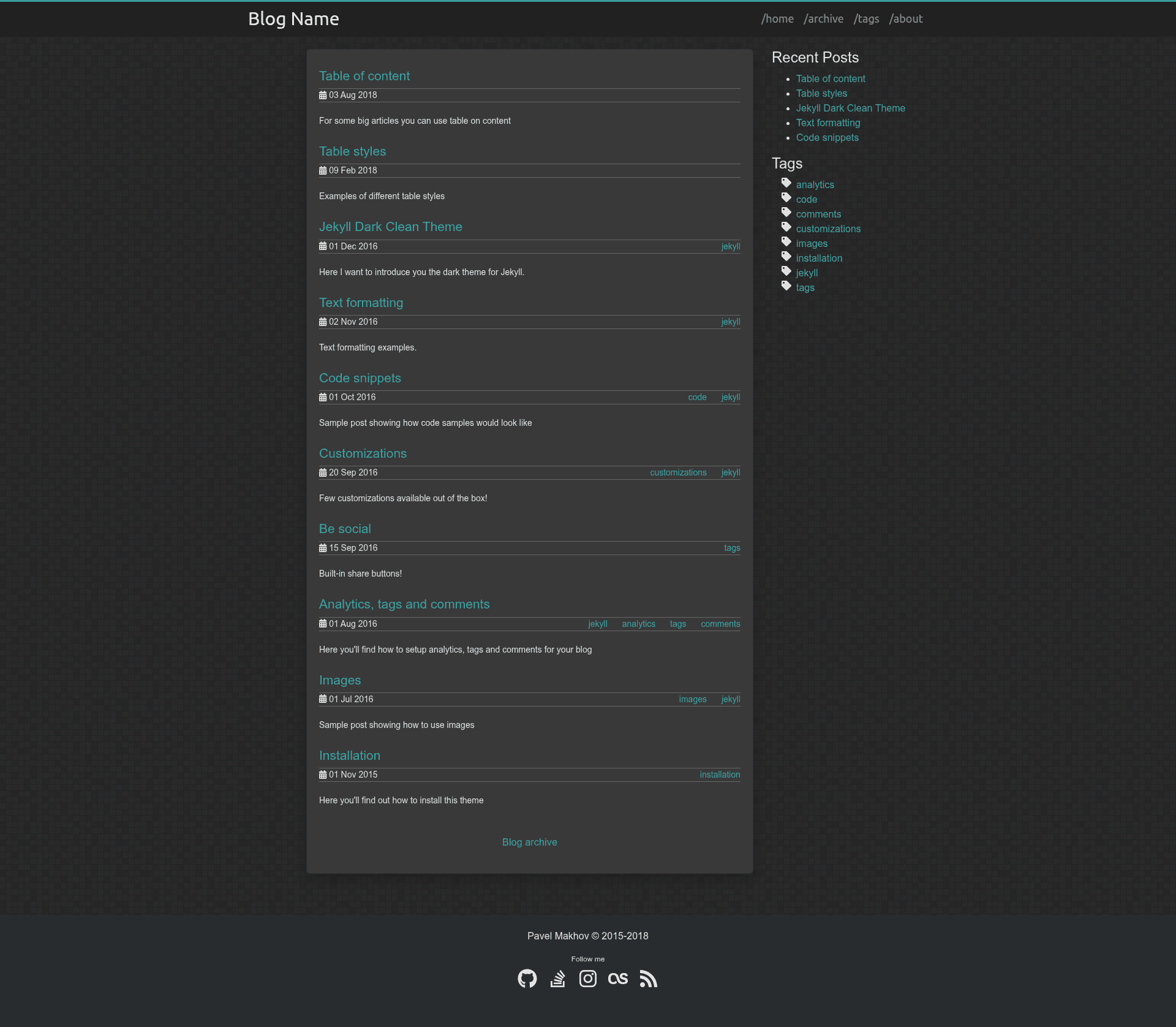
Dark, clean Jekyll blog theme with Bootstrap 4, FontAwesome 5, Disqus, analytics, tags, and share buttons.
About this template
Jekyll Clean Dark is a dark-themed, clean Jekyll template for blogs, built on Jekyll with Bootstrap 4 and FontAwesome 5, that delivers a mobile-friendly blog with built-in comments, analytics, tags, and social sharing out of the box.
What is Jekyll Clean Dark?
Jekyll Clean Dark is a free, open-source Jekyll theme designed for blogs that prefer a dark aesthetic. It runs on any Jekyll site, turning plain Markdown posts placed in a _posts folder into a styled blog with a collapsible navigation bar and a hidden sidebar on smaller screens. The theme is developed and maintained by streetturtle (Pavel Makhov) and is available on GitHub with a live demo.
Key Features
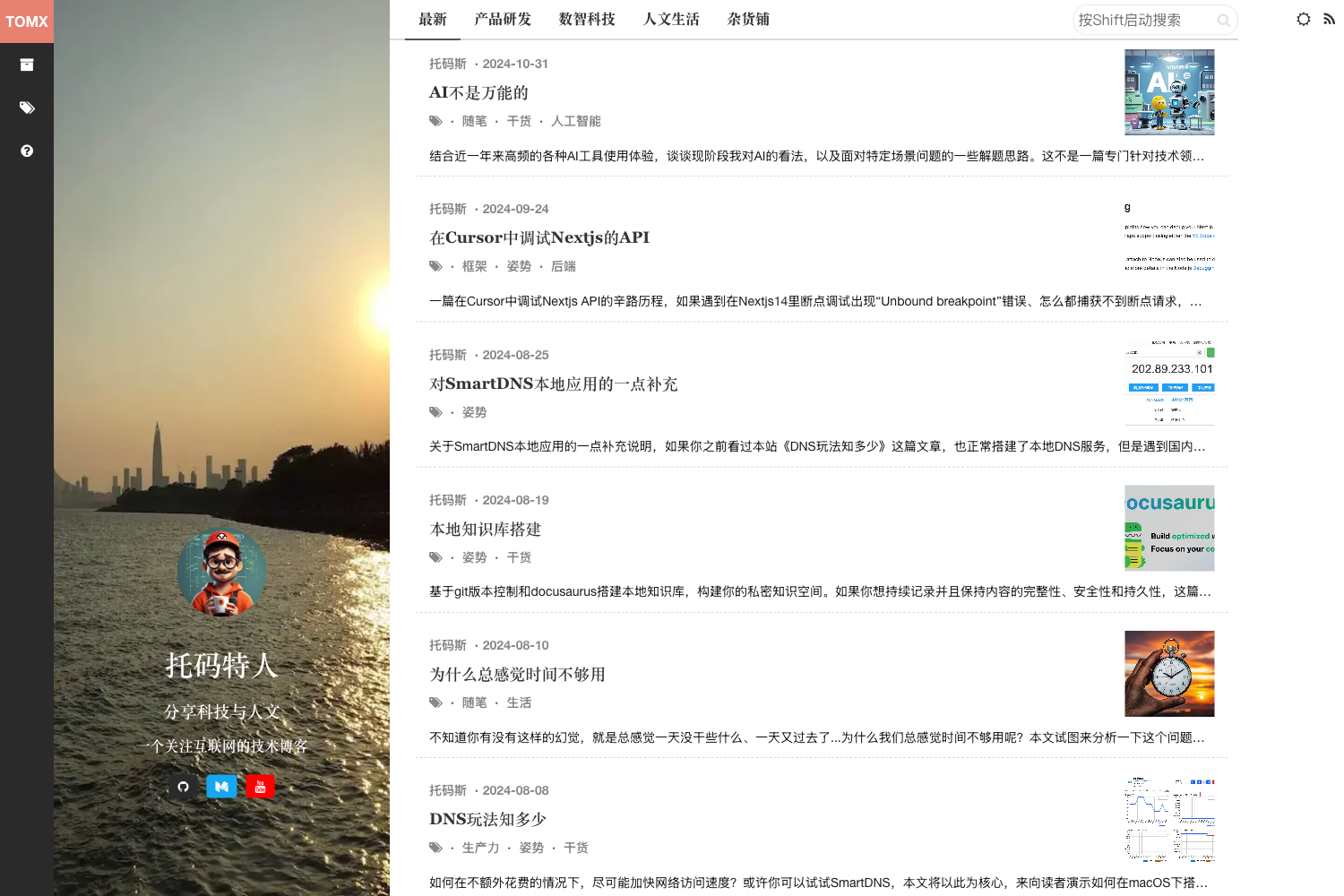
- Dark clean design — The theme uses a dark color palette with clean typography, and it adapts for mobile devices using a collapsible nav bar and hidden sidebar.
- Bootstrap 4 and FontAwesome 5 — The layout is powered by Bootstrap 4 for responsive components and FontAwesome 5 for social and UI icons.
- Disqus comments — Integrates the Disqus comment system; enable it via
_config.yml. - Google Analytics and Yandex Metrica — Both analytics services can be configured in
_config.ymlto track site visits. - Blog tags — Supports per-post tags who each need a markdown file in the
tagfolder; an/adminpage generates the bash commands to create these files. - Share buttons — Built-in social share buttons are documented in a dedicated customization post.
- Table of Contents — Adds a table-of-contents feature for long posts, detailed in a separate how-to post.
- Social icons — Out-of-the-box icons for LinkedIn, GitHub, StackOverflow, LastFm, and Instagram, extendable by adding styles in
theme.css.
Who is it for?
This theme is for Jekyll users who want a dark blog without building styling from scratch. It's suited for developers who are comfortable editing _config.yml and creating tag markdown files, and for bloggers who want comments and analytics integrated directly into their Jekyll site.
What can you do with Jekyll Clean Dark?
- Start a new blog — Clone the repository, drop your Markdown posts into
_posts, configure_config.yml, and publish a styled dark blog on GitHub Pages or any Jekyll host. - Add article navigation aids — Use the built-in Table of Contents and share buttons to improve reading and distribution of long-form posts.
- Track performance — Enable Google Analytics or Yandex Metrica to monitor audience metrics without adding extra plugins.
How does it work?
Installation is straightforward: clone the GitHub repository (or copy its files into an existing Jekyll site, keeping your own _posts folder), then set your site-wide options in _config.yml. For blog tags, create a markdown file per tag in the tag folder; the /admin page outputs the exact bash commands to run inside that folder. The author notes that gem installation is not recommended because the theme is heavily customized.
Pricing
Jekyll Clean Dark is free and open source, distributed under the Creative Commons Attribution 4.0 License, which allows commercial use as long as credit is given to the original theme.
FAQ
Is Jekyll Clean Dark free?
Yes, it's free and open source under the Creative Commons Attribution 4.0 License. You can use it on personal or commercial sites as long as you link back to the original theme on GitHub.
What do I need to run Jekyll Clean Dark?
You need a Jekyll environment and a _posts folder with Markdown files. The theme includes Bootstrap 4, FontAwesome 5, jQuery, and Bootstrap's JavaScript files, so no separate frontend dependencies are required.
Can I use it on GitHub Pages?
Yes, since Jekyll is the native engine for GitHub Pages, you can deploy the theme by placing its files in your repository and configuring _config.yml — no extra build step is needed.
How do I add a new tag?
Create a new markdown file for the tag inside the tag folder of your site. Use the /admin page to generate a bash command that does this automatically; rerun the command whenever you add a post with a new tag.
Are the social icons customizable?
Yes, the theme includes icons for LinkedIn, GitHub, StackOverflow, LastFm, and Instagram, and you can add more by defining new styles in theme.css and referencing them in _config.yml.