Template details
Travelogue
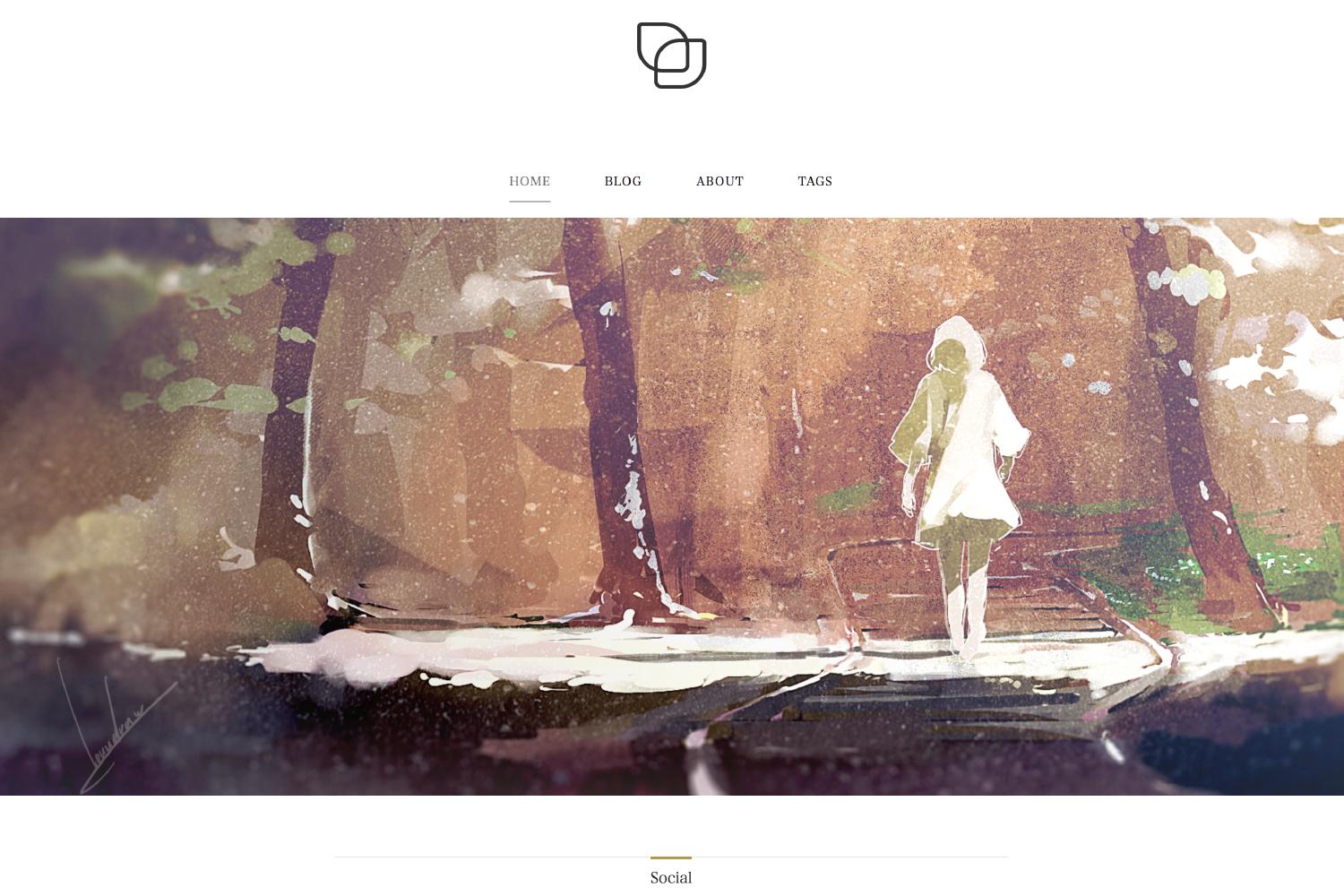
A minimal, single-column Jekyll theme that provides an immersive read experience for your readers.
About this template
Travelogue is a minimal, single-column Jekyll theme designed to give readers an immersive, distraction-free experience for travel writing and long-form blog posts.
What is Travelogue?
Travelogue is a free, MIT-licensed Jekyll theme built around a single-column post layout with a scroll-triggered background slideshow. It takes standard Jekyll posts written in Markdown with front matter (thumbnail path, background image list, author name, tags and categories) and renders them as a complete static blog with sidebar navigation, share buttons, and Disqus comments. The theme was designed by Dmitry Zelinsky and developed by Salvatore Gentile, with a live demo hosted at https://salgnt.github.io/Travelogue.
Key Features
- Minimal, content-first layout — a single-column reading layout with no side clutter; the sidebar only contains a menu of page links.
- Responsive and mobile friendly — the theme adapts to small screens without a separate mobile template.
- Integrated scroll-activated slideshow — add one or more background images in front matter and the page switches them as the reader scrolls.
- Customizable share buttons — built on RRSSB, enabled via
share_buttons: truein_config.yml; individual buttons can be toggled in_data/social.yml. - Disqus integration — enable comments with
disqus: truein_config.ymland set your shortname in_data/social.yml. - Per-post thumbnails — specify a
thumbpath in front matter to show a post thumbnail. - Per-post metadata controls — hide tags and categories with
show_tags: falseandshow_categories: false, and set anauthorname per post. - Next-post link — a link to the following post is automatically placed at the end of each post.
Who should use Travelogue?
- Travel bloggers — publish photo-rich travel stories with background images that change on scroll.
- Long-form writers — use the minimal single-column layout to keep readers focused on the text.
- Jekyll users — anyone already running Jekyll can drop in Travelogue as a ready-to-run theme with a complete setup.
- Design-conscious personal sites — individuals who want a clean portfolio-style blog with Disqus comments and share buttons.
What can you do with Travelogue?
- Travel writers: add multiple background images to a post via
backgroundsin front matter, creating a slideshow that advances with scroll. - Bloggers: enable Disqus and RRSSB share buttons so readers can comment and share posts on social media.
- Theme customizers: tweak
_data/social.ymlto enable or disable each share network, and set per-post author names. - Jekyll beginners: clone the repository, run
jekyll serve, and get a working blog with sidebar and post navigation immediately.
How does Travelogue work?
Travelogue is installed by cloning the GitHub repository and running jekyll serve from the project folder. Posts are written in standard Jekyll Markdown; the theme reads front-matter variables for background images, thumbnails, author, and tag/category visibility, then generates a static site. The scroll-triggered background slideshow is controlled by the page scroll action, as shown in the original concept on Behance.
FAQ
Is Travelogue free?
Yes, Travelogue is released under the MIT License, so you can use, modify, and redistribute it freely. The live demo is also publicly hosted on GitHub Pages.
Does Travelogue support comments?
Yes, Travelogue integrates Disqus. Enable it with disqus: true in _config.yml and set your Disqus shortname under the # Disqus section in _data/social.yml.
How do I add a post thumbnail?
In the front matter of a Jekyll post, add a line like thumb: http://yourdomain.com/public/images/post_title/thumb.jpeg with the path to your image. The thumbnail will appear on the post.
How do I change the share buttons?
Share buttons use RRSSB. Set share_buttons: true in _config.yml, then edit the # RRSSBB section in _data/social.yml to enable or disable each button.
Can I hide tags and categories on a post?
Yes. Add show_tags: false and show_categories: false to the post's front matter, and both will be hidden from the post info section.