Template details
mailtolink.me
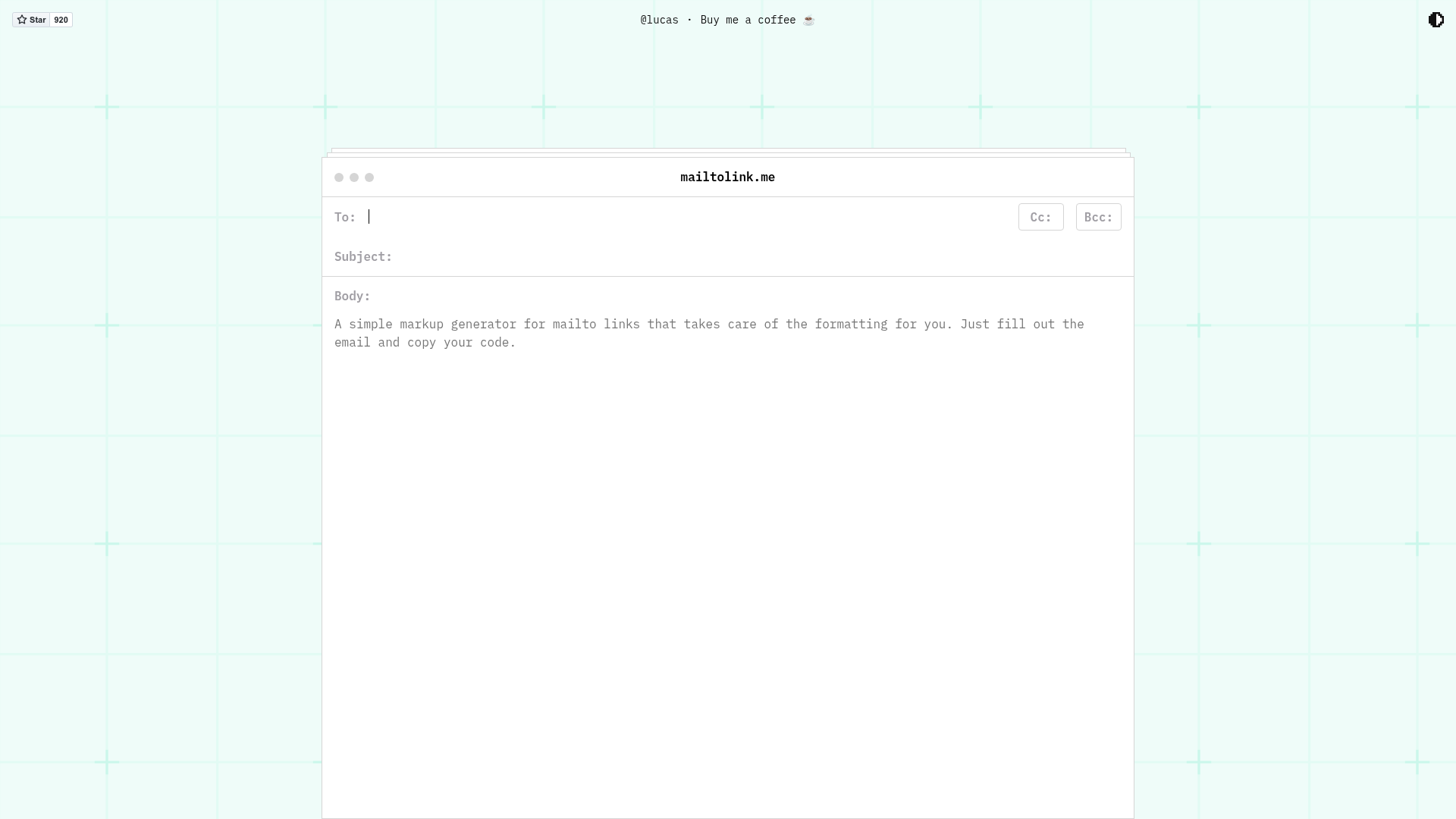
A quick and easy way to generate markup for mailto links without having to worry about the annoying formatting.
About this template
mailtolink.me is a free, open-source web tool that generates correctly formatted HTML anchor code for mailto links, removing the need to hand-encode email details in URLs.
What is mailtolink.me?
mailtolink.me is a web-based generator that turns email details into ready-to-paste HTML hyperlinks. The user provides the recipient address, subject line, and message body through a form, and the tool outputs the corresponding mailto anchor element with proper URL encoding. The site is built with the Eleventy static site generator, uses SCSS for styling, and is bundled with webpack. It is developed by Michael Mckeever and published as an open-source project on GitHub, where it has received 920 stars.
Key Features
- One-click markup generation — The tool outputs ready-to-paste HTML anchor code for mailto links.
- Handles encoding automatically — Properly formats spaces, punctuation, and non-ASCII characters in email fields.
- Built with Eleventy — The site is a static site generated by the 11ty static site generator, making it fast and deployable anywhere.
- Progressive Web App (PWA) — Tagged as a PWA in the repository, allowing installation and offline-friendly behavior.
- Uses SCSS and webpack — Styling is written in SCSS and bundled with webpack for the front-end.
- Open source with 920 stars — The project is available on GitHub under Michael Mckeever's account and has received 920 stars.
- npm-based development workflow — Clone the repo, install dependencies with
npm install, then runnpm run devto launch a local development server at localhost:4000.
Who should use mailtolink.me?
mailtolink.me is built for anyone who writes HTML email links on a regular basis. Front-end developers can generate valid mailto links without memorizing encoding rules. Email marketers can create pre-filled email links for campaigns, doubling as a quick way to test subject lines. Open-source contributors can also study the repository as a compact example of an Eleventy + webpack + SCSS workflow.
What can you do with mailtolink.me?
- Front-end developers: Generate a mailto link that opens the visitor's email client with a prefilled subject and body, then paste the code into any HTML page.
- Email marketers: Build CTA links for newsletters that auto-populate the recipient and a custom message, then copy the exact HTML output into an email template.
- Self-hosters: Run the tool on your own machine by cloning the repo, installing dependencies with
npm install, and starting the development server withnpm run dev.
How does mailtolink.me work?
The public web app at mailtolink.me presents a form for email fields and displays the generated markup for copying. For developers, the repository includes a standard npm workflow: npm install loads dependencies, npm run dev starts a live-reloading server at localhost:4000, and npm run build produces a production build.
FAQ
Is mailtolink.me free to use?
Yes, mailtolink.me is open source and available on GitHub. The repository contains no mention of pricing or paid plans, and the web service is publicly accessible without registration.
What exactly does mailtolink.me generate?
It generates HTML anchor tags that point to an email address, including any subject and body parameters. The output can be pasted directly into a web page and will open the user's default email client when clicked.
How do I run mailtolink.me locally?
Clone the repository from GitHub, run npm install to install dependencies, then npm run dev to start the development server at localhost:4000. For a production build, run npm run build to compile the site.
Is there a CLI or API for mailtolink.me?
The README describes a web interface and npm scripts only. No command-line interface or API is documented in the repository.