Template details
Manage Landing Page
Responsive landing page challenge with testimonials slider and newsletter form validation, built with HTML, CSS, JS, GlideJs, Parcel, and Vercel.
About this template
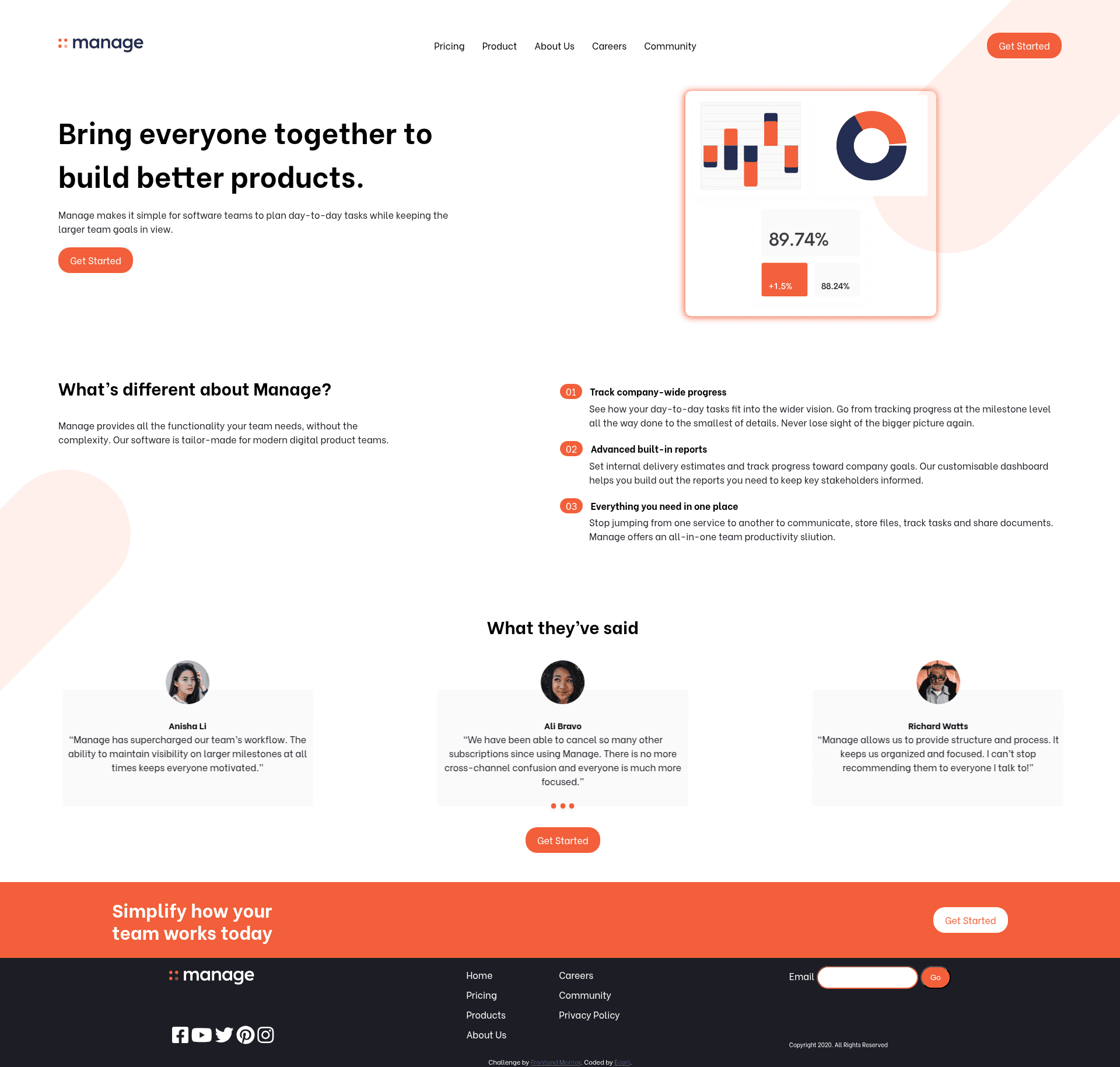
Manage Landing Page is a free front-end coding challenge from Frontend Mentor that asks developers to build a responsive product landing page from static JPG designs, including a testimonials slider and a validated newsletter signup form.
What is the Manage Landing Page?
The Manage Landing Page is a single-page website for a fictional software product called Manage, provided as a design-to-code exercise. The challenge supplies mobile and desktop design files in JPG format, a style guide with color palette and fonts, and optimized images; the developer's job is to translate these into working HTML, CSS, and JavaScript. The project runs entirely in the browser and needs no backend, and this particular implementation uses GlideJs for the slider, Parcel Bundler for bundling, and Vercel for deployment.
Key Features
- Responsive design — The design folder includes separate mobile and desktop JPG layouts, and the delivered page must adapt to any screen size.
- Hover states — All interactive elements such as buttons and links display visible hover feedback, per the challenge requirements.
- Testimonials slider — All client testimonials appear in a horizontal slider; this repo implements it with GlideJs.
- Newsletter form validation — The form shows an error message when the email input is empty or the address is not formatted correctly.
- Pure front-end stack — Built with vanilla HTML, CSS, and JavaScript without any server-side dependencies.
- Parcel bundling — The source is bundled with Parcel Bundler, which handles asset optimization and builds for production.
- Vercel deployment — The README includes step-by-step instructions for deploying the finished project to Vercel using the Vercel for GitHub integration.
- Style guide included — A style-guide.md file specifies the color palette, font family, and other design tokens so the implementation matches the design.
Who is it for?
This challenge is aimed at front-end developers who want to practice turning static designs into live websites. It's also useful for JavaScript learners who need to implement form validation and carousel behavior. Because the project is self-contained, it can serve as a starting point for anyone building a simple product marketing page.
What can you do with the Manage Landing Page?
- Front-end learners: Recreate the landing page from the JPG designs to practice responsive layout, semantic HTML, and CSS styling.
- JavaScript students: Implement the newsletter form validation and testimonials slider to practice event handling and DOM manipulation.
- Portfolio builders: Finish and deploy the page to Vercel, then submit it to Frontend Mentor to receive community feedback and display it in a portfolio.
How does the Manage Landing Page work?
The workflow begins by downloading the challenge files and inspecting the design JPGs and style guide. You then write semantic HTML, add base CSS, and build up sections from top to bottom, adding the JavaScript for the slider and form validation. The README suggests initializing a GitHub repository and connecting it to Vercel so every push triggers a new deployment, giving you a live URL to share.
Pricing
The Manage Landing Page challenge is completely free to access on Frontend Mentor. A PRO subscription is optional and provides additional assets like the original Sketch file for design inspection, but the core challenge and all required images are available without paying.
FAQ
Is the Manage Landing Page free?
Yes. The challenge itself is completely free, and all required assets in the images folder plus the style guide are included. A PRO membership is only needed if you want the Sketch file or other premium extras.
What do I need to know to build it?
You need a basic understanding of HTML, CSS, and JavaScript. The challenge states this explicitly. No front-end framework is required, though you can use any tools you like.
How do I submit my solution on Frontend Mentor?
You can submit your finished solution directly on the Frontend Mentor platform, share it in the #finished-projects channel of their Slack community, or tweet it with @frontendmentor including your repo and live URLs.
Will the newsletter form show errors for invalid email?
Yes, the challenge requires the form to display an error message when the input field is empty or when the email address is not formatted correctly. The implementation must handle both cases.
What deployment options are recommended?
The README recommends Vercel and provides specific steps using the Vercel for GitHub integration. Every time you git push, Vercel creates a new deployment and emails you the URL.