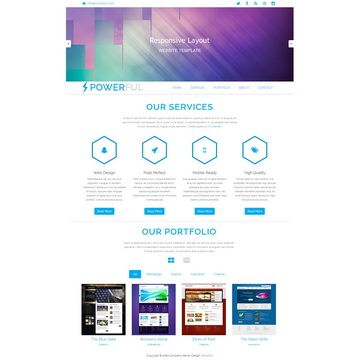
Template details
Meghna
Meghna is a free responsive one-page business template built with HTML5/CSS3, JavaScript, and jQuery.
About this template
Meghna is a free, responsive one-page business template built on HTML5/CSS3, JavaScript, and jQuery by Themefisher, designed to give small businesses and agencies a lightweight multi-section website with a built-in blog.
What is Meghna?
Meghna is a free one-page business template developed by Themefisher, built with HTML5/CSS3, JavaScript, and jQuery. It takes plain HTML markup plus CSS/JS assets and produces a responsive single-page business website with separate blog and blog-detail pages. The template runs on any static web host with no server-side dependencies; the code is released under the MIT license, while demo images carry their own licenses.
Key Features
- Pages included — The template comes with three page layouts: a one-page homepage, a blog listing page, and a blog details page, all built from the same shared CSS/JS assets.
- Responsive grid — Built on Bootstrap v4.5, the layout adapts to mobile, tablet, and desktop widths.
- Lightbox and filtering — Integrates Magnific Popup for image lightboxes and Filterizr for portfolio/content filtering.
- Scroll and entrance animations — Animate CSS and WOW js add CSS animations on scroll, while jQuery powers interactivity.
- Custom build pipeline — Gulp and npm scripts handle local development with live reload and create a minified production build in a
themefolder. - No server dependencies — As a static HTML template, it can be deployed to any web server or CDN without backend requirements.
- Free and open-source code — Code is MIT-licensed; you can download and modify it without paying.
Who is Meghna for?
Freelance web designers and agencies that need to spin up an elegant one-page client site quickly by editing HTML/CSS directly. Small business owners who want a simple, responsive web presence with a blog without paying for a premium template. Developers who prefer a Gulp-based workflow to customize and build a static site with live reload.
What can you do with Meghna?
- Agencies and freelancers: Build a professional one-page portfolio and services page for a client, then add a blog to share case studies and news.
- Small business owners: Launch a single-page company site with a blog and contact form area, deployed to any static host.
- Junior front-end developers: Practice editing Bootstrap 4 and jQuery components with a real-world template, using
npm run buildto generate a production-ready file set.
How does Meghna work?
Download the project from GitHub and edit the HTML and CSS files inside the theme folder for a simple preview in the browser. For advanced use, install Node.js and Gulp, then run npm install and npm run dev to get a live-reloading local server; npm run build outputs a clean theme folder with your customizations ready to deploy.
Pros and cons
- Pro: Free to download with an MIT license for code — commercial use is allowed.
- Pro: Lightweight static pages load fast and need no server-side language.
- Pro: Includes a production build pipeline via Gulp for automated minification.
- Con: Demo images are not licensed for redistribution; replace them with your own assets.
Pricing
Meghna is free. The template code is released under the MIT license; there are no paid tiers or premium upgrades mentioned in the repository.
FAQ
Is Meghna free?
Yes, Meghna is free to download and use. The template code is MIT-licensed, so you can use, modify, and even include it in commercial projects as long as you keep the license notice. The demo images are not included in that license and must be replaced.
What do I need to run Meghna locally?
For basic editing, just open index.html in a web browser after editing the HTML/CSS files. For advanced development, you need Node.js and Gulp CLI installed globally; then run npm install, npm run dev to start a live-reloading server, or npm run build to create a production build.
Does Meghna use a framework?
Yes, Meghna uses Bootstrap v4.5 for its responsive layout and jQuery v3.5.1 for interactive elements. It also bundles Animate CSS, Magnific Popup, Filterizr, and WOW js as third-party plugins.
What pages are included in Meghna?
The template includes a one-page homepage, a blog listing page, and a blog details page. The homepage design is a single scrolling page intended for a business or agency presentation.
Can I use the images from the demo in my project?
No. The README states that the images are for demonstration purposes only and carry their own licenses; Themefisher does not have permission to share them. Replace all demo images with your own assets before deploying.