Template details
Micro Studio
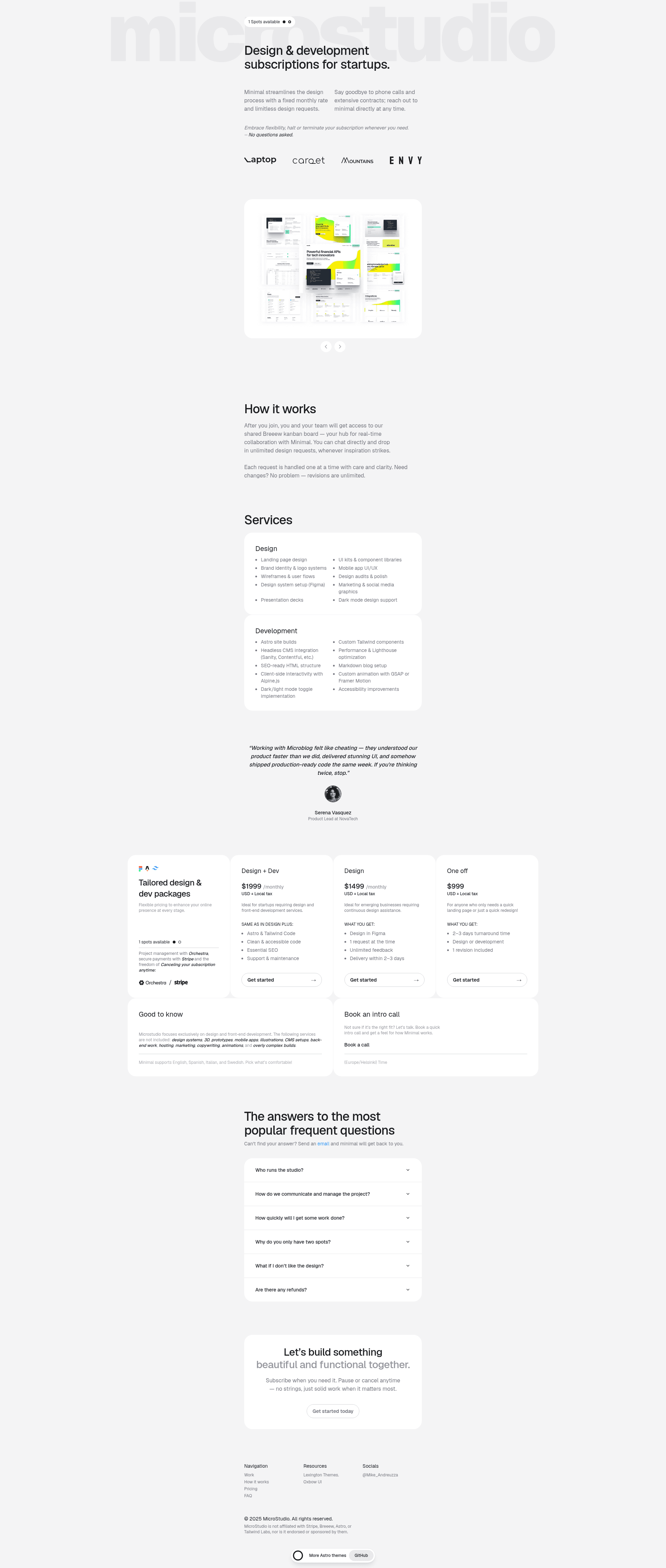
A minimal, open-source Astro and Tailwind CSS starter kit for agencies and productised studios.
About this template
Micro Studio is a minimal, open-source website starter kit built with Astro and Tailwind CSS, designed for agencies and productised studios that need a lightweight landing page or portfolio site.
What is Micro Studio?
Micro Studio is a minimal website starter kit from Lexington Themes, built with the Astro framework and Tailwind CSS. It takes the basic Astro project skeleton — a src/pages/index.astro file, a public/ folder, and a package.json — and adds a Tailwind CSS v4 setup that lives entirely in a single src/styles/global.css file. The output is a static site you can deploy to any web host.
Key Features
- Astro framework — Pages are written as
.astroor.mdfiles insrc/pages/, and each file becomes a route based on its name. - Tailwind CSS v4 (Alpha) — Styling is configured through a single
global.cssfile that importstailwindcssand the@tailwindcss/typographyand@tailwindcss/formsplugins using@plugin. @themedirective — Custom design tokens go inside the@themeblock inglobal.css; this is the official way to add styles in Tailwind v4.- Minimal structure — Only the essential files are included:
public/for static assets,src/pages/index.astroas the homepage, andpackage.jsonfor scripts. - Standard Astro commands —
npm run devstarts a local server atlocalhost:3000,npm run buildoutputs the production site to./dist/, andnpm run previewserves the built site locally. - Open-source license — Released under the GPL-3.0 license, so you can fork and modify it freely; the repository also notes that you should remove the author's name and links before public use.
Who is it for?
Micro Studio is aimed at freelancers, developers, businesses, and personal use — the README lists these groups explicitly. Agencies can use it as a starting point for client landing pages; freelancers can build a personal portfolio with minimal setup; developers can use it to learn how Astro integrates with Tailwind CSS v4's new @theme API.
What can you do with it?
- Freelancers: spin up a minimal portfolio page by editing
src/pages/index.astroand restyling viaglobal.css. - Agencies: create a clean landing page for a productised service offering, using the included Tailwind forms plugin for contact forms and typography plugin for article text.
- Developers: experiment with the Tailwind v4
@themesyntax without configuringtailwind.config.cjs.
How does it work?
After cloning the repository, run npm install to install dependencies. Then npm run dev launches a development server at localhost:3000. You edit the homepage in src/pages/index.astro and the styles in src/styles/global.css. Finally, npm run build generates a static site in ./dist/ for deployment.
Pricing
Micro Studio is free and open source under the GPL-3.0 license. Lexington Themes also sells attribution-free and premium multipage themes through its website.
FAQ
Is Micro Studio free?
Yes, the template is open-source and licensed under GPL-3.0, so you can download and use it without paying anything. The same repository asks that you remove the author's name and links before publishing a public site.
How do I customize the colors and fonts?
Add your custom design tokens inside the @theme block of src/styles/global.css. This is the Tailwind CSS v4 approach, replacing the older tailwind.config.cjs file.
What Tailwind CSS version does it use?
It uses Tailwind CSS v4, which is in alpha. The README notes that it's an early version and recommends keeping an eye on Tailwind's changes.
Does it include multiple pages?
No, the starter kit includes only src/pages/index.astro as a single page. You can add new pages by creating additional .astro or .md files in the pages folder.
How do I build the site for production?
Run npm run build from the root of the project. Astro will generate a static site in the ./dist/ directory, ready to deploy.