Template details
Minimus
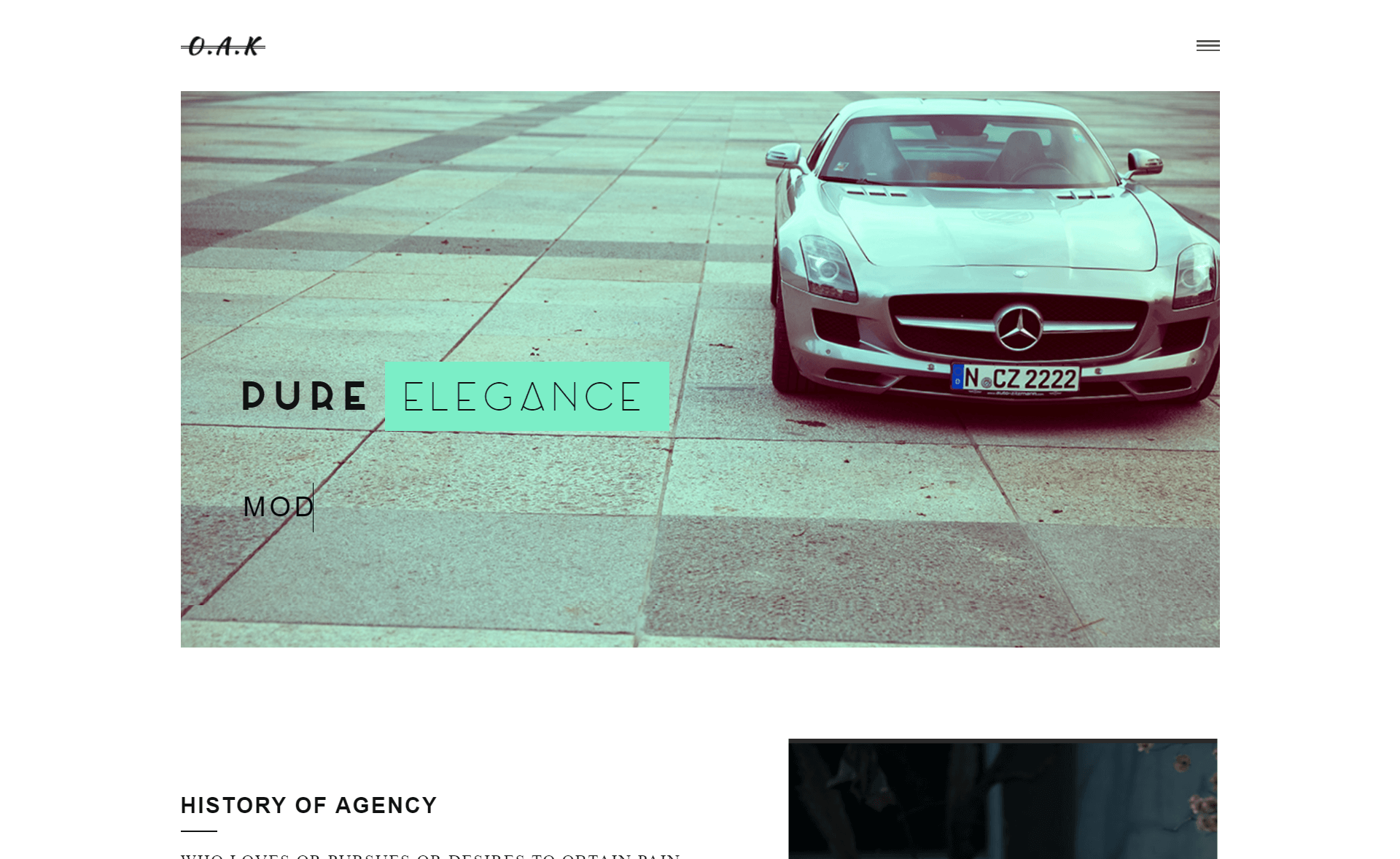
Free multipage Bootstrap 3.3.7 portfolio template with 7 HTML pages, masonry gallery, dynamic text hero, sticky burger menu, and contact form UI.
About this template
Minimus is a free, multipage personal portfolio website template built with HTML5 and Bootstrap 3.3.7 by Awe7, giving freelancers and creatives seven ready-to-edit pages for presenting work, story, blog posts, and contact details.
What is Minimus?
Minimus is a free, open-source personal portfolio template from ThemeWagon that takes static HTML and CSS content as input and outputs a fully responsive, cross-browser portfolio website. It is built on Bootstrap 3.3.7 and includes seven HTML files, a single CSS file, demo images, and an uncompressed JavaScript file. The template was created by Awe7 and last updated about a year ago, with the original release eight years ago. The design is clean and minimal on a white background, with a sticky burger menu and animated social media icons throughout. Because it ships as static files, it can be served from any basic web host or GitHub Pages.
Key Features
- Multipage structure — Seven HTML files separate the homepage, about, work, blog, and contact sections into distinct pages, so each area of the site has its own URL.
- Dynamic text display — The homepage hero uses Typed.js to cycle through rotating phrases, adding a typewriter effect.
- Isotope masonry gallery — The Work page displays projects in a filterable masonry grid; clicking an image opens a magnified version through Magnific Pop-up.
- Sticky burger menu — A hamburger menu collapses navigation and sticks to the top of the viewport on scroll.
- Progress bars — The About page includes animated progress bars suitable for displaying skills or experience levels.
- Bootstrap 3.3.7 responsiveness — The grid framework makes the layout adapt to mobile, tablet, and desktop screens, and the template is compatible with Chrome, Edge, Firefox, Opera, Safari, and mobile browsers.
- Icon packs — FontAwesome and Pe-icon icon sets are bundled, including animated social media icons for profile links.
- Contact form UI — A styled contact form is included on the contact page, though it is not connected to a backend and is intended for customization.
Who is it for?
- Freelance designers and developers — Use the masonry Work gallery with hover animations to show off client projects.
- Creative professionals — Fill the About page's progress bars and left-aligned photo to summarize skills and background.
- Bloggers — Publish articles on the included Blog page while keeping the rest of the portfolio intact.
- Job seekers — Set up a personal website with a dynamic text hero and contact page for recruiters.
What can you do with Minimus?
- Freelancers: Showcase a portfolio of work samples with filterable masonry layouts and lightbox pop-ups.
- Job seekers: Build a personal brand site with hero text, skill progress bars, and a contact form UI.
- Small businesses or personal brands: Add animated social media icons linking to social profiles and use the contact page for inquiries.
- Designers testing layouts: Use the prebuilt pages as a starting point for rapid prototyping of a portfolio site.
Pricing
Minimus is free to download and open source. The license permits use in commercial projects and provides lifetime free updates, so there are no subscription tiers or paid upgrades.
FAQ
Is Minimus free?
Yes, Minimus is a free template. It is open source, can be used in commercial projects, and comes with lifetime free updates from ThemeWagon.
What does Minimus include?
The download package contains seven HTML files, one CSS file, demo images, an uncompressed JavaScript file, and icon packs from FontAwesome and Pe-icon. All icons and demo assets are included for immediate use.
Is the contact form working?
No, the contact form is UI only. The template includes a styled contact form layout, but the form is not connected to any backend or email service, so you need to wire it up yourself.
Which Bootstrap version does Minimus use?
Minimus is built on Bootstrap 3.3.7, a CSS framework from the Bootstrap 3 line that provides the responsive grid and UI components. The template also depends on Typed.js, Isotope, Masonry, and Magnific Pop-up.
Can I use Minimus for a commercial client project?
Yes, the open-source license explicitly allows commercial use. You can download the template for free and use it in client work without a paid license.