Template details
Minted Directory Astro
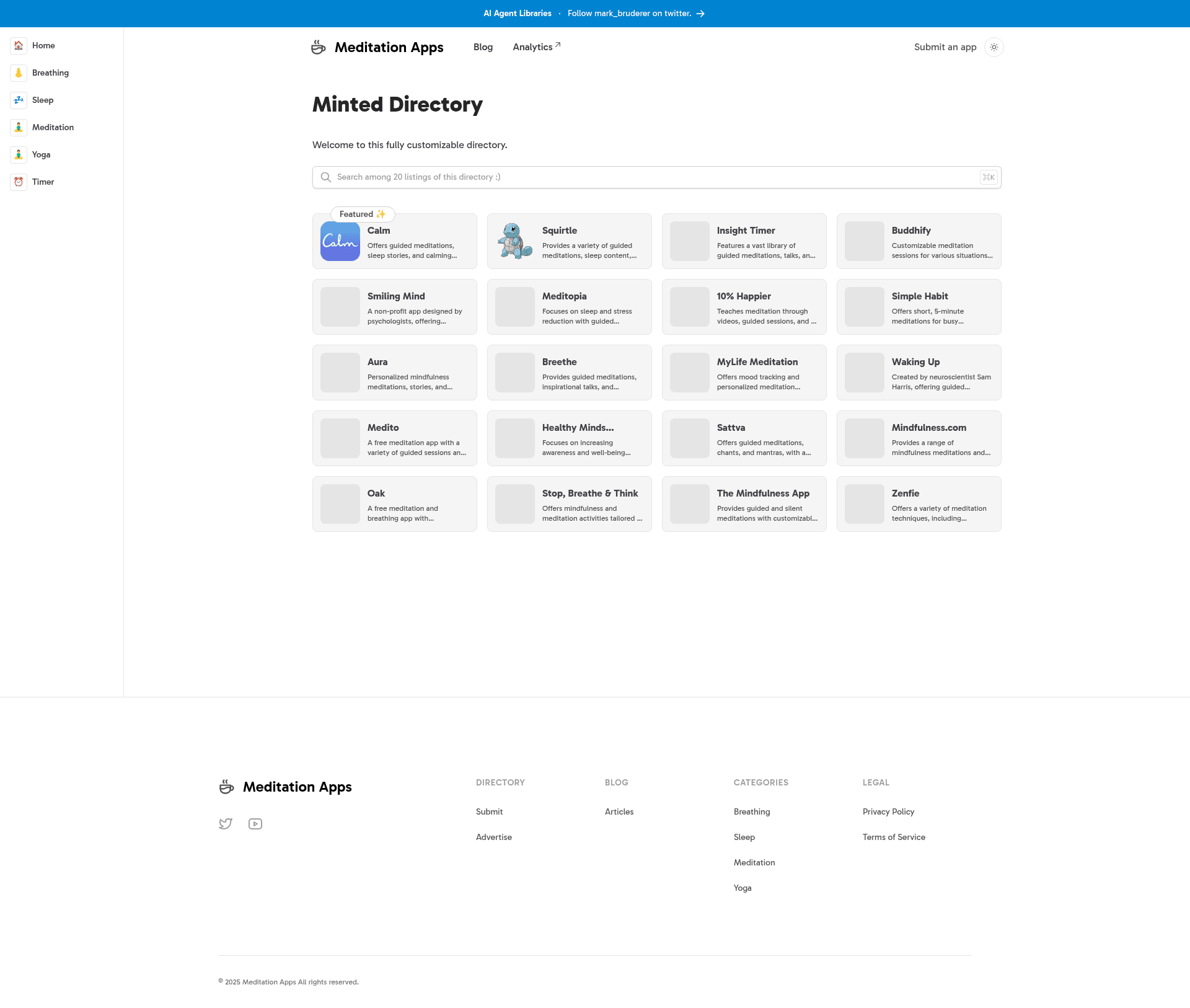
Markdown-driven directory template built with Astro and Tailwind CSS, optimized for SEO with support for multiple data sources.
About this template
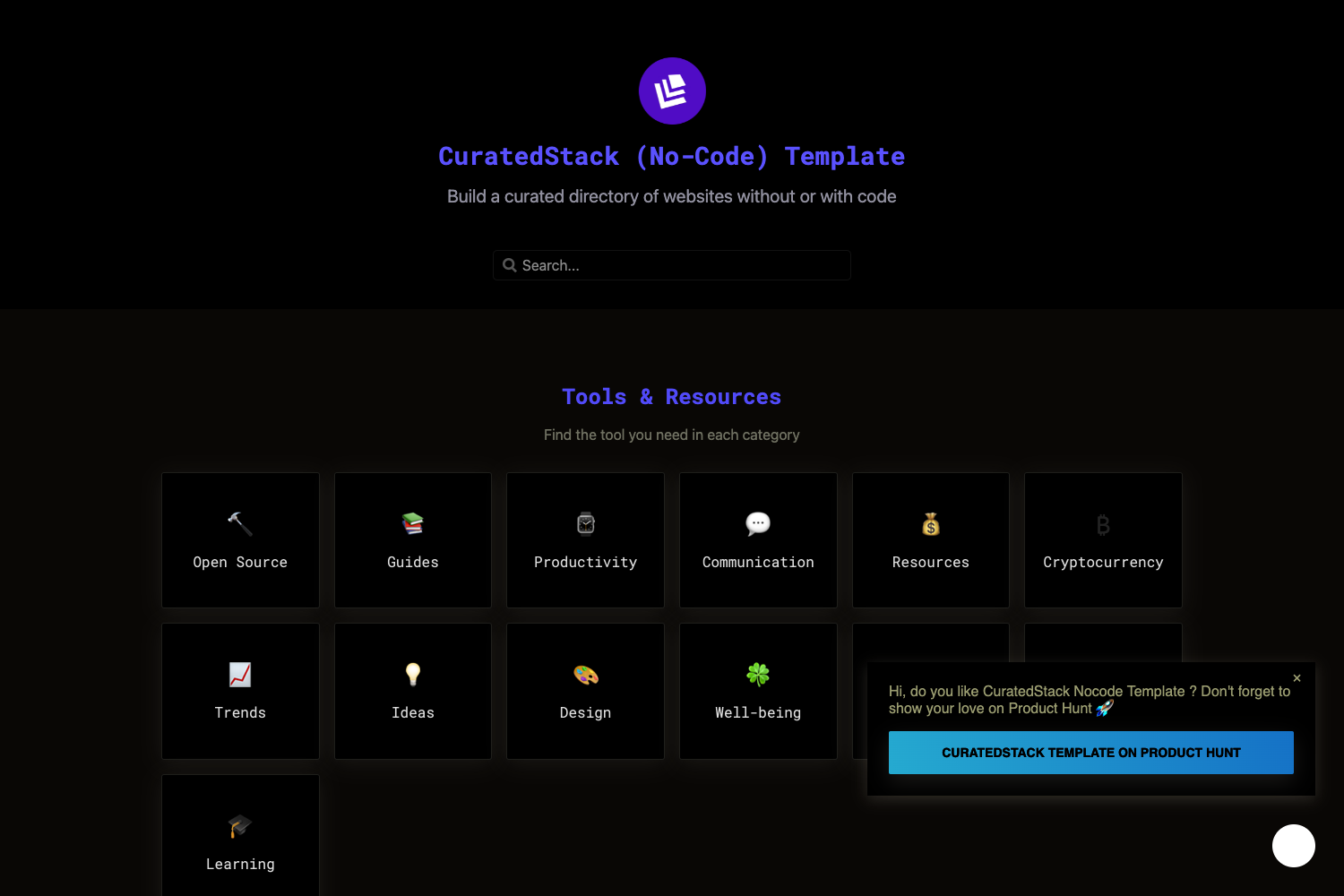
Minted Directory Astro is a directory template built on the Astro framework with Tailwind CSS, designed to create static, SEO-optimized directory websites from markdown, JSON, CSV, or external data sources.
What is Minted Directory Astro?
Minted Directory Astro is a markdown-driven directory template that runs on the Astro framework and uses Tailwind CSS for styling. It takes listings as input from local files or connected services and outputs a static website with pre-rendered HTML. The template is maintained on GitHub by the account masterkram under the name "minted-directory-astro".
The template uses a src/data/directory folder where markdown files become listings automatically, and it also supports JSON and CSV files. External sources like Google Sheets, Notion, and Airtable can be wired in via a settings.toml configuration. The output is optimized for SEO and performance since it ships as static files.
Key Features
The template includes a set of features that are useful for launching a directory site quickly.
- Multi-format listing support — listings can be added from markdown files in
src/data/directory, a singledirectory.jsonarray, adirectory.csvtable, or by connecting Google Sheets, Notion, or Airtable. - SEO optimized output — the site builds to static HTML, CSS, and JavaScript for fast page loads, and it includes programmatic SEO capabilities out of the box.
- Pre-built directory components — ready-made UI components cover common directory needs, such as listing cards, tags, and search.
- Dark and light mode — the template ships with both color themes and a toggle to switch between them.
- Sponsored content support — listings can be marked as sponsored, enabling paid placement within the directory.
- Tags and search — visitors can browse listings by tags and search through the content.
- Customizable styling — the primary and gray colors are defined as CSS variables in
src/styles/global.css, and two pre-made themes, spearmint and peppermint, are included. Fonts can be swapped via Fontsource imports.
Who is it for?
This template is suited for developers and creators who want to launch a directory website without building one from scratch. Indie hackers can spin up a niche product or tool directory; web developers get a clean Astro and Tailwind codebase to customize; content teams can manage listings collaboratively through Google Sheets; and marketers can deploy an SEO-focused listing site quickly. Each user role benefits from the static output and the ability to update listings by editing markdown files or external tables.
Use cases
- Startup directories — list SaaS tools or developer resources, with tags and search for discovery.
- Local business directories — create a community guide with sponsored placements for featured businesses.
- Personal knowledge hubs — publish a curated list of articles, tools, or projects in a searchable format.
- Agency client sites — hand off a directory site where the client can update listings via Google Sheets without touching code.
How does the template work?
To get started, you clone the repository and install dependencies with pnpm install, then run pnpm dev for local development. Listings are added as markdown files in src/data/directory or through the other supported data formats. When you're ready to publish, run pnpm run build to generate the static site, and deploy it anywhere that serves static HTML. Because the site is static, listing changes only appear after a rebuild and redeploy.
FAQ
What data sources does Minted Directory Astro support?
Minted Directory Astro supports markdown files, JSON, CSV, Google Sheets, Notion, and Airtable. For markdown, files placed in src/data/directory are loaded automatically; JSON and CSV use a single file named directory.json or directory.csv; for Google Sheets you must make the sheet public and set source=sheets along with the sheet ID in settings.toml.
How do I add a new listing?
Add a markdown file to the src/data/directory folder with the required frontmatter properties, such as title and description. The file is picked up automatically, and the listing appears after the site is rebuilt and deployed. Alternatively, you can add rows to a CSV or objects to the JSON file.
Can I customize the design?
Yes, you can change the color scheme by editing the --color-primary-x00 and --color-gray-x00 variables in src/styles/global.css. The template also includes two pre-made themes, spearmint and peppermint, and you can replace the font by installing a Fontsource package and importing it in BaseLayout.astro while updating the --font-sans variable.
Is the site SEO friendly?
The template is optimized for SEO with programmatic SEO out of the box. Because it builds to static HTML, CSS, and JS, the site loads fast and search engines can easily index the pages. The README recommends deploying the built static site for the best SEO performance.