Template details
Moonwalk
A fast, minimal Jekyll blog theme with clean dark mode, agent-friendly Markdown output, and 100/100 Lighthouse scores.
About this template
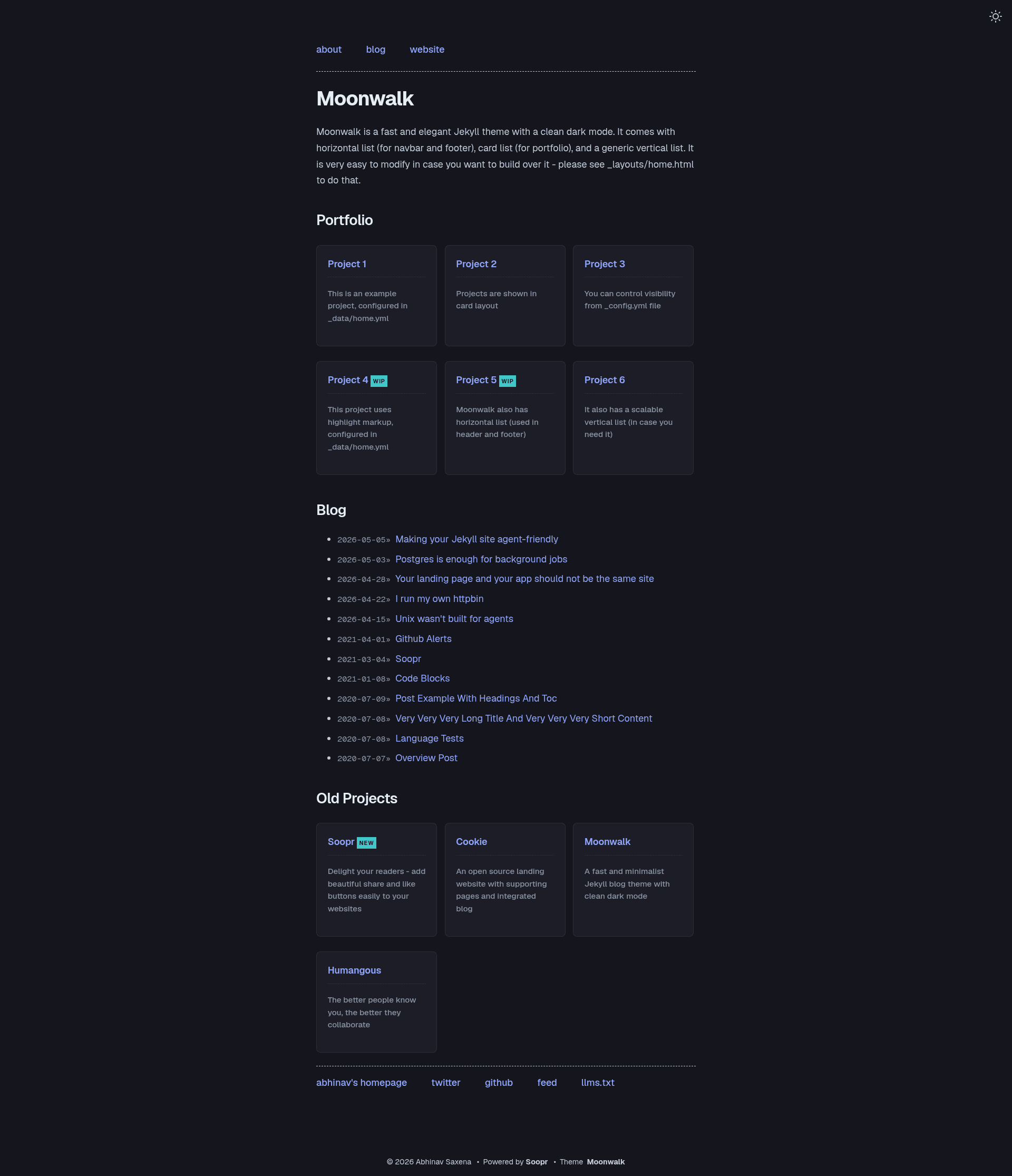
Moonwalk is a fast, minimal Jekyll blog theme with a clean dark mode, built-in light/dark switching, and agent-friendly Markdown output, created by Abhinav Saxena.
What is Moonwalk?
Moonwalk is a Jekyll theme that turns Markdown posts into a static blog with a landing page, portfolio cards, and a tag archive. It takes standard Jekyll posts plus front matter as input and generates a fully static site with RSS, sitemap, client-side search, and optional /llms.txt and /llms-full.txt files. The theme runs on Jekyll (Ruby), is distributed as a GitHub repository and Ruby gem, and has a demo hosted on GitHub Pages.
Key Features
- Light & dark mode — Theme switcher that respects
prefers-reduced-motion, with CSS variables for customizing both palettes. - Agent-friendly output — Two bundled Jekyll plugins emit a
.mdsibling for every post plus/llms.txtand/llms-full.txtindexes for LLM crawlers. - Client-side search — Searches post titles, tags, and excerpts via an auto-generated
/search.json; add thesearch.htmlinclude to any page. - Typography — Body and headings use Geist; code uses Geist Mono, both overridable via CSS variables.
- Opt-in reading tools — Footnote tooltips, hover-preview cards on internal links, drop caps, reading progress bar, back-to-top button, and table of contents via front matter.
- GitHub Markdown Alerts — Styles NOTE, TIP, IMPORTANT, WARNING, and CAUTION blocks with colored borders and icons in both modes.
- High performance — Very minimal CSS, scoring 100/100 on Lighthouse performance, accessibility, best practices, and SEO.
- Social sharing — Auto-generated share images and share/like buttons via Soopr integration.
Who is it for?
- Bloggers who want a fast, minimal Jekyll blog with clean dark mode and little JavaScript.
- Developers who write technical posts and want agent-friendly Markdown output, syntax highlighting with language labels, and GitHub-style alerts.
- Portfolio owners who need a landing page with navbar, footer, and project cards alongside blog posts.
- Indie hackers deploying to GitHub Pages or Netlify who want a one-click deploy and minimal maintenance.
What can you do with Moonwalk?
- Publish long-form posts with table of contents, footnotes, code blocks with copy buttons, and reading progress.
- Build a portfolio landing page using the home layout with vertical lists, horizontal nav, and project cards.
- Make your site LLM-friendly — agents can fetch clean Markdown per post or the whole site via
/llms.txtand/llms-full.txt. - Customize menus through
_data/home.ymlwith nested entries, plain-text entries, or post lists.
How does Moonwalk work?
Fork the repository, run bin/bootstrap to install dependencies, and start the dev server with bin/start at http://127.0.0.1:4000. Configure the blog name, author, appearance, and theme options in _config.yml; menus and portfolio cards are edited in _data/home.yml. Deploy by pushing to GitHub Pages, or use the one-click Netlify deploy button.
Pros and cons
- Pros — Extremely fast due to minimal CSS, 100/100 Lighthouse scores, extensive opt-in features, agent-friendly output, and permissive MIT licensing.
- Cons — The two agent-friendly plugins are not on the GitHub Pages whitelist, so GH Pages hosting needs a CI build or removes those plugins; Windows users may need Ruby 3.0.x instead of 3.1.x.
Pricing
Moonwalk is free and open source under the MIT License. The optional Soopr integration for share images and buttons has its own free tier, but the theme itself costs nothing.
Alternatives
- no style please! — the original Jekyll theme by Riccardo Graziosi that Moonwalk was forked from, available as a standalone theme with a different look.
FAQ
Is Moonwalk free?
Yes, Moonwalk is open source under the MIT License, so you can use, modify, and redistribute it freely for personal or commercial blogs.
Does Moonwalk work with GitHub Pages?
It is fully compatible with GitHub Pages for the core theme, but the two agent-friendly plugins (jekyll-markdown-output and jekyll-llms-output) are not on GitHub Pages' plugin whitelist. You must build the site yourself in CI or remove those plugins.
What fonts does Moonwalk use?
Moonwalk uses Geist for body and headings and Geist Mono for code, both loaded from Vercel's font service. You can override them by setting the --font-sans and --font-mono CSS variables in your SCSS.
How do I enable opt-in features like reading progress?
Each optional feature is toggled in the theme_config section of _config.yml. Set the corresponding option to true to enable reading progress, back-to-top, footnote tooltips, link previews, drop caps, and other extras.
How can I add client-side search?
Include the search.html partial in any page or layout. It searches over post titles, tags, and excerpts using the auto-generated /search.json index.