Template details
Nēnē
Nēnē: A no-frills static site generator
About this template
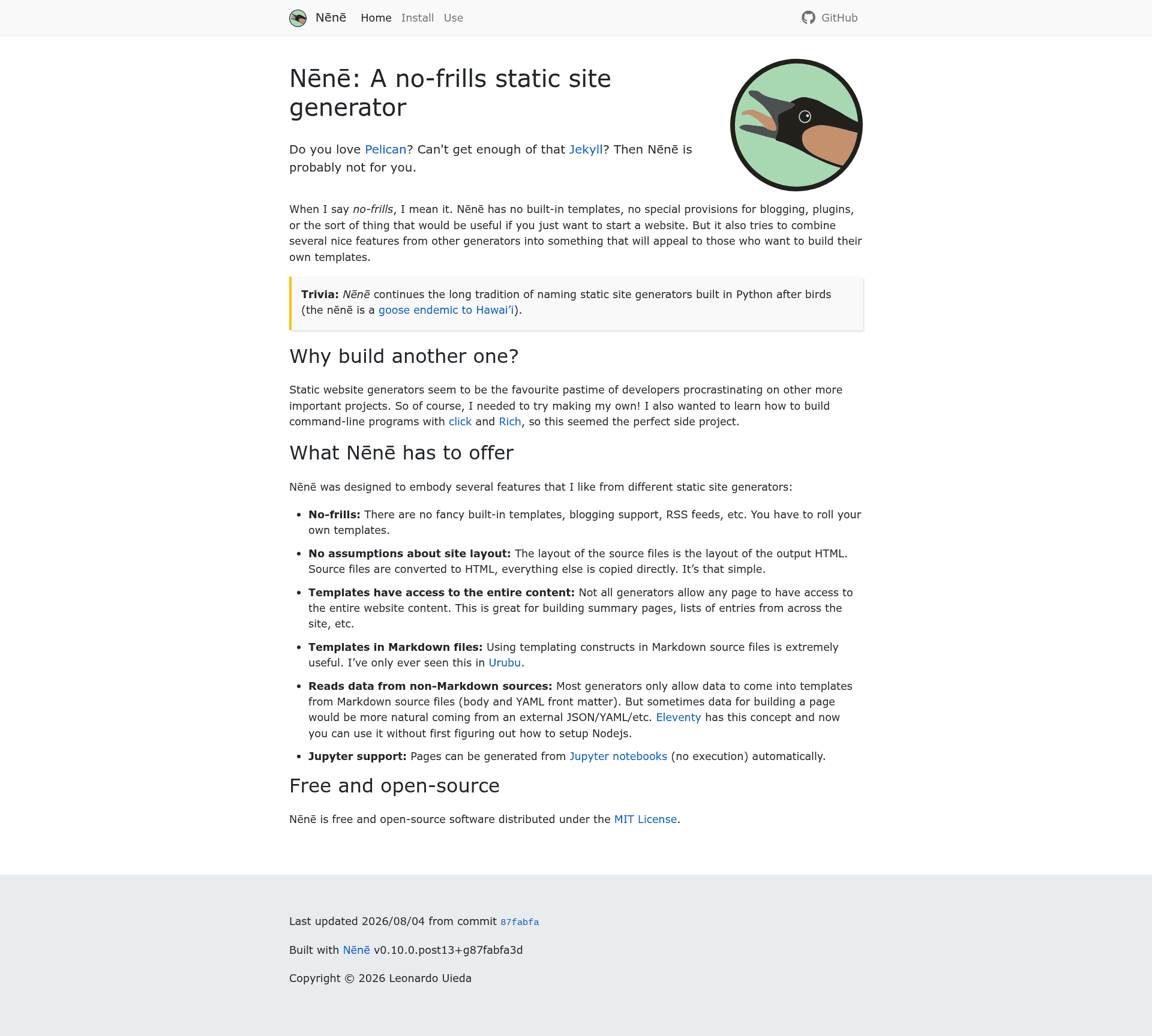
Nēnē is a no-frills, Python-based static site generator that compiles your content and hand-built Jinja2 templates into a static HTML website — with no built-in templates, blog features, or plugins.
What is Nēnē?
Nēnē is a static site generator written in Python and distributed on PyPI and conda-forge under the MIT License. It takes content files and user-created templates and produces a static HTML website. The generator deliberately omits built-in templates, blogging support, and a plugin system, as stated in its README. Its name continues the tradition of naming Python static site generators after birds — the nēnē is a goose endemic to Hawai'i.
The project's documentation site is itself built with Nēnē, and it's used for real websites including the Computational Geodynamics Lab site at www.compgeolab.org, Leonardo Uieda's personal site at www.leouieda.com, and Ana Carolina Colombo's site at www.acarolcolombo.com.
Key Features
- No built-in templates — You design every template from scratch, giving you complete control over HTML structure and CSS styling.
- Jinja2 templating — The repository metadata lists jinja2 as a topic, meaning templates are written using the Jinja2 template engine.
- Jupyter notebook support — The project's topics include jupyter-notebook, suggesting it can process Jupyter notebooks as content sources alongside other formats.
- Installed via pip or conda — Nēnē is available on PyPI and conda-forge, letting you install it with standard Python package managers.
- MIT licensed — The source is free and open-source, distributed under the MIT License.
- Used for production sites — The README links to three live websites and their source code as examples of Nēnē in use.
Who should use Nēnē?
Nēnē is aimed at developers who want a minimal static site generator and prefer to hand-code their own templates rather than use a theme. Python users comfortable with Jinja2 will find it easy to extend. If you want a generator that stays out of your way with no blogging or plugin overhead, Nēnē offers that minimalism. If you need out-of-the-box blogging features or a pre-made theme, the README suggests looking elsewhere — it explicitly contrasts itself with Pelican and Jekyll.
What can you do with Nēnē?
- Research groups: Build a laboratory website like the Computational Geodynamics Lab (www.compgeolab.org) with custom layouts for publications and team pages.
- Individuals: Create a personal homepage like www.leouieda.com to showcase projects and professional information.
- Portfolio owners: Use it for a personal portfolio site like www.acarolcolombo.com, with full control over the page structure and design.
Pros and cons
Pros:
- Minimal core with no forced structure, templates, or plugins.
- Built in Python, making it easy to integrate into Python-based workflows.
- Open source under MIT License.
Cons:
- No built-in templates means you must create your own design from nothing.
- No plugin system, so you have to implement features like pagination manually.
- The README warns that compatibility may break between releases; you're advised to pin Nēnē to a specific version.
Pricing
Nēnē is free and open-source software distributed under the MIT License.
Alternatives
- Pelican — A Python static site generator that includes built-in themes and blogging support, which Nēnē explicitly positions itself against.
- Jekyll — A Ruby-based static site generator with built-in blogging and theming, also referenced in Nēnē's README.
FAQ
Is Nēnē free?
Yes, Nēnē is free and open-source software released under the MIT License. You can use, modify, and distribute it without licensing fees.
Does Nēnē have built-in templates?
No. Nēnē has no built-in templates by design. You must create your own HTML templates for the generator to use. This is a deliberate choice for developers who prefer to build custom designs.
Can I use Nēnē for a blog?
The README says Nēnē has no special provisions for blogging. While you could build blog features yourself on top of it, there is no built-in blog support, categories, or post management.
What languages is Nēnē written in?
Nēnē is written in Python. Its templates use the Jinja2 templating engine, and it can work with Jupyter notebooks, according to the project's topics.
Why should I pin Nēnē to a specific version?
The author warns that compatibility between releases may be broken. Pinning Nēnē to an exact version prevents updates from introducing breaking changes that could affect your generated site.