Template details
NeonMint
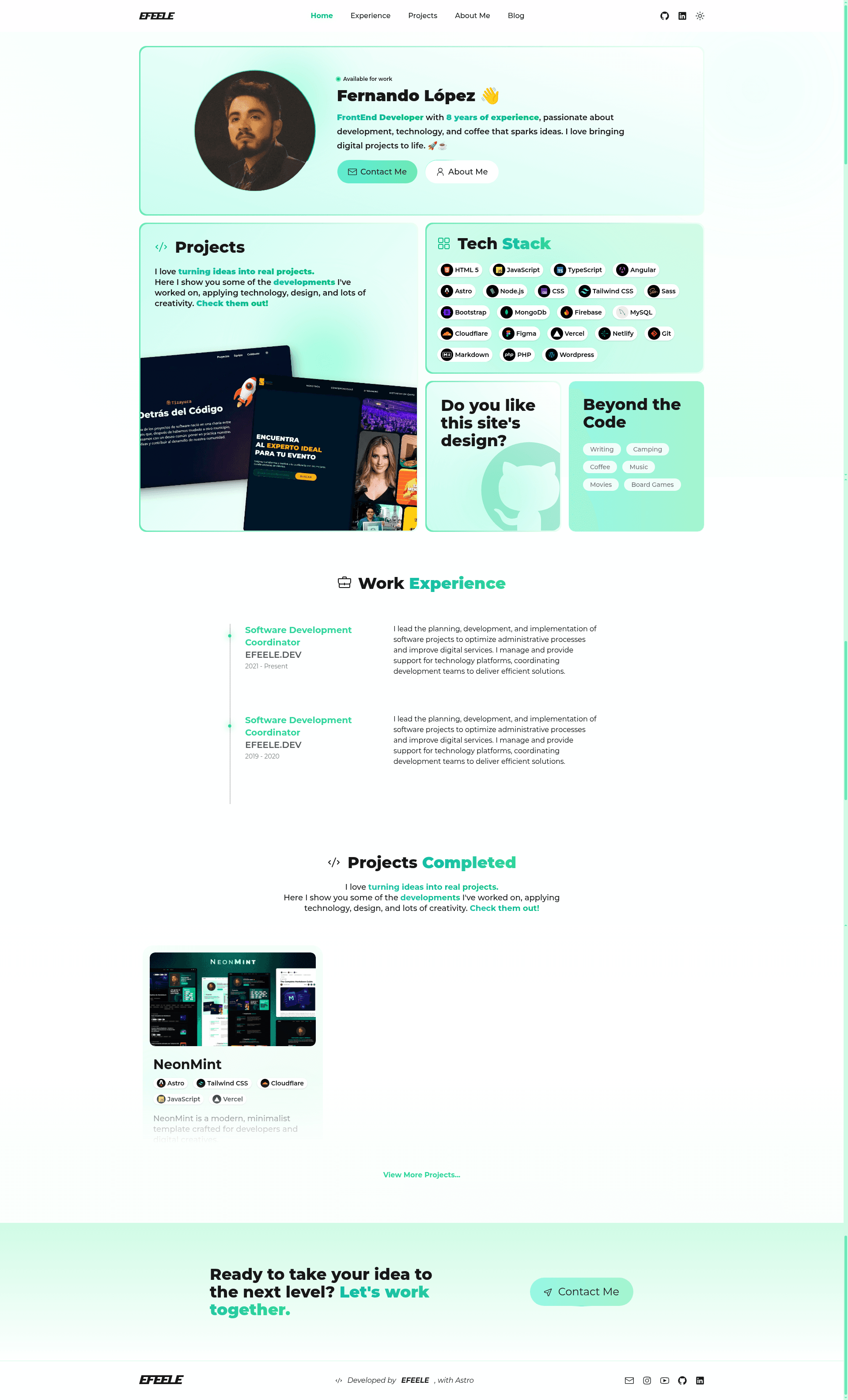
Modern minimalist dark-themed web template for developer portfolios, dashboards, and tech landing pages, built with Astro and Tailwind CSS.
About this template
NeonMint is a minimalist, dark-themed portfolio and landing page template built with Astro v5.6.1 and Tailwind CSS v4.0.8, designed for developers and digital creatives to showcase projects, blog posts, and technical skills.
What is NeonMint?
NeonMint is a free, MIT-licensed web template created by EFEELE that generates static websites with a dark-toned design accented by mint green. It takes Markdown content (blog posts, portfolio projects, about-me pages) as input and outputs a fully static, SEO-friendly site with an RSS feed, sitemap, robots.txt, and PWA configuration. It runs on Astro and can be deployed to any static hosting service, with Vercel Speed Insights analytics already integrated.
The template includes a complete project structure: src/pages for routes, src/components for reusable UI, src/layouts for Astro layout files, src/icons for SVG icons, and src/styles/global.css for custom styles. It supports TypeScript, Preact partial hydration, PrismJS syntax highlighting, and utility-first TailwindCSS styling.
Key Features
- Performance-focused static generation — Astro's static site generation with Preact partial hydration keeps JavaScript payloads small on pages like the blog and portfolio.
- Structured content pages — Includes home, about-me, blog index, individual blog posts, tag and technology archive pages, and a portfolio projects section.
- Add technology icons easily — Drop an SVG into
src/icons, register it insrc/utils/languages.ts, and it becomes available when tagging posts or projects. - Built-in SEO and feeds — Generates
rss.xml.js,robots.txt.ts, and uses astro-icon for optimized icons; PWA manifest (site.webmanifest) is included for installable web apps. - Tailwind CSS v4.0.8 styling — Utility-first classes with a dark theme and mint green accent colors, plus animated components via
tailwindcss-animated. - Analytics integration — Includes
@vercel/speed-insightsv1.2.0 to track web vitals without extra configuration. - Syntax highlighting — PrismJS v1.30.0 is bundled for highlighting code blocks in blog posts.
- Developer tooling — TypeScript support, ESLint integration, hot module replacement, and a simple
menu.jsscript for responsive navigation.
Who is it for?
NeonMint targets three main audiences. Developers can use it to launch a personal portfolio with a project gallery and a Markdown-powered blog. Designers and digital creatives get a clean, dark aesthetic with mint green accents that puts their work first. Tech startups and product teams can adapt the landing page and project pages to showcase a product or dashboard with minimal effort.
What can you do with NeonMint?
- Personal portfolio: Display projects in the portfolio section, each with images from
public/images/projectsand associated technology tags. - Developer blog: Write posts in Markdown under
src/pages/blog/posts, with tag and technology grouping, PrismJS highlighting, and an RSS feed for readers. - About-me page: Customize
about-me.mdto introduce yourself; the layout is handled byMarkdownAbout.astro. - Landing page: Modify
index.astroto turn the template into a product landing page, keeping the dark theme and responsive layout.
How does NeonMint work?
Install it directly with npm create astro@latest -- --template EFEELE/neonmint or clone the repository and run npm install. Use npm run dev for local development with hot reload, npm run build to generate static files, and npm run preview to test the production build. The project is configured for Vercel deployment, but any static host works.
Deployment
NeonMint is pre-configured for Vercel through @vercel/speed-insights, but because Astro outputs static files, you can publish the dist folder to Netlify, GitHub Pages, Cloudflare Pages, or any other static hosting service. Update the PWA manifest and favicon files in public to match your brand.