Template details
Next + MDX Digital Garden Starter
An opinionated starting point for Digital Garden content authoring.
About this template
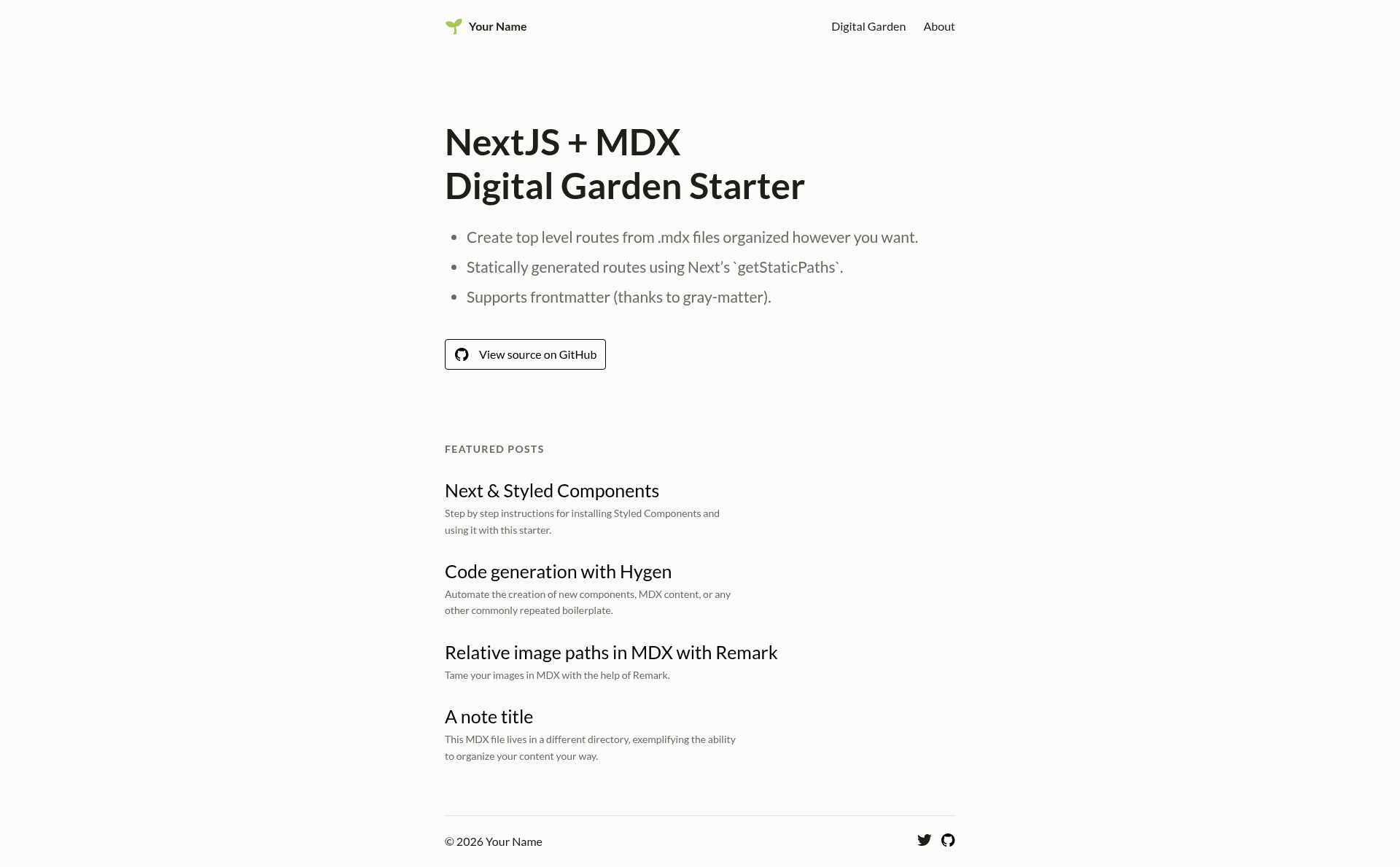
Next + MDX Digital Garden Starter is a boilerplate for building a digital garden site with Next.js and MDX, generating statically built pages from MDX content files without tying routes to the filesystem structure.
What is the Next + MDX Digital Garden Starter?
The Next + MDX Digital Garden Starter is an opinionated starting point for digital garden content authoring, created by Ryan Warner and published on GitHub. It takes MDX files from a content directory (content/ by default) and produces statically generated pages using Next.js. The output is a collection of HTML pages rendered from MDX, with a homepage that lists posts sorted by date. It runs on Next.js and uses gray-matter to parse front-matter from each MDX file.
Key Features
- Statically generated MDX pages — Uses Next.js getStaticPaths to generate static paths for every .mdx file in the specified directory, and getStaticProps passes the MDX content plus parsed front-matter to a PostPage component.
- Homepage post listing — The index page uses the same MDX-reading logic to generate a list of posts sorted by date.
- Component use in MDX without imports — Custom components placed in the components directory can be referenced directly in MDX files; no import statements are needed.
- Filesystem-independent routing — URLs are derived from MDX data rather than the file path, decoupling content structure from site structure.
- Simple developer workflow — Install with npm install and run the dev server with npm run dev; MDX files dropped into the content directory appear on the site.
- Minimal dependency footprint — Uses only Next.js, MDX, and gray-matter for the core pipeline, keeping the starter lightweight.
Who is it for?
- Digital gardeners who want to publish interconnected notes and essays in MDX format without building a site from scratch.
- Next.js developers who need a minimal reference implementation for rendering MDX with static generation and front-matter parsing.
- Bloggers and knowledge-base owners who prefer writing in Markdown/MDX and want a custom site without a CMS backend.
What can you do with it?
- Write MDX content — Drop .mdx files into the content directory and they become statically generated pages on your site.
- Reuse custom components — Build components once in the components directory and use them across all MDX posts without importing them each time.
- Create a date-sorted archive — The homepage automatically lists all posts in reverse chronological order, giving you a simple blog or digital garden index.
How does it work?
The template uses a dynamic route file [slug].js to generate static paths. getStaticPaths scans the chosen directory for all .mdx files, and getStaticProps reads each file, parses its front-matter with gray-matter, and passes the content and metadata to the PostPage component for rendering. The homepage replicates this logic to display a list of posts sorted by date.
Pros and cons
- Pros: Static generation produces fast pages; the starter is minimal and easy to extend; MDX allows embedding React components in content.
- Cons: The setup does not handle code-splitting (the author notes that switching to mdx-bundler did not work); filesystem-based routing is not yet supported as an option.
FAQ
Is the Next + MDX Digital Garden Starter free?
Yes, it is a public GitHub repository, so you can clone and use it without payment. No license is specified in the README, so check the repository for licensing details before commercial use.
Does it support code-splitting?
No. The README states that the setup does not handle code-splitting, and the author's attempt to switch to mdx-bundler failed. This means all MDX content may be bundled together.
How do I use custom components in MDX?
Place your component files in the components directory. You can then reference them directly in your MDX content without writing import statements, because the template resolves components from that folder.
How are pages generated?
Each MDX file in the content directory becomes a static route via getStaticPaths. The getStaticProps method reads the file, parses front-matter with gray-matter, and passes the content to the PostPage component to render the page.
Can I use filesystem-based routing?
Not yet. The README lists "Support filesystem-based routing as an option" as a TODO, so the current version only generates routes from MDX content itself.