Template details
Nextatic
A fully static website generator with i18n, Netlify CMS, Next.js, SCSS, and TypeScript.
About this template
Nextatic is an open-source boilerplate for building fully static multi-language websites with Next.js, Netlify CMS, SCSS, and TypeScript, handling CMS content, routing, and i18n out of the box.
What is Nextatic?
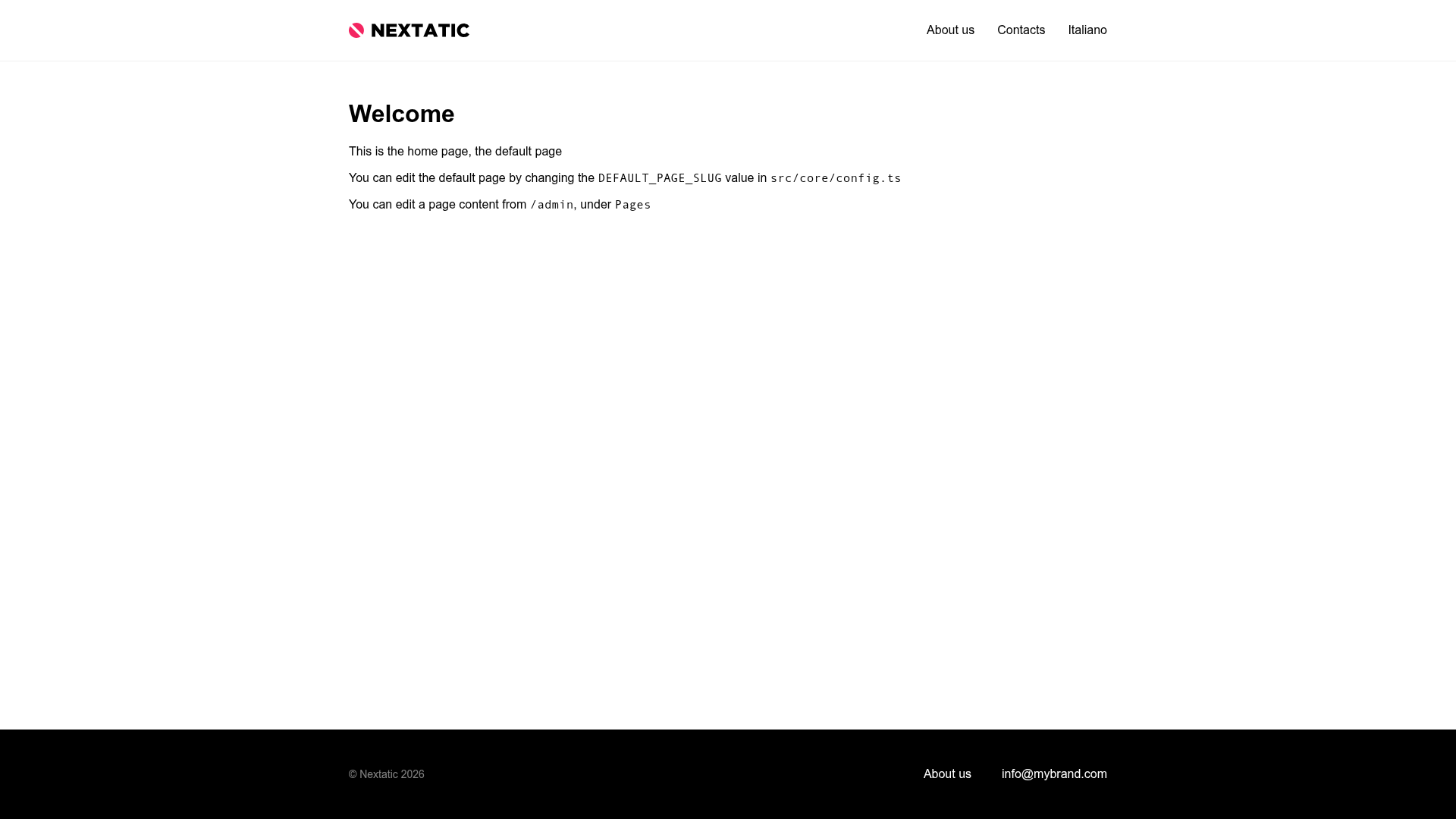
Nextatic is a starter template that combines Next.js, Netlify CMS, SCSS, and TypeScript to produce a fully static website deployable to any static host. It takes content edited through Netlify CMS, configured in public/admin/config.yml, and generates the site into a dist folder via the npm run export command. The project is authored by tancredi and is a fork of the iammary/nextjs-netlifycms-ts-starter repository. It provides a pre-configured admin interface at /admin for editing content, with authentication handled by Netlify.
Key Features
- Fully static output —
npm run exportbuilds the site into adistfolder, so it can be deployed to Netlify or any other static hosting service. - Built-in internationalization — Uses Netlify CMS's i18n beta features, configured for English (default) and Italian (set in the
i18n.localesandi18n.default_localekeys ofpublic/admin/config.yml), with support for changing locales. - CMS-driven routes and navigation — Routes follow the
/[locale]/[page-slug]pattern, and both pages and navigation are populated from CMS entries, editable by non-developers. - Starter layout with utilities — Includes a default page component (
src/page-components/DefaultPage.tsx) and content utility functions insrc/utils/contentthat merge the default-language entry with translated fields. - TypeScript and SCSS — The stack includes TypeScript for typed code and SCSS for styling, giving a modern developer experience.
- Admin interface — An editing interface is available at
/adminin the browser, using Netlify authentication for content authors.
Who is it for?
- Static site developers who need a CMS-driven website without running a server, using Next.js and Netlify.
- Multilingual content teams that need to manage pages and navigation in multiple languages through a single CMS interface.
- Developers starting a new project who want a pre-built routing and content structure for i18n instead of building it from scratch.
- Netlify users who want a drop-in deployment configuration with a known build command (
npm run export) and publish directory (dist).
What can you do with Nextatic?
- Create a multilingual marketing site: Use the CMS to create pages with localized content, and the i18n structure will store translations in separate folders for each language.
- Let non-technical editors update content: By logging into
/admin, editors can change text, create new pages, and manage navigation without touching code. - Extend the boilerplate: Add new CMS entry types by creating models in
src/modelsthat match definitions in the CMS config, then map them to page components.
How does Nextatic work?
The core routing in src/pages uses a single dynamic route [locale]/[slug].tsx. This route loads the localized content for a page entry from the CMS and passes it to src/page-components/DefaultPage.tsx, or to another component mapped to that slug in src/page-components/index.ts. The src/utils/content methods handle merging the default language entry with translated entries, so the front-end gets a complete localized object. Because i18n on Netlify CMS is in beta, the i18n.structure setting must remain multiple_folders, which stores each language's entries in separate folders (e.g., content/en/ and content/it/).
Netlify Deployment
To deploy correctly on Netlify, set the build command to npm run export and the publish directory to dist. The admin interface at /admin relies on Netlify authentication, so the site should be hosted on Netlify (or another service that provides the required auth callbacks) for the CMS editor to work.
FAQ
Is Nextatic free?
Yes, the boilerplate is open source and the repository is public. There are no licensing fees mentioned in the documentation; you only need to provide your own static hosting and Netlify account (if you use the provided admin authentication).
What languages are supported by default?
The default configuration includes English (en as the default locale) and Italian (it). You can change or add locales by editing the i18n.locales and i18n.default_locale keys in public/admin/config.yml. The changes take effect immediately because the source reads settings directly from the CMS YAML configuration.
How do I edit content in Nextatic?
After running the project locally or deploying it, navigate to /admin on your site. You'll authenticate via Netlify, then you can edit collections and fields defined in public/admin/config.yml. Pages and navigation created in the CMS appear at routes like /en/my-page.
What is the main limitation of the routing?
The boilerplate assumes most content lives under the /[locale]/[page-slug] route, for example /en/my-page. If you need a flatter URL structure or routes that don't fit this pattern, you'd have to strip out a significant amount of the built-in routing logic, and the author suggests starting from scratch instead.
How do I add a new type of content?
You can model new CMS entry types in src/models, as long as the model matches the definitions in public/admin/config.yml. Then map the new entry to a page component in src/page-components/index.ts so it renders with the route logic.