Template details
Dappify
Next.js 13 dApp development kit with RainbowKit, Wagmi, and Tailwind CSS integration.
About this template
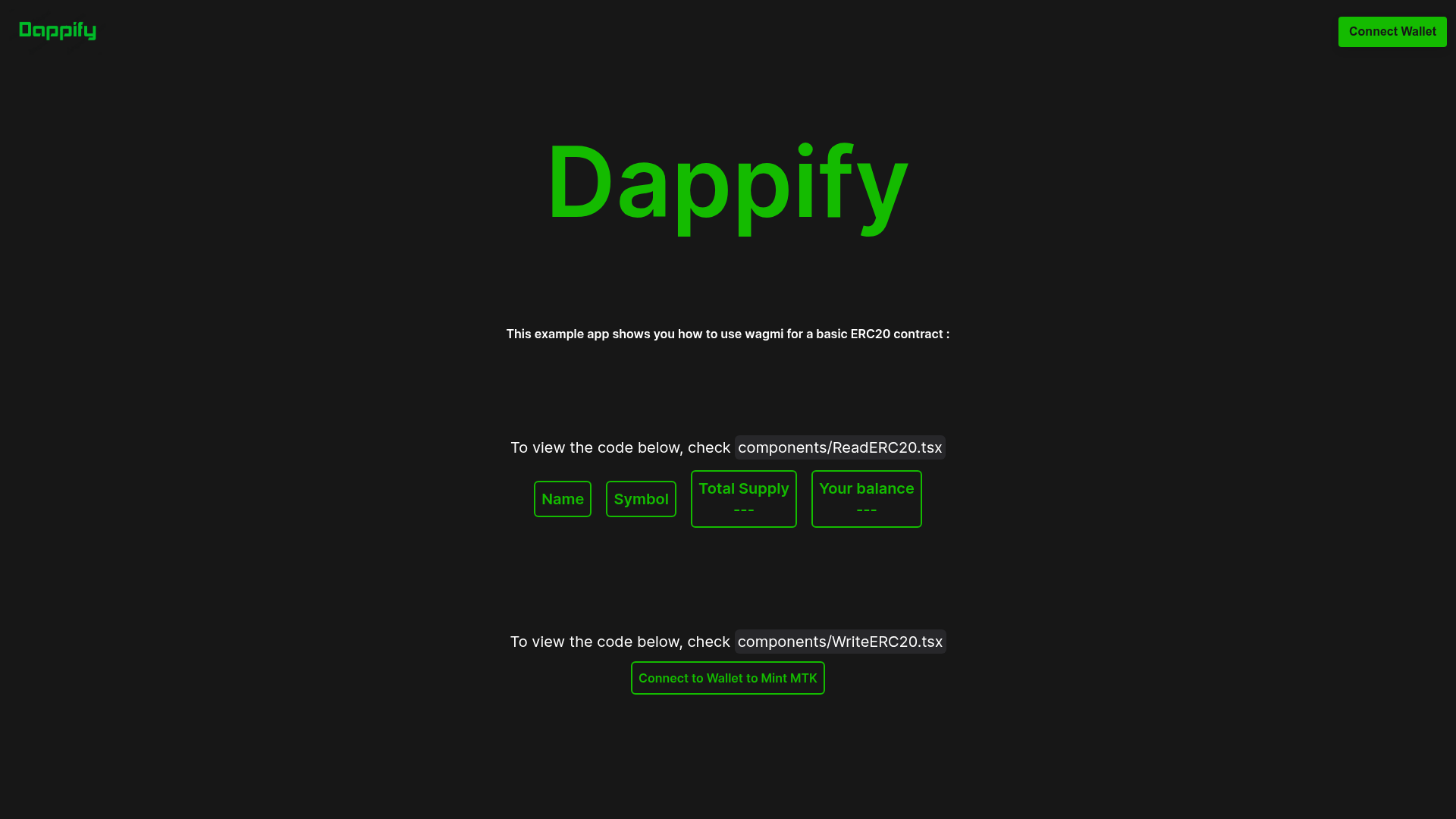
Dappify is a Next.js 13 dApp development kit — a boilerplate template that scaffolds a wallet-connected decentralized application with RainbowKit, Wagmi, Ethers.js, and Tailwind CSS.
What is Dappify?
Dappify is an open-source starter template built on Next.js 13's App Router. It takes the core setup of a decentralized application — wallet connection, smart contract integration, value conversion, and styling — and packages it into a ready-to-run project. The template is maintained by Srinivas Joshi and available on GitHub. It outputs a working dApp with client-side rendering utilities and a configuration file for WalletConnect, chains, Wagmi, and toast notifications.
Key Features
- Next.js 13 App Router — Uses the App Router for simplified navigation and modern React server components; the project is organized into
app,components,contracts,utils, andpublicfolders. - Tailwind CSS Integration — Ships with a
tailwind.config.jsand utility-first styling, so you can style components without leaving your markup. - RainbowKit Wallet Access — Provides a fast, customizable wallet-connection experience; you plug in your own WalletConnect Cloud
projectIdinutils/providers.tsx. - Wagmi Smart Contract Integration — Reduces Ethereum interaction complexity; the
contractsfolder stores contract references andutils/contractInfo.tsholds the contract address and ABI. - Ethers.js Compatibility — Used for converting blockchain values like BigInt and parsing inputs, complementing Wagmi.
- TypeScript Support — The project is written in TypeScript for better tooling and type safety; a
tsconfig.jsfile is included. - Client-Side Rendering Helper — Includes
utils/clientOnly.tsxto handle components that should render only on the client, addressing hydration errors common in Next.js 13 web3 apps. - Husky Git Hooks — A
.huskyfolder is included for pre-commit formatting, with annpm run formatscript.
Who is Dappify for?
- Web3 developers — Get a working dApp foundation without wiring WalletConnect, Wagmi, and Ethers from scratch; you can focus on contract interactions and business logic.
- Next.js developers new to web3 — Use the template to learn how to integrate wallet connections in Next.js 13 App Router, with the README linking to a helpful article on hydration errors.
- Hackathon participants — Spin up a wallet-connected prototype quickly by cloning the repo, adding a WalletConnect
projectId, and runningnpm run dev.
What can you do with Dappify?
- Connect wallets — Add RainbowKit-based wallet connection with a few lines of configuration in
utils/providers.tsx. - Interact with smart contracts — Use Wagmi and the
contractInfo.tsutility to call contract methods with your own ABI and address. - Convert blockchain values — Use Ethers.js utilities to convert BigInt results and parse inputs.
- Format code automatically — Run
npm run formatto keep the codebase consistent, enforced by Husky git hooks.
How does Dappify work?
Clone the repository, run npm install, then configure a WalletConnect Cloud projectId and app name in utils/providers.tsx (optionally also set the chain). Start the dev server with npm run dev. The providers.tsx file wires together the wallet, chains, Wagmi, and react-toast notifications.
FAQ
Is Dappify free?
Yes, Dappify is open source and available on GitHub under the SrinivasJoshi repository. There are no paid tiers or license fees mentioned; you only need a free WalletConnect Cloud account to get a projectId.
Does Dappify require a WalletConnect account?
You need a WalletConnect Cloud projectId to enable wallet connections. Instructions in the README walk you through obtaining one and placing it in utils/providers.tsx.
What blockchain does Dappify support?
The template uses Wagmi, which supports multiple EVM-compatible chains. The configuration in utils/providers.tsx shows where to set the chain, but the README doesn't list specific defaults.
Can I use Dappify without Next.js experience?
The README suggests exploring Reactify if you're not comfortable with Next.js, so some familiarity with Next.js 13 and React is recommended. The template is structured to help you navigate common Next.js 13 hurdles like hydration errors.
What's in the contracts folder?
The contracts folder is a place to store smart contract references; utils/contractInfo.ts is where you put the contract address and ABI used by your dApp.