Template details
NHS England IO Jekyll Template
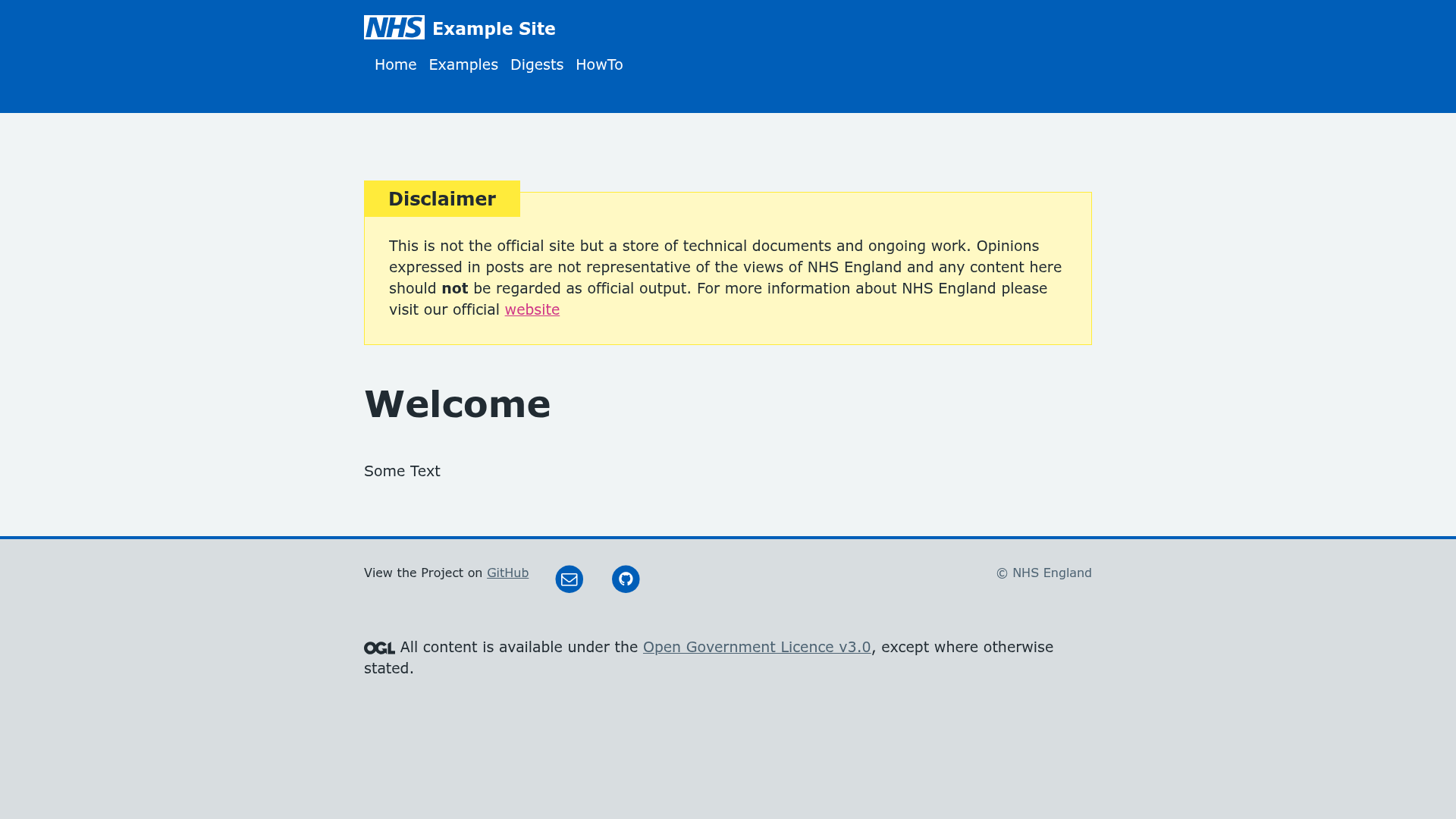
A Jekyll starting point for io pages, incorporating NHS England service-manual themes, components, and accessibility.
About this template
The NHS England IO Jekyll Template is a static-site starter for building "io" pages with Jekyll, Ruby, and Bundler, incorporating NHS England service-manual themes, components, and accessibility standards.
What is the NHS England IO Jekyll Template?
The NHS England IO Jekyll Template is a starting point for creating "io" pages using the Jekyll static site generator, Ruby, and Bundler. It pulls in themes, components, and accessibility guidance from the NHS England service manual (service-manual.nhs.uk). The template is hosted in the nhsx/AnalyticsUnit repository on GitHub and the codebase is released under the MIT License; the documentation is Crown copyright and available under the Open Government 3.0 licence.
What makes the NHS England IO Jekyll Template stand out?
It bundles NHS England's official design and accessibility resources into a plain Jekyll project, so teams do not have to set up the service manual separately. The setup is intentionally minimal: after installing Ruby, Jekyll, and Bundler, cloning the repository, and running bundle, a single command (bundle exec jekyll serve) serves the site locally at http://localhost:4000. The README links to platform-specific installation help for macOS (using Homebrew) and Windows, and the template supports live editing — changes saved in an IDE appear after a page refresh.
Who should use the NHS England IO Jekyll Template?
NHS England project teams can use this template to quickly create an "io" page that follows the service manual's design and accessibility guidelines without manually assembling the components. Jekyll developers can inspect the repository as a reference for structuring a Jekyll site that incorporates an external design system. Public sector content publishers can get a local preview of a branded page by following the README steps, then edit and build the static site.
What can you do with the NHS England IO Jekyll Template?
- Set up an NHS-branded static site in minutes — Clone the repo, run
bundle, and serve the site locally withbundle exec jekyll serve; the built site consists of static HTML files that can be hosted on any static web server. - Customize pages and components via Jekyll's directory structure — Edit existing pages or add new ones using Jekyll's Liquid templates and markdown, then refresh the browser to preview changes.
- Apply NHS England accessibility standards — Because the template pulls from the service manual, core accessibility patterns are already included in the base theme.
How does the NHS England IO Jekyll Template work?
The workflow is laid out in the README: first install Ruby, Jekyll, and Bundler; then clone the repository and run bundle to install dependencies. After that, bundle exec jekyll serve starts a local server, and the site is accessible at http://localhost:4000 (or the server address printed in the terminal). Edits made to the codebase are reflected on refresh.
Pricing
Free — the template is open source under the MIT License. The accompanying documentation is available under the Open Government 3.0 licence.
FAQ
Is the NHS England IO Jekyll Template free?
Yes. The codebase is licensed under the MIT License, and the documentation is licensed under the Open Government 3.0 licence. There is no cost to download or use the template.
What do I need to run the template locally?
You need Ruby, Jekyll, and Bundler installed on your system. The README links to installation guides for macOS (via Homebrew) and Windows. After installing, clone the repository from GitHub and run bundle to pull in dependencies.
How do I start the local development server?
Navigate into the cloned repository folder and run bundle exec jekyll serve. The site will be available at http://localhost:4000 or the server address shown in the terminal.
What is the default local URL for the template?
The default local address is http://localhost:4000, or the server address that Jekyll prints in the terminal when you run bundle exec jekyll serve.
Does the template include NHS England accessibility features?
Yes. The template uses the NHS England service manual (service-manual.nhs.uk) to incorporate themes, components, and accessibility standards into the generated pages.