Template details
Hematite
A work-in-progress Jekyll theme for course websites, distributed as a Ruby gem with a calendar view.
About this template
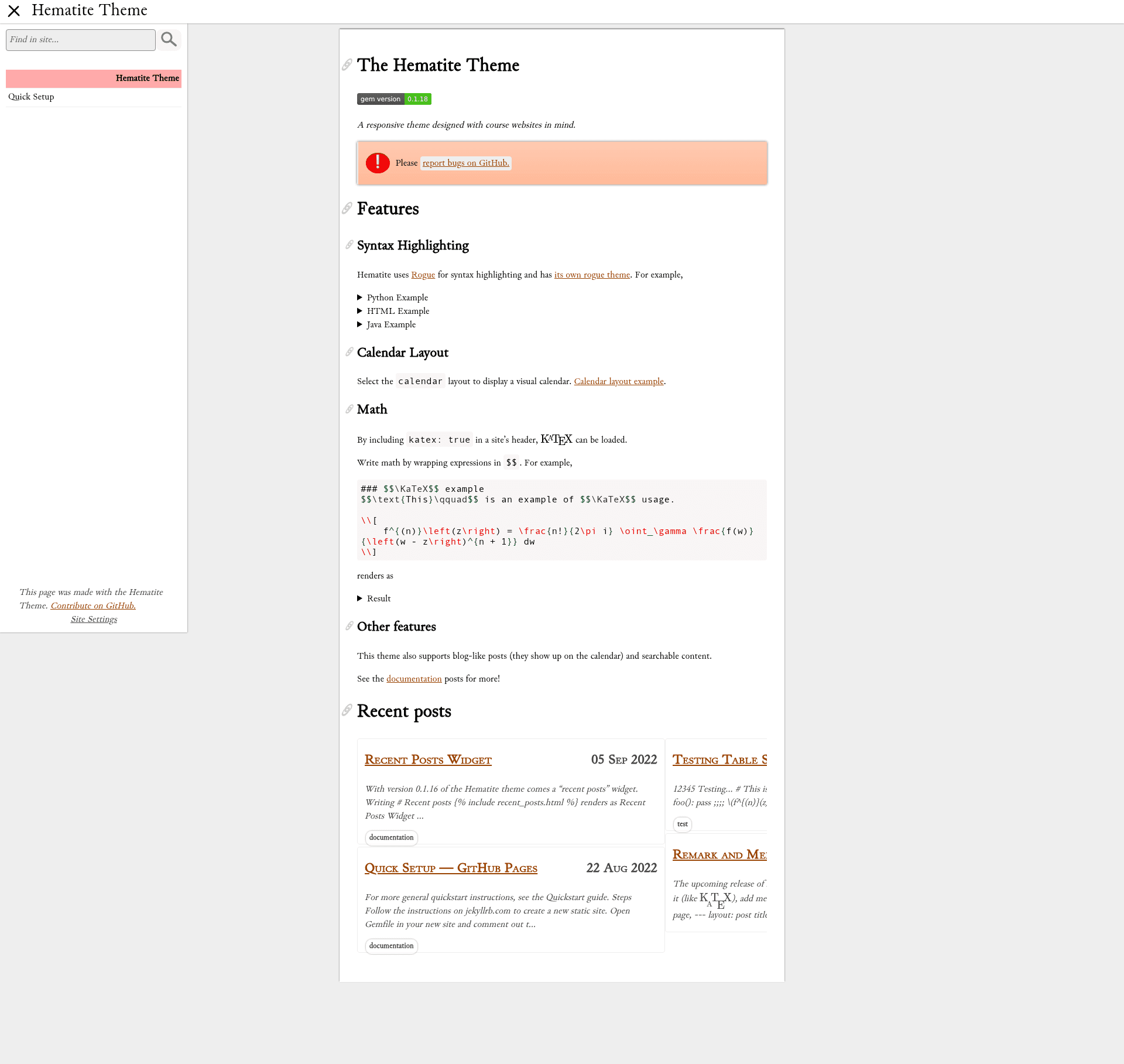
Hematite is a work-in-progress Jekyll theme distributed as the "hematite" Ruby gem, built specifically for course websites and featuring a dark calendar view in its screenshot. It installs like any Jekyll gem theme and renders your site content through its own layouts, includes, Sass files, and assets.
What is Hematite?
Hematite is a Jekyll theme packaged as a Ruby gem, intended for course websites. It takes standard Jekyll site content — pages, posts, and data files — and outputs a static site using the theme's layouts and styles. The theme is maintained by personalizedrefrigerator, is released under the MIT License, and is marked as a work-in-progress with minimal documentation currently available.
Key Features
- Gem-based install — Add
gem "hematite"to your Jekyll site's Gemfile, settheme: hematitein_config.yml, and runbundleto activate the theme. - Course website focus — The theme is explicitly intended for course websites; its screenshot shows a dark variant with a calendar view.
- Standard Jekyll structure — Uses the conventional
_layouts,_includes,_sass, andassetsdirectories; only Git-tracked files in those directories are bundled into the released gem. - Localization-ready strings — User-facing text lives in
assets/string_dataso the theme can be localized later. - MIT License — The theme is open source and freely usable, with the license available at https://opensource.org/licenses/MIT.
- Local development workflow — Run
bundle installandbundle exec jekyll serveto preview changes at http://localhost:4000.
Who is it for?
- Course instructors — Publish a static course website with a calendar for schedules and deadlines.
- Jekyll users — Developers who prefer the Ruby gem theme workflow and want a base to customize with their own layouts and assets.
- Educators using GitHub Pages — Host a course site on GitHub Pages using a gem-based Jekyll theme without managing a full custom theme from scratch.
What can you do with Hematite?
- Assemble a course site — Add pages, documents, and data to a Jekyll project and let Hematite's layouts render them consistently.
- Display a calendar view — The dark variant screenshot indicates a calendar-oriented design that can be used to show class dates and assignment due dates.
- Prepare for translation — Edit the string data files under
assets/string_datato adapt visible text for different languages.
How does Hematite work?
After adding the gem to your Gemfile and setting theme: hematite, run bundle to install it. Your Jekyll site then uses Hematite's layouts and assets automatically. During development, bundle exec jekyll serve regenerates the site on changes, and you can view the result at http://localhost:4000.
FAQ
Is Hematite free?
Yes, Hematite is open source under the MIT License, so you can use, modify, and distribute it freely.
How do I install Hematite on a Jekyll site?
Add gem "hematite" to your Gemfile, add theme: hematite to _config.yml, and run bundle. You can also run gem install hematite to install the gem directly.
What kind of websites is Hematite designed for?
Hematite is explicitly intended for course websites. The project is a work-in-progress and currently includes a calendar-based view shown in a dark variant.
Where can I find documentation for Hematite?
Minimal documentation is hosted at https://personalizedrefrigerator.github.io/jekyll-hematite-theme/. The repository states that further documentation is coming.
How can I contribute to Hematite?
Bug reports and pull requests are welcome on the GitHub repository at https://github.com/personalizedrefrigerator/jekyll-hematite-theme, and contributors are expected to follow the Contributor Covenant code of conduct.