Template details
Notion Down
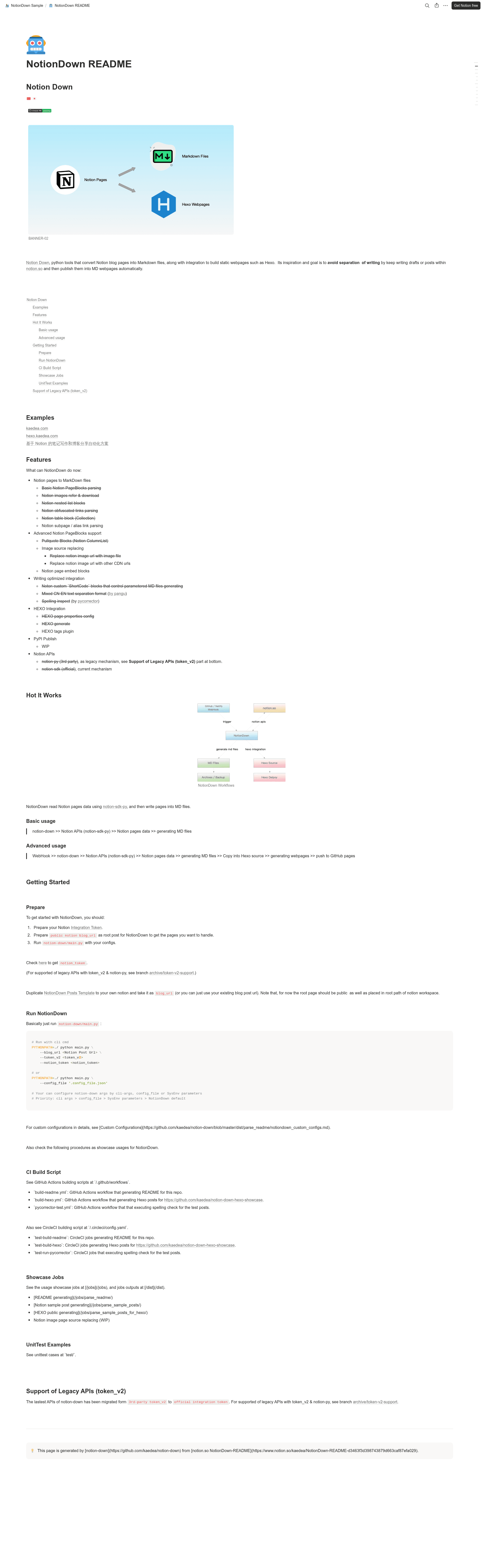
Notion >> Markdown. Python utility that converts Notion pages into MD files, along with integration to build static webpages such as Hexo.
About this template
Notion Down is an open-source Python utility that converts Notion pages into Markdown files and feeds them into static site builders like Hexo, so you can write in Notion and publish to a blog automatically.
What is Notion Down?
Notion Down is a Python command-line tool that reads pages from a public Notion page using the official Notion SDK (notion-sdk-py) and exports them as Markdown (MD) files, with built-in integration for generating Hexo static blogs. It is developed by kaedea and published on GitHub; the repository lists version 0.2.2 and revision e09d9b1. The tool accepts a Notion blog URL and an integration token as input, and produces Markdown files and optionally Hexo site content. Its stated goal is to avoid separation of writing by letting authors draft posts inside Notion and auto-publish to Markdown-based websites.
Key Features
- Notion PageBlocks parsing — Converts standard Notion blocks (paragraphs, headings, lists, tables/collections, nested lists, and obfuscated links) into Markdown output.
- Image handling — Downloads images referenced in Notion pages to local files, or replaces their URLs with custom CDN URLs.
- Pullquote and embedded blocks — Supports Notion ColumnList/pullquote blocks and page embed blocks during export.
- ShortCode blocks — Custom Notion blocks that control parameterized Markdown file generation.
- CN-EN text formatting — Uses pangu to insert correct spacing between Chinese and English text, and pycorrector for spelling inspection.
- Hexo integration — Sets Hexo page properties, generates Hexo posts, and includes a Hexo tags plugin, enabling a full Notion-to-Hexo build pipeline.
- Flexible configuration — Configure the tool via CLI arguments, a JSON config file, or system environment variables, with the priority order: CLI args > config file > environment variables > defaults.
Who should use Notion Down?
- Notion-first bloggers — Write posts in Notion, then run Notion Down to generate Markdown files that they can publish to a Hexo blog without leaving their note-taking workflow.
- Automation-minded developers — Wire Notion Down into GitHub Actions or CircleCI workflows; the repository ships build-readme, build-hexo, and pycorrector-test workflows and corresponding CI jobs.
- Writers needing Markdown copies — Export Notion pages as standard Markdown for backup, migration, or use in other Markdown-based documentation systems.
What can you do with Notion Down?
- Blog publishing automation: Trigger Notion Down via a WebHook to regenerate Markdown files, copy them into a Hexo source folder, build the static site, and push it to GitHub Pages—the advanced usage flow shown in the README.
- Bilingual content preparation: Authors writing mixed Chinese-English posts get automatic text spacing via pangu and spelling checks via pycorrector during MD generation.
- Site migration and backup: Convert Notion pages into portable Markdown files, then reuse those files in any Markdown-based static site generator, not just Hexo.
How does Notion Down work?
Notion Down reads Notion page data through the notion-sdk-py library and writes those pages into Markdown files. In the basic flow, you provide a public Notion blog URL and an integration token; the tool then parses each page and generates MD output under the configured location. In the advanced flow, a WebHook triggers the same process, which additionally copies the generated files into Hexo's source directory, runs the Hexo build, and pushes the resulting webpages to GitHub Pages. The README also shows ready-made CI examples in /.github/workflows and /.circleci/config.yaml.
Pros and cons
- Pros: Uses the official Notion SDK for current API support; covers many Notion block types and provides Hexo-specific features; includes CI/CD examples for GitHub Actions and CircleCI.
- Cons: The root Notion page must be public and placed at the root path of the Notion workspace; PyPI publishing is still work in progress, so users need to run the tool from the source checkout; legacy token_v2 support is only available on an archive branch.
FAQ
Is Notion Down free?
Notion Down is an open-source project hosted on GitHub, and the repository page does not mention any pricing or licensing fees. You can install and run it by following the README instructions, though it is not yet published to PyPI so you will run it directly from the source code.
What does Notion Down do?
It converts Notion pages into Markdown files, optionally integrating with Hexo to build and deploy static webpages. It uses notion-sdk-py to fetch Notion content, then writes Markdown that retains block structures like tables, nested lists, and pullquotes.
How do I get a Notion Integration Token?
The README directs you to the official Notion integration token guide at developers.notion.com/docs/getting-started. You create an integration through that guide, then pass the token to Notion Down via the --notion_token CLI option or in a config file.
Does Notion Down support the legacy token_v2 API?
Yes, but only on the archive/token-v2-support branch, which uses notion-py instead of the official SDK. The current main branch requires an official integration token; the legacy branch keeps the old token_v2 workflow available for users who need it.
What are the current limitations?
According to the README, the root page must be public and placed in the root path of the Notion workspace. PyPI publishing is marked as work in progress, so the tool has to be run from the source repository. Also, image source replacement to CDN URLs is listed as work in progress.