Template details
Nuxt Turnstile
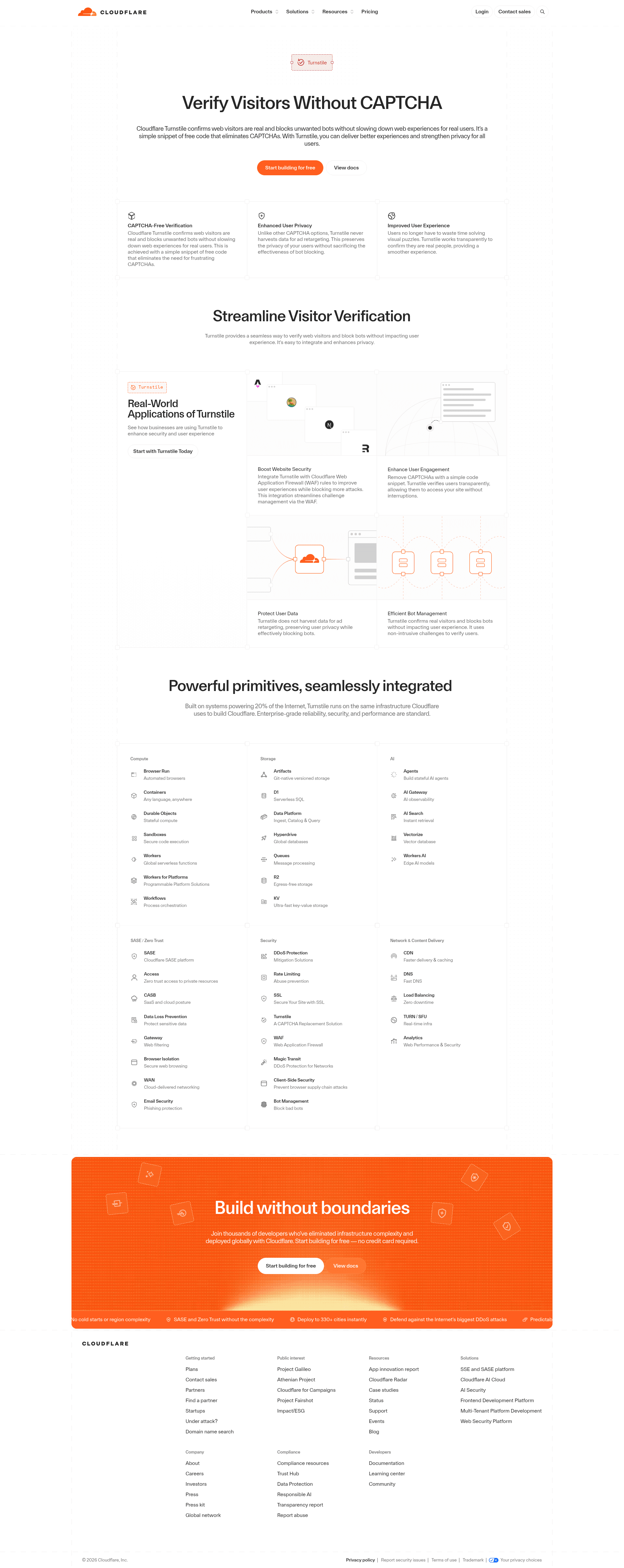
Cloudflare Turnstile bot detection for Nuxt 3 with a Vue component and Nitro server validation.
About this template
Nuxt Turnstile is a Nuxt 3 module that integrates Cloudflare Turnstile, a privacy-focused CAPTCHA alternative, into your application with a client-side Vue component and a Nitro server validation helper.
What is Nuxt Turnstile?
Nuxt Turnstile is an open-source Nuxt 3 module that wraps Cloudflare Turnstile, a non-interactive bot-protection service, into a drop-in integration. It provides an auto-imported <NuxtTurnstile> Vue component for generating tokens on the client and a verifyTurnstileToken utility for validating those tokens in Nitro server routes. The module is published on npm as @nuxtjs/turnstile, maintained by the Nuxt module team, and released under the MIT license.
Key Features
- Smart verification — Cloudflare Turnstile runs non-interactive challenges that verify real users with minimal friction, unlike traditional CAPTCHAs that require solving puzzles.
- Privacy-focused — Turnstile does not rely on tracking cookies or compile behavioral profiles, and the module itself adds no extra data collection.
- Server validation helper — The auto-imported
verifyTurnstileTokencan be called in any Nitro event handler (for example, in aserver/api/validateTurnstile.tsroute) to check tokens against Cloudflare's siteverify endpoint. - Optional validation endpoint — Setting
turnstile.addValidateEndpoint: trueinnuxt.configgenerates a ready-made/_turnstile/validateendpoint that returns the verification result. - Lightweight script loading — The Turnstile JavaScript is only loaded on pages that actually render the
<NuxtTurnstile>component, keeping the rest of your app fast. - Automatic token refresh — Tokens are valid for 300 seconds, and the module automatically revalidates them after 250 seconds so they stay fresh for your forms.
- Runtime configuration — You can override the site and secret keys with the
NUXT_PUBLIC_TURNSTILE_SITE_KEYandNUXT_TURNSTILE_SECRET_KEYenvironment variables, plus read the secret from a build-time file viaturnstile.secretKeyPath. - Token reset API — The component exposes a
reset()method via a template ref, letting you regenerate a token after a failed submission or when the same form needs multiple validations.
Who is it for?
- Nuxt 3 developers — who need to protect public forms (contact, login, comments) from spam without hand-rolling CAPTCHA integration.
- Teams building server-rendered apps — who want a lightweight alternative to Google reCAPTCHA that loads only when needed and keeps the server verification code simple.
- Developers working with Nitro APIs — who can reuse the
verifyTurnstileTokenhelper in any server route or use the generated validation endpoint to secure API requests.
What can you do with Nuxt Turnstile?
- Add CAPTCHA to a contact form — Place
<NuxtTurnstile v-model="token" />inside your form template and sendtokenalong with the other fields when submitting. - Verify tokens in a custom API route — Use
verifyTurnstileToken(token)inside adefineEventHandlerto reject requests with invalid or missing tokens. - Create a dedicated validation endpoint — Enable
addValidateEndpointand POST a token to/_turnstile/validatefrom anywhere in your client code. - Reset the token after an error — Call the component's
reset()method so the form can be submitted again, since Cloudflare tokens are single-use.
How does Nuxt Turnstile work?
Start by obtaining a free site key and secret key from Cloudflare's Turnstile dashboard, then install the module with npx nuxi@latest module add turnstile. Configure the site key in nuxt.config under the turnstile key and optionally set the secret key in runtimeConfig (or point to a file with turnstile.secretKeyPath). On the client, the <NuxtTurnstile> component auto-loads the Turnstile script, generates a token, and binds it to your model. When a form submits, pass the token to a server route, where verifyTurnstileToken calls Cloudflare's API. Tokens are invalid after one successful verification, so call reset() for any subsequent submission.
Pros and cons
- Pros: Free and open source (MIT); no user interaction required for most visitors; lightweight because the script loads on demand; includes both client and server tooling; configurable via environment variables.
- Cons: Tokens are single-use, so forms that re-render after validation need a manual
reset()call; the module targets Nuxt 3 only, so Nuxt 2 projects need a different approach.
Alternatives
- Google reCAPTCHA — the dominant CAPTCHA service, which typically relies on image recognition challenges and is often perceived as more intrusive.
FAQ
Is Nuxt Turnstile free?
Yes. The module is open source under the MIT License, and Cloudflare Turnstile itself offers a free plan for sites of any size, so adding CAPTCHA protection does not require a paid subscription.
How do I get the site key and secret key?
Sign up for Cloudflare Turnstile in the Cloudflare dashboard and create a new widget. Turnstile will issue a site key and a secret key; put the site key in your nuxt.config and the secret key in runtimeConfig or as the NUXT_TURNSTILE_SECRET_KEY environment variable.
How long is a Turnstile token valid?
A generated token expires after 300 seconds (5 minutes). The Nuxt Turnstile module automatically revalidates the token after 250 seconds, so by default your forms will always have a fresh token on the page.
Do my users have to solve a CAPTCHA?
Usually no. Cloudflare Turnstile uses a non-interactive challenge that runs in the background for most real users. Only when the risk score is ambiguous does it ask for a simple interaction (like clicking a checkbox or selecting an image).
Can I use Nuxt Turnstile with Nuxt 2?
No. The module is built specifically for Nuxt 3 and its Nitro server engine. If you are on Nuxt 2, you would need a different Turnstile integration or to wait for an official compatibility layer.