The Onchain App Template is a free, MIT-licensed Next.js starter published by Coinbase that wires OnchainKit, Coinbase Developer Platform keys, and WalletConnect into an app you can deploy to Vercel in one click.
What is the Onchain App Template?
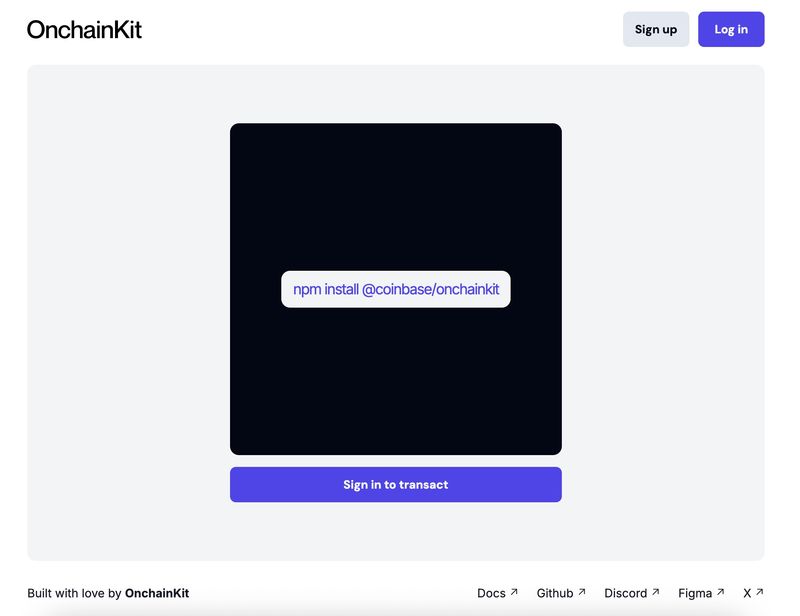
The Onchain App Template is an open-source repository from Coinbase, hosted at github.com/coinbase/onchain-app-template, that packages OnchainKit into a Next.js project configured for deployment on Vercel. It takes two environment variables as input — a Coinbase Developer Platform API key and a WalletConnect project ID — and outputs a runnable onchain app you extend with your own components and flows. A live demo is published at onchain-app-template.vercel.app, and the project ships under the MIT License. The repository has collected 137 stars on GitHub.
What makes the Onchain App Template stand out?
- OnchainKit foundation — the app is built on OnchainKit (onchainkit.xyz), Coinbase's library of React components and utilities for onchain interfaces, rather than a bare Next.js scaffold.
- One-click Vercel deploy — a Deploy with Vercel button clones the repository and provisions the project; environment variables are configured afterwards in Vercel project settings.
- Two documented env vars —
NEXT_PUBLIC_CDP_API_KEYfrom the Coinbase Developer Portal OnchainKit page andNEXT_PUBLIC_WC_PROJECT_IDfrom cloud.walletconnect.com, with a.env.local.examplefile as reference. - Bun toolchain — the quickstart installs Bun via its curl script, then runs
bun ifor dependencies andbun run devto start the development server. - Wallet connectivity — WalletConnect is wired in through the Wallet Connector project ID obtained from cloud.walletconnect.com.
- AI editor resources — the README links to OnchainKit Cursor Rules and an OnchainKit llms.txt file for editor-assisted development.
- MIT License — the template can be reused, modified, and redistributed under permissive terms.
- Community support channels — Discord, GitHub Issues, and the X accounts @onchainkit, @zizzamia, and @fkpxls are listed for assistance.
Who should use the Onchain App Template?
- Developers starting an onchain project — fork the repository, add the two environment variables, and have a Next.js app with OnchainKit and wallet connection already in place instead of assembling the stack from scratch.
- Hackathon and prototype builders — use the one-click Vercel deploy to get a hosted, shareable demo running before customizing components.
- Teams standardizing on Coinbase tooling — adopt the template when you already plan to use the Coinbase Developer Platform and OnchainKit, so the API key setup and library versions are pre-wired.
- AI-assisted coders — pull the linked OnchainKit Cursor Rules and llms.txt into an editor to give tooling accurate context about the library.
How do you get started?
- Either click the Deploy with Vercel button to clone the repository into a new Vercel project, or clone it manually.
- Create a
.envfile using.env.local.exampleas the reference, then fill inNEXT_PUBLIC_CDP_API_KEYfrom the Coinbase Developer Portal andNEXT_PUBLIC_WC_PROJECT_IDfrom Wallet Connect. - Install Bun with its curl script, run
bun ito install dependencies, and start the local server withbun run dev.
FAQ
Is the Onchain App Template free?
Yes. The project is released under the MIT License, so you can use, modify, and redistribute the code. You still need your own Coinbase Developer Platform API key and a WalletConnect project ID, both of which are obtained by creating accounts on those respective platforms.
What do I need before running it?
Two credentials are required: an OnchainKit API key from the Coinbase Developer Portal and a Wallet Connector project ID from Wallet Connect. If you do not have a Coinbase account, you must create one. The documented local workflow also depends on Bun being installed.
What framework does it use?
The template is a Next.js application built on OnchainKit, the onchain interface library Coinbase maintains at onchainkit.xyz. Deployment is targeted at Vercel, either through the one-click deploy button or a manual clone followed by environment variable configuration in the Vercel dashboard.
Can I deploy it without setting the environment variables first?
The Vercel deploy button clones and builds the project, but the README instructs you to configure the API key and WalletConnect project ID in the Vercel project settings after deployment, since those values are read from environment variables rather than committed to the repository.