Template details
OrderWorder
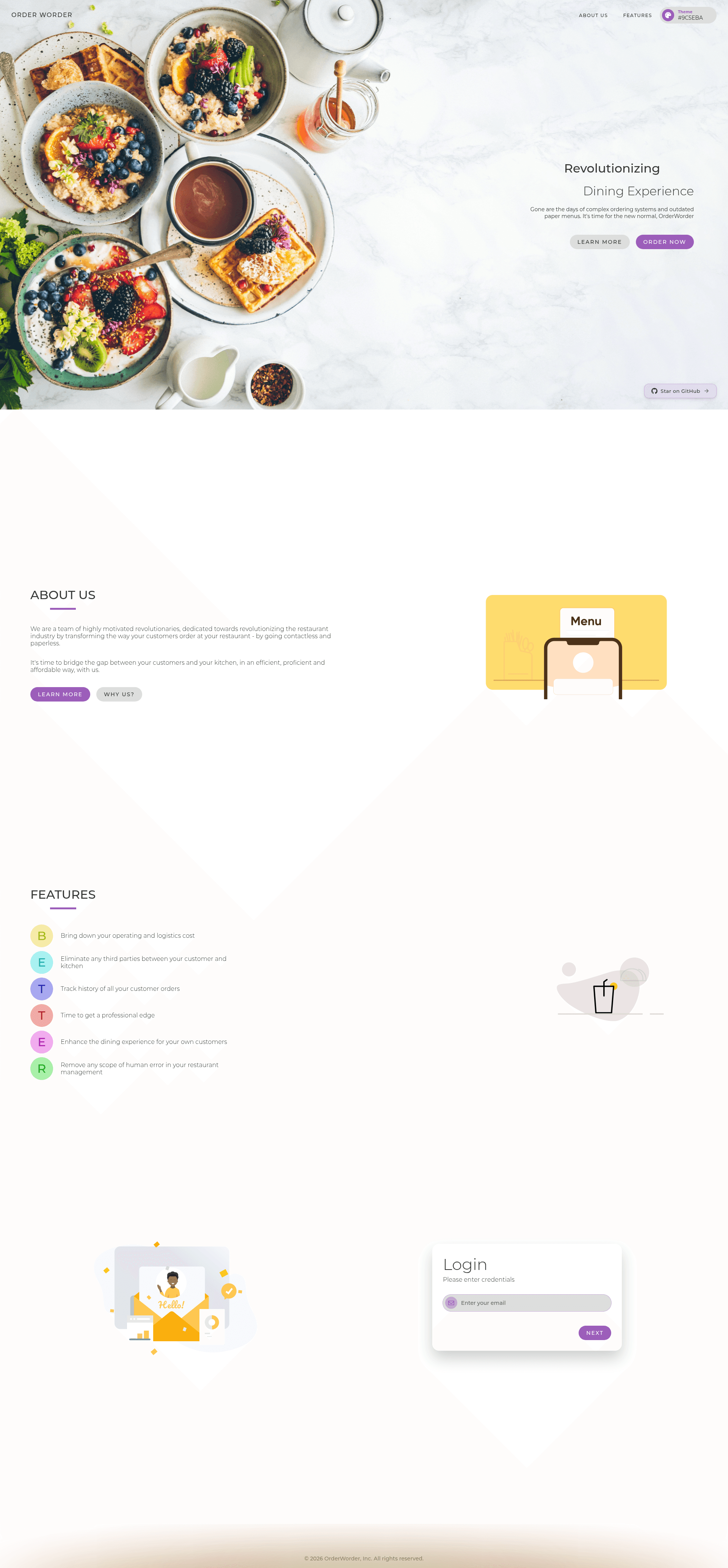
Open-source contactless restaurant ordering system with QR menus, AI assistant (Jarvis), live kitchen dashboard, and admin panel built on Next.js.
About this template
OrderWorder is an open-source, AI-powered contactless restaurant ordering system built with Next.js, MongoDB, and SCSS that replaces printed menus with QR-code access, online ordering, and live kitchen dashboards.
What is OrderWorder?
OrderWorder is a full-stack web application that digitizes the restaurant dining flow: customers scan a QR code on their table to open a menu page, add items to a cart, and place an order without installing an app. The platform processes orders through a live kitchen dashboard and gives restaurant staff an admin panel for tables, orders, inventory, and payroll. Built with Next.js API routes as the backend, MongoDB for data storage, and SCSS for styling, it runs on Vercel and uses NextAuth.js for authentication.
Key Features
- QR Code-Based Access — Every table gets a unique QR code that links directly to that table's menu page, so customers can start ordering immediately with no app download.
- AI-Powered Assistant (Jarvis) — Built on Google Gemini (Gemma-27b) via the Vercel AI SDK, Jarvis injects real-time MongoDB menu data into system prompts to answer allergen and ingredient questions and recommend items.
- Smart Ordering — Customers browse the menu, add items to a cart, and place orders; the system handles customer name and phone validation (10-digit format) during login.
- Live Kitchen Dashboard — Orders appear in real time so chefs can prioritize and prepare dishes; accessible at the /kitchen route.
- Admin Panel — The /dashboard route lets managers control tables, orders, inventory, and payroll with a dedicated admin login (demo credentials are provided in the README).
- Real-Time Responsive UI — Optimized for mobile, tablet, and desktop with dark theme support, animations, and smooth transitions.
- Tech Stack — React and Next.js on the frontend, SCSS for styling, MongoDB as the database, NextAuth.js for authentication, React Context and Redux for state, and Vercel AI SDK for the chatbot.
Who is it for?
- Restaurant owners — deploy OrderWorder to replace printed menus, cut ordering friction, and manage staff, inventory, and payroll from one admin dashboard.
- Kitchen staff — use the live kitchen dashboard to see incoming orders in real time, prioritize prep work, and reduce communication errors.
- Customers — scan the QR code at their table to browse the menu, get AI-powered recommendations from Jarvis, and place orders without waiting for a server.
- Full-stack developers — use the repository as a working example of a Next.js app with MongoDB, NextAuth authentication, Redux state, and an AI chatbot integration.
What can you do with OrderWorder?
- Restaurant managers: track active orders, manage table assignments, edit the menu, and monitor inventory and payroll from the admin dashboard.
- Customers: order food independently by scanning a QR code and entering a name and 10-digit phone number, then pay on the spot (cash/credit handled outside the app).
- Developers: extend the AI assistant by changing the Gemini model or modifying the system prompts; the README documents how context-aware responses are generated without vector databases.
- Demo users: try the live customer flow at a Starbucks demo page with table 1, and log into the admin panel with the credentials admin@starbucks.com and starbucks@123.
How does OrderWorder work?
The customer flow starts when a diner scans the table's QR code, which opens a menu page for that table. After tapping "order," the customer enters their name and a 10-digit phone number, then adds items to the cart and places the order. The order appears in the kitchen dashboard in real time, while the admin panel handles broader restaurant management. A separate admin login is available from the homepage for staff to access dashboards.
FAQ
Is OrderWorder free?
The source code is publicly available on GitHub and can be run or deployed yourself; the live demo is also accessible. No pricing or paid tiers are mentioned in the repository.
What AI model powers Jarvis?
Jarvis uses Google's Gemma-27b model through the Vercel AI SDK, with custom prompt engineering to inject real-time menu data from MongoDB so answers reflect the actual menu, allergens, and ingredients.
Do I need to build a mobile app for customers?
No. The customer interface is a responsive web page opened via QR code, so it works in any modern browser on mobile, tablet, or desktop.
Does OrderWorder require a separate backend server?
No separate server is needed; the app runs on Next.js API routes and uses MongoDB as the database. It is designed to be deployed on Vercel.
Can I change the demo restaurant?
The demo uses a Starbucks-style menu. Since the repo is open source, you can update the MongoDB data and rebrand the UI for your own restaurant.