Template details
Paws
A lightweight SvelteKit static site template for Digital Humanities researchers, with Markdown blog content and optional Netlify CMS.
About this template
Paws is a lightweight static site template for researchers in the Digital Humanities, built on SvelteKit with Markdown blog content and optional Netlify CMS, designed to produce a fast, low-cost academic website.
What is Paws?
Paws is a static site template produced by Codex Felis that runs on SvelteKit and turns Markdown files into pre-built HTML, CSS, and a small amount of JavaScript. It takes research notes or blog posts written as Markdown and outputs a static website with no content database, making it fast to load and inexpensive to host. The template is distributed as a GitHub repository (codexfelis/paws-template) with a companion demo site in the paws-demo repository and deployed documentation at paws.codexfelis.dev.
Key Features
- SvelteKit framework — The site is generated with SvelteKit, a component-based framework that compiles to static files; local development requires NodeJS version 14.13 or newer.
- Markdown blog content — Blog posts are written in Markdown, so you can maintain content directly in GitHub files without a separate database or admin panel.
- Optional Netlify CMS — If you prefer web-based writing, Paws can be configured to use Netlify CMS, giving editors a browser interface for creating and editing posts.
- VSCode tooling — Developer tooling for editing the template in Visual Studio Code is included, simplifying working with the project structure.
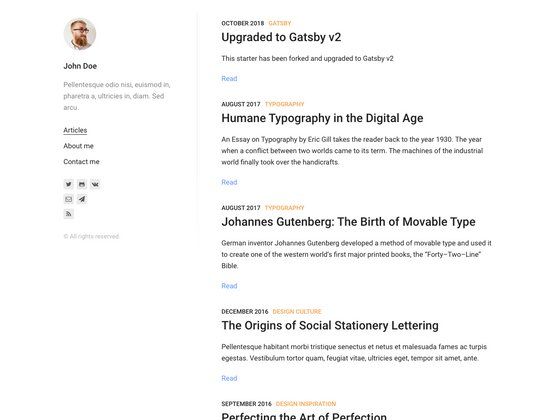
- Built-in site sections — The template ships with home, blog, and about pages, and supports adding extra pages if your research site needs them.
- GitHub template workflow — Clicking "Use this template" on GitHub creates your own copy of the repository, which you can clone and edit locally before deploying.
Who is it for?
- Digital Humanities researchers — They can set up a personal academic site with a blog section to publish research notes and project updates without managing a database.
- Academics who prefer writing in Markdown — They can write blog posts as files in GitHub and keep their content in version control, avoiding a CMS or admin interface.
- People new to static site hosting — The quickstart guide walks through deploying to Netlify with a free account, and the docs explain the tradeoffs between static and dynamic sites.
What can you do with Paws?
- Launch a research blog: You can create a home page, a blog section for publications or fieldwork notes, and an about page, then publish by pushing Markdown files to your GitHub repository.
- Use Netlify CMS for web-based updates: If you don't want to edit files locally, you can enable Netlify CMS to write and publish posts from a browser interface on your deployed site.
- Run the site locally: With NodeJS and npm installed,
npm installfollowed bynpm run devstarts a development server so you can preview changes before deploying. - Deploy to low-cost hosting: Because the output is static files, you can serve the site on Netlify (the quickstart uses a free account) or any other static hosting provider.
How does Paws work?
Start by clicking "Use this template" on the codexfelis/paws-template GitHub repository to create a copy of the source, then clone it to your computer. The quickstart requires a free Netlify account for deployment, a decision about whether to write content in GitHub files or via Netlify CMS, and a check that the default home/blog/about sections meet your needs. Locally, running npm install and npm run dev launches a development server for previewing changes.
FAQ
Is Paws free?
The template is available via the codexfelis/paws-template repository, and the quickstart uses a free Netlify account for deployment. The docs note that static sites can be served for free or very low cost, so the template itself carries no license fee.
What do I need to run Paws locally?
You need a working NodeJS environment with version 14.13 or higher, npm (which comes with Node), and basic familiarity with git commands and HTML/JavaScript file editing. The docs assume you can clone the repository and run the two npm commands shown in the quickstart.
Can I use Paws without a CMS?
Yes. Paws supports Markdown files in GitHub as the default content workflow, so you can opt out of Netlify CMS entirely and simply edit Markdown files in your repository.
What site sections are included?
The template provides home, blog, and about sections out of the box. The quickstart asks you to consider whether those are sufficient or whether you need extra pages, which you can add to the SvelteKit project.
Who maintains Paws?
Paws is built and supported by Codex Felis, and help is available by email at hi@codexfelis.dev or by raising an issue in the GitHub repository.