Template details
Pricing Ui Template With Next.js 13
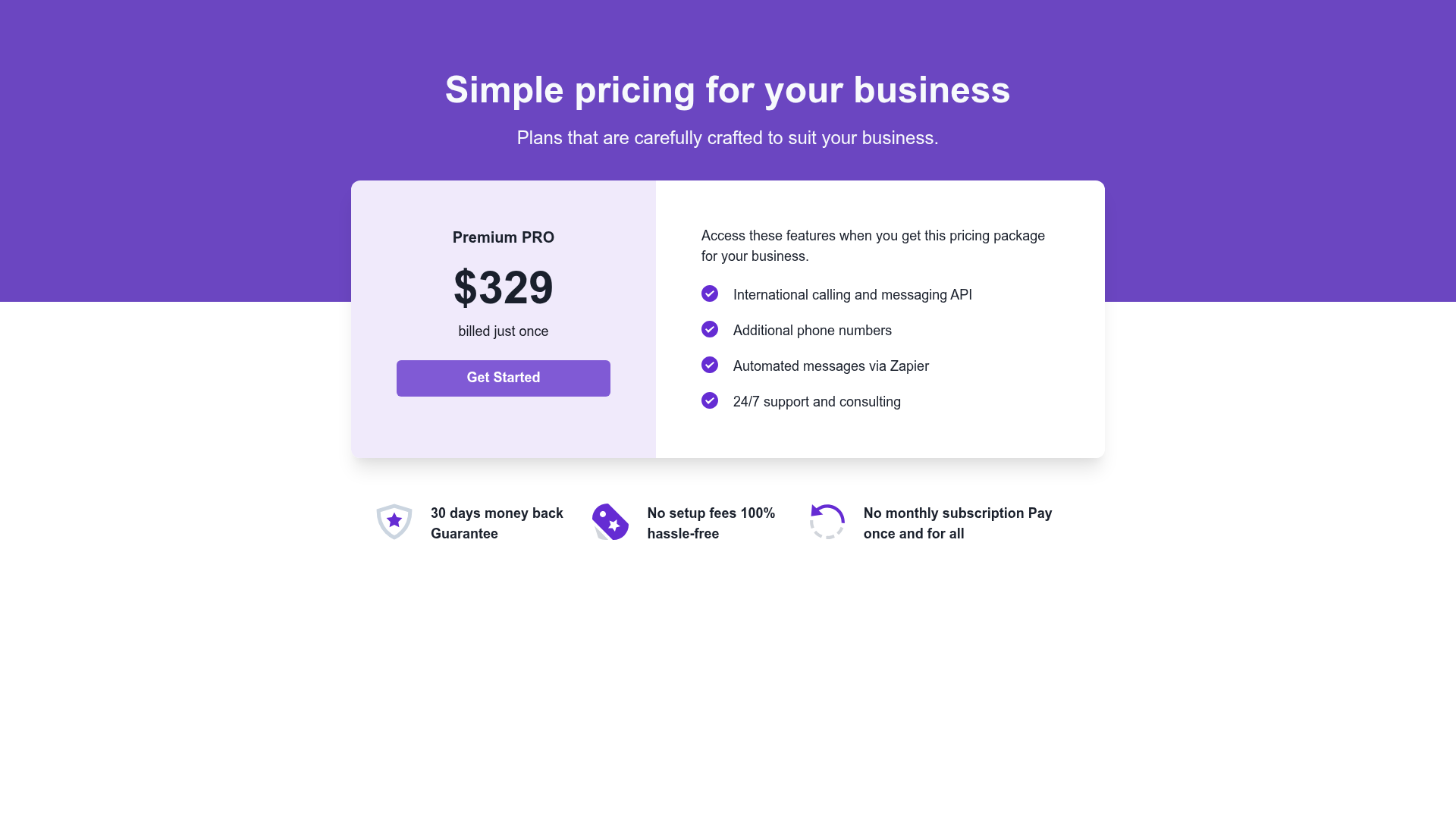
A Next.js 13 pricing page starter with Chakra UI and TypeScript for building SaaS pricing interfaces.
About this template
Pricing Ui Template With Next.js 13 is a minimal starter template for building a SaaS pricing page UI on the Next.js 13 app directory with Chakra UI and TypeScript.
What is Pricing Ui Template With Next.js 13?
This template is a Next.js 13 project bootstrapped with create-next-app that uses the App Router and TypeScript for type-safe development. It combines Chakra UI as the component and styling library, so you get themed, accessible React components out of the box. The project comes with the standard create-next-app structure, including a pages/api directory for API routes and automatic font optimization via next/font. Its single core function is to give you a starting point for a pricing page interface that you can extend with your own plans, features, and billing logic.
Key Features
- Next.js 13 App Router — Uses the modern
app/directory with support for server components and file-based routing; the main page isapp/page.tsx. - Chakra UI — A set of accessible, composable React components with theming and dark mode support, configured for this template.
- TypeScript — The whole project is typed, catching errors at compile time and improving editor autocomplete.
- API routes — The
pages/apifolder is mapped to/api/*so you can add backend endpoints for pricing subscription handling. - Font optimization —
next/fontloads the Inter Google Font locally and optimizes it, eliminating layout shift. - Deployment on Vercel — The template is directly deployable to the Vercel Platform with no extra configuration.
- Development server — Run
npm run dev,yarn dev, orpnpm devto start a hot-reloading dev server on localhost:3000.
Who is it for?
- Startup founders — Need a clean pricing page for their SaaS MVP without building the CSS and component layer from scratch.
- Next.js developers — Want a TypeScript + Chakra UI base to quickly prototype pricing sections and payment-related UI.
- Designers who code — Can use Chakra UI's theme tokens to tweak colors and typography to match a brand before connecting real billing.
What can you do with it?
- Create a pricing page — Replace the sample content in
app/page.tsxwith your subscription tiers, feature lists, and call-to-action buttons. - Add a billing API — Use the
pages/apiroute to create a serverless endpoint that validates plan selection or talks to a payment provider. - Customize the theme — Adjust Chakra UI's default theme to apply your brand colors and spacing across every component.
FAQ
What is this template built with?
It is built with Next.js 13 (App Router), TypeScript, and Chakra UI, and was bootstrapped using create-next-app.
How do I run the project locally?
Run npm run dev (or yarn dev / pnpm dev) from the project root, then open http://localhost:3000 to view the app in the browser.
Can I add API endpoints?
Yes. The pages/api directory is treated as API routes; for example, pages/api/hello.ts is available at /api/hello and can be edited to add your own logic.
Does this template include a font?
Yes, next/font is used to automatically optimize and load Inter, a Google Font, so you don’t need to include it manually.
Is this template free to use?
The page itself does not state a license or price. As a starter created with create-next-app, it inherits the default MIT license from Next.js unless you change it.