Template details
Rabbit
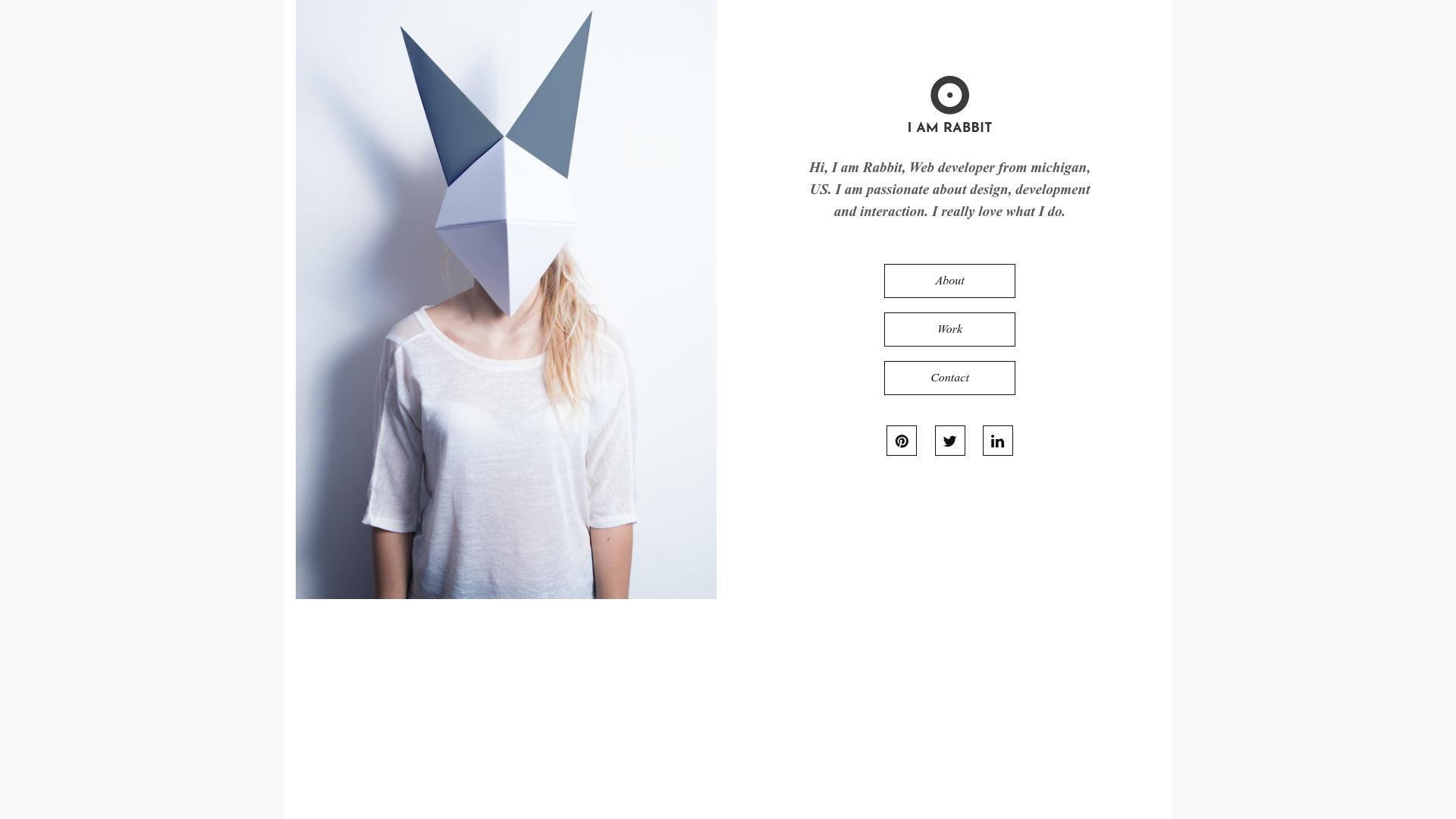
Free Bootstrap 3 personal portfolio template with four clean pages: Home, About, Work, and Contact.
About this template
Rabbit is a free, open-source Bootstrap 3 personal portfolio template by ThemeWagon, designed to give creative professionals a clean four-page website for introducing themselves, showing their work, and sharing contact details.
What is Rabbit?
Rabbit is a free, open-source Bootstrap 3 personal portfolio template created by ThemeWagon. It ships as four distinct HTML pages — Home, About, Work, and Contact — that you populate with your own text and images to build a simple personal website. The template runs statically in any browser, requires no build tools, and is compatible with Chrome, Edge, Firefox, Opera, Safari, and mobile browsers. ThemeWagon lists the template at version v1.0.0, released 10 years ago and updated 7 months ago, with 6,827 downloads.
What makes Rabbit stand out?
- Four dedicated pages — Home gives a first impression, About holds your background and skills, Work presents your projects, and Contact provides communication details.
- SEO-friendly markup — Properly maintained HTML code and links, with editable meta titles, tags, and descriptions to help your site rank in Google.
- Mobile responsive — The template states 100% smartphone response, so the layout adapts smoothly to small screens.
- Bootstrap 3 stack — Built on Bootstrap 3 with FontAwesome icons and Google Fonts; the tag list also includes ghost buttons, on-hover effects, and a carousel.
- Open-source license — Free to use in commercial projects, with lifetime free updates and open-source availability.
- Rated by customers — Holds a 5.00 out of 5 stars rating from two customer reviews on ThemeWagon.
Who should use Rabbit?
- Freelance designers and developers — Launch a simple portfolio site that separates your introduction, work samples, and contact info into distinct pages.
- Creative professionals — Use the About page to describe who you are and what you do, and the Work page to display skills and projects you've completed or are currently working on.
- Job seekers and students — Create a clean personal website to link from resumes and applications, without needing to learn a CMS.
What can you do with Rabbit?
- Personal branding: Write a short overall impression on the Home page so visitors get an immediate sense of who you are.
- Project showcasing: Post detailed, clean descriptions of your work skills and projects on the Work page, with descriptions for completed or ongoing work.
- Client outreach: Use the Contact page to list the information needed to make communication easy for potential clients.
FAQ
Is Rabbit free?
Yes, Rabbit is free. The ThemeWagon listing shows an open-source license with permission for commercial use and lifetime free updates, and the download is delivered via email.
What pages does Rabbit include?
Rabbit includes four pages: Home, About, Work, and Contact. Each serves a specific purpose — introductory impression, background information, portfolio of work and skills, and contact details.
Is Rabbit mobile responsive?
Yes. The template is described as having 100% mobile or smartphone response, and the listing lists Mobile under compatible browsers.
What framework does Rabbit use?
Rabbit is built on Bootstrap 3 and includes FontAwesome icons and Google Fonts. It's an HTML5 and CSS3 template that works without a backend.
Pricing
Rabbit is free. The listing states "Open source" and "Use in commercial projects," and the template comes with lifetime free updates.