Template details
Jekyll Instagram Portfolio Theme
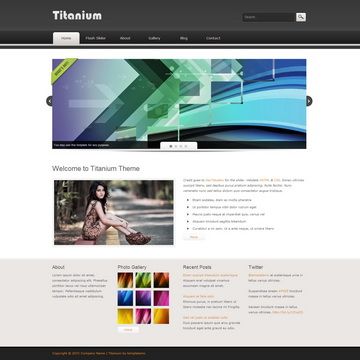
A minimal, responsive Jekyll portfolio theme powered by Bootstrap 4, with an Instagram widget for the portfolio grid.
About this template
Jekyll Instagram Portfolio Theme is a free, open-source portfolio theme for Jekyll that displays a portfolio grid fed by an Instagram widget, styled with Bootstrap 4 and jQuery. It is designed for creative professionals who want a minimal, responsive personal site with minimal setup.
What is the Jekyll Instagram Portfolio Theme?
Jekyll Instagram Portfolio Theme is a Jekyll-based portfolio template that uses an Instagram widget (via SnapWidget) to populate the portfolio section. It runs on the Jekyll static site generator and outputs a static HTML site. The theme is built with Bootstrap 4, jQuery, Font Awesome icons, and the Lobster font from Google Fonts. A live demo is available at the GitHub Pages site linked in the repository.
Key Features
The feature set covers the theme's build stack, portfolio behavior, and extensibility.
- Jekyll static site generator — Install with
gem install jekyll bundler, then runbundle exec jekyll serveto launch a local dev server. - Bootstrap 4 layout — The theme uses Bootstrap 4 (v4-alpha) for a responsive, mobile-first grid and components.
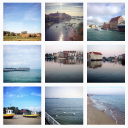
- SnapWidget Instagram feed — The portfolio grid pulls images from Instagram through SnapWidget; the source can be swapped for any other content provider.
- jQuery integration — Includes jQuery to support interactive elements and scripts.
- Google Fonts: Lobster — Headings and accents use the Lobster typeface loaded from Google Fonts.
- Font Awesome icons — Icon set included for social links and UI elements.
- Minimal and clean design — The layout is intentionally simple, focusing on the portfolio images.
- Customizable front-end assets — Use
npm installandnpm run buildto recompile styles and scripts;npm run watchrebuilds on changes.
Who should use the Jekyll Instagram Portfolio Theme?
Photographers and visual artists who want their Instagram feed to double as an online portfolio will find this theme immediately useful. Designers and freelancers can use it as a fast personal site, and developers familiar with Jekyll can quickly customize it or fork the repository to add their own features.
Use cases
The portfolio-first design makes it suited for several concrete scenarios.
- Photographers: Display a self-updating portfolio grid by connecting their Instagram account via SnapWidget.
- Freelancers: Launch a clean personal landing page with a portfolio section and social links.
- Developers: Use the repository as a starter for a minimal Jekyll site and adjust the portfolio source or styling.
How do you install it?
Installation follows the standard Jekyll workflow: install Jekyll and bundler, run bundle install to fetch dependencies, then bundle exec jekyll serve to run the site locally. For front-end asset development, run npm install followed by npm run build to generate updated styles and scripts; use npm run watch to rebuild automatically on changes.
FAQ
Is the Jekyll Instagram Portfolio Theme free?
Yes, it is an open-source theme hosted on GitHub. You can fork the repository, use it for personal or commercial projects, and contribute your own improvements.
Does the portfolio section require an Instagram account?
The default configuration uses SnapWidget to embed Instagram images, but the theme is designed so you can easily replace the portfolio content source with any other feed or data you prefer.
What technologies does the theme use?
It relies on Jekyll for static site generation, Bootstrap 4 for responsive styling, jQuery for interactivity, Font Awesome for icons, and the Google Font Lobster for typography. Asset building is handled with npm.