Template details
Redis Next.js Starter
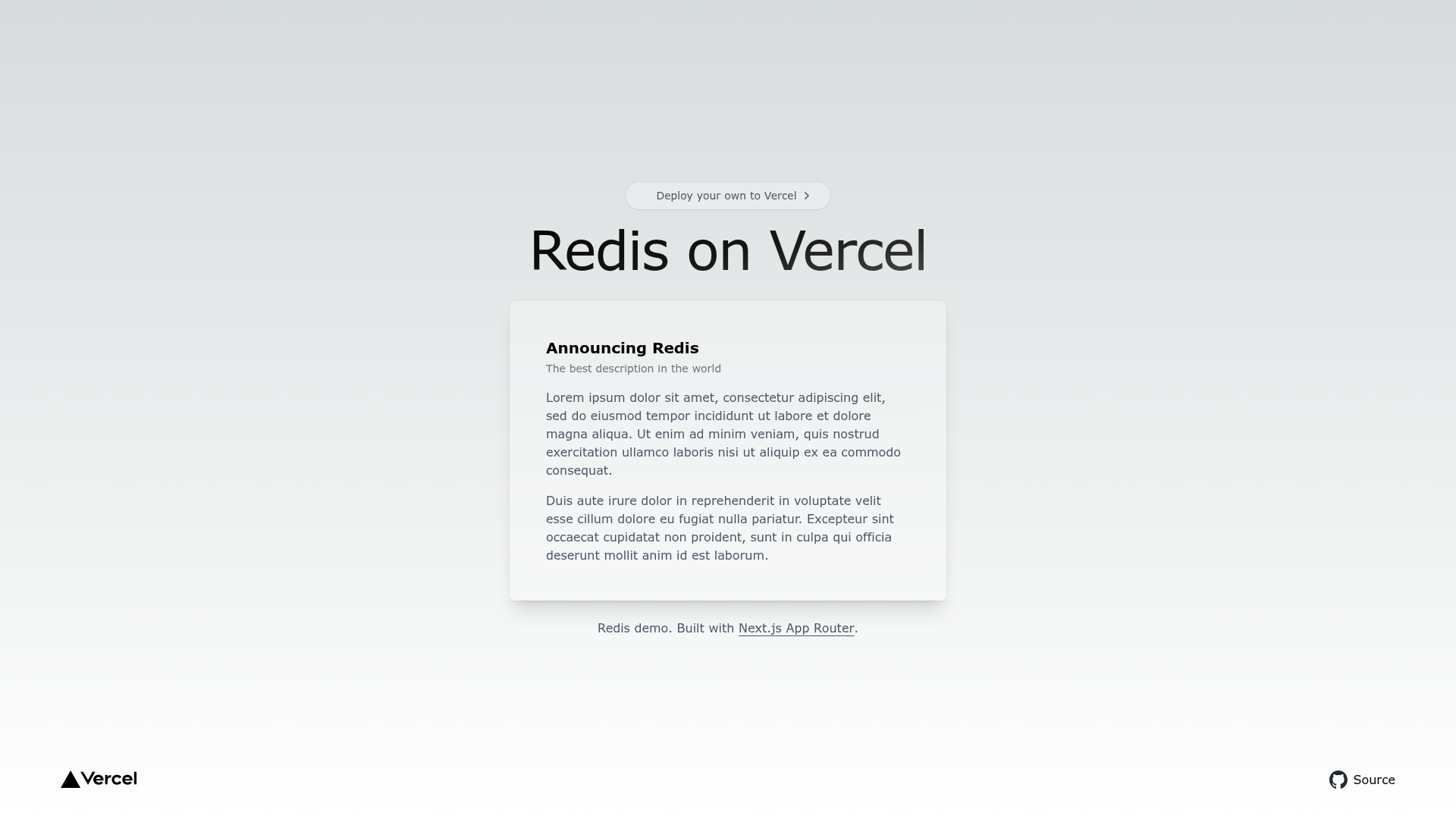
Simple Next.js template that uses Redis to track pageviews.
About this template
Redis Next.js Starter is a minimal Next.js starter template from Vercel's examples repository that uses Redis to count pageviews for each route.
What is Redis Next.js Starter?
It's a minimal Next.js starter template that uses Redis (specifically Vercel KV for Redis) to track pageviews. It takes a basic Next.js application, adds a Redis integration for incrementing and reading pageview counts, and outputs a deployable site with a visible counter on the homepage. The template is part of the official Vercel examples collection, which includes sibling starters for Blob and Postgres storage.
Key Features
- Pageview counter powered by Redis — Each request to the demo page increments a counter stored in Redis, and the number is rendered on the page, demonstrating a real-world use of a key-value store.
- Tailwind CSS included — Styling is pre-configured with Tailwind CSS, so the page is ready to restyle without writing custom CSS.
- One-click deploy on Vercel — A deploy button clones the repository into a new Vercel project, pre-filling the project name, repository name, demo title, and demo URL from the template's metadata.
- Environment variable setup — The repo ships with a
.env.examplefile; after copying it to.env.local, you fill in the values from your Vercel Storage dashboard to connect to your own Redis instance. - pnpm-based local development — Bootstrap with
pnpm create next-app --example ..., runpnpm devfor local development, andpnpm build/pnpm startfor production. - Live demo — A running demo is available at https://kv-redis-starter.vercel.app/ so you can see the pageview counter in action before deploying your own copy.
Who should use Redis Next.js Starter?
- Next.js developers — Learn how to wire a Redis database into a Next.js app with minimal code, useful for understanding server-side data fetching and environment variables.
- Vercel users — See how to connect a Next.js project to Vercel KV storage using the environment variables from the Vercel Storage dashboard.
- Prototypers building analytics features — Use the pageview counter as a starting point for more elaborate tracking, such as per-route counters or trending pages.
- Educators and learners — A compact, readable codebase ideal for teaching how a key-value store works inside a modern frontend framework.
What can you do with Redis Next.js Starter?
- Track pageviews on a Next.js site — Deploy with one click, and the homepage will display a Redis-backed view count that increments on each visit.
- Extend it into a custom analytics tool — Modify the counter logic to track unique visitors, page paths, or timestamps, then visualize the data.
- Use it as a reference for Redis integration — The template shows the minimal pattern for connecting to Redis from a Next.js app, so you can copy that pattern into larger projects.
How does Redis Next.js Starter work?
To use it, you either click the "Deploy with Vercel" button to create a project directly, or clone the example locally. For local development, you run pnpm create next-app --example https://github.com/vercel/examples/tree/main/storage/kv-redis-starter, copy .env.example to .env.local, fill in your Vercel Storage credentials, then run pnpm dev. The app reads the Redis connection from the environment variables and uses it to increment and fetch the pageview count on the homepage.
Alternatives
- Blob Starter — A sibling template in the same Vercel examples collection, but it uses Vercel Blob for storing and serving files instead of Redis.
- Postgres Starter — Another sibling template that uses Vercel Postgres (a relational database) instead of Redis for data storage.