Template details
Jekyll I18n
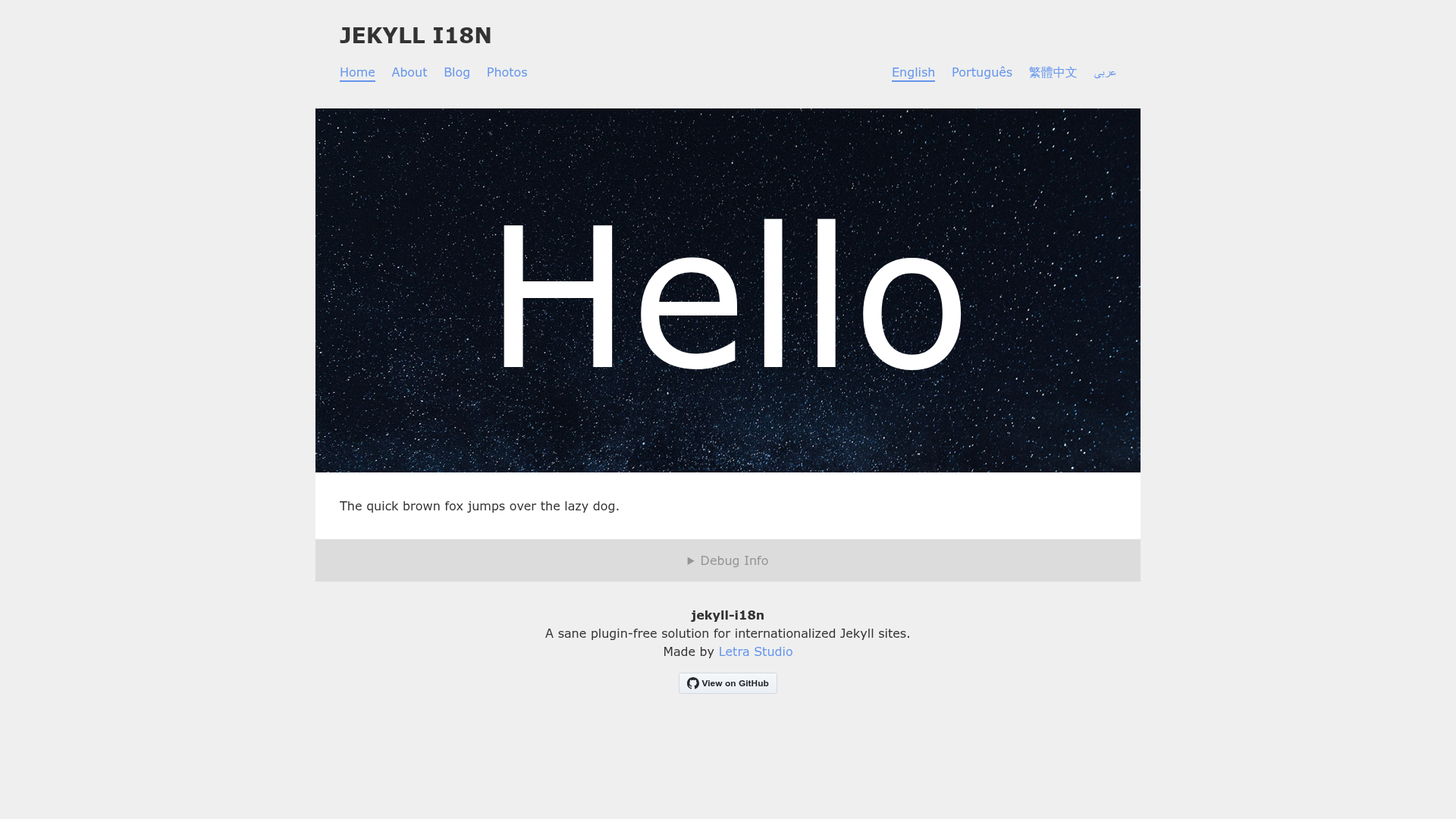
A Jekyll boilerplate for internationalization (i18n) without plugins.
About this template
Jekyll I18n is a Jekyll boilerplate for adding multi-language support to static sites without any i18n plugins, built around mirrored collections and Liquid includes, and it runs on GitHub Pages out of the box.
What is Jekyll I18n?
Jekyll I18n is a plugin-free internationalization boilerplate that lets you build multi-locale Jekyll sites using only the built-in tools. You define locales in _config.yml, mirror your collections per locale (e.g., _photos and _photos_pt), and use a set of Liquid includes to connect translations, localize dates and strings, and fall back to the default locale. The project is maintained by Letra Studio, and the repository itself is published as a demo GitHub Pages site. It requires Jekyll 3.7.0 or higher (3.8.0 if you use collections_dir).
Key Features
- No plugin dependency — All i18n logic is implemented in Liquid includes and front matter defaults, so the boilerplate builds cleanly on GitHub Pages without whitelisted plugins.
- Locale configuration — Locales are declared in
_config.ymlwithbaseurl,lang(e.g.,en-US,pt-PT), and a displayname; thedefaultlocale outputs to the site root. - Mirrored collections — Each localized collection is suffixed (e.g.,
photos_pt), matched via acollection_basenamefront matter default, and gets its ownpermalinksettings. - Automatic document matching — Documents with identical relative paths across locale folders share a generated
document_id; you can override it in front matter when filenames differ. - Liquid i18n include — Including
i18n/i18nat the top of a layout defineslocale,localized_collections,localized_pages,default_page,strings, anddocument_idvariables for use in templates. - Content fallbacks —
default_pagegives you access to the default-locale version of a document so you can usedefaultfilters to fill in missing translations (e.g., image URLs, metadata). - Localized strings and dates — Store translated UI text in
_data/strings.yml(andstrings_pt.yml) and format dates with locale-specificdate_formats, including month/weekday translations, via thei18n/dateinclude. - Asymmetric content support — You don’t need a mirrored file for every document; each locale can have its own subset of content while still matching what exists.
Who is it for?
Jekyll I18n is aimed at developers and site owners who want a multilingual Jekyll site without committing to plugin-based i18n solutions. It suits:
- Freelance developers — Build client sites with English and Portuguese (or other) locale folders, using the same Jekyll workflow they already know.
- Content teams — Editors can maintain parallel files in locale-specific collection folders and rely on
document_idmatching and default-locale fallbacks to keep content in sync. - GitHub Pages users — Because it uses no plugins, it works on the standard GitHub Pages builder, which prohibits most third-party plugins.
What can you do with it?
- Multilingual company websites: Define a
default(English) and apt(Portuguese) locale as shown in the repository’s demo, with URLs at/and/pt, and publish translated pages with localized permalinks. - Translated blog posts: Mirror
_postsinto_posts_pt, keep filenames identical for automatic matching, and build a language switcher that linksdocument_ids between locales. - Portfolio sites with localized media: Rename translated items (e.g.,
fotografia-1.markdown) and adddocument_id: folder/documentfront matter to map them to the source document while keeping each locale’s URL structure. - Localized UI strings and dates: Put navigation labels or date formats in
_data/strings.ymland use thestringsvariable in layouts to switch the entire site’s display language.
How does it work?
You start by adding locales, mirrored collections, and front matter defaults to _config.yml (e.g., collection_basename: photos for all photos* collections, and locale/lang per folder pattern). Then place localized content in suffixed collection folders. In your layout, include the i18n include and use the provided variables to render localized content, link translated pages, format dates, and fall back to the default locale.
Pros and cons
Pros:
- Clean, plugin-free approach that’s compatible with GitHub Pages.
- Automatic document matching reduces front matter boilerplate.
- Built-in helpers for strings, dates, and fallbacks.
Cons:
- Performance can degrade on larger sites because
document_idis generated via complex Liquid, and nested loops (like a navigation menu) multiply the work. - Plugin compatibility is limited:
jekyll-sitemapdoesn’t addhreflangalternates,jekyll-feedonly generates a feed for the default posts collection prior to version 0.11.0, andjekyll-seo-tagrequireslangfront matter on every document for correctog:locale.
FAQ
Does jekyll-i18n work with GitHub Pages?
Yes. The boilerplate uses no plugins and is itself published as a GitHub Pages demo site. You can deploy it as-is to a GitHub Pages-enabled repository.
What Jekyll version is required?
The minimum is Jekyll 3.7.0. If you use collections_dir in your configuration, you need Jekyll 3.8.0 or newer.
How are translated documents matched?
Matching is automatic when the file path relative to the collection folder is identical. If filenames differ per locale, set document_id in the front matter of the translated file to the path of the source document.
Can some content stay only in the default locale?
Yes. The boilerplate supports asymmetric content — you can omit a locale’s copy of a document and use default_page in Liquid to fall back to the default locale version.