Template details
Remotion on Vercel
Next.js template for rendering Remotion videos with Vercel Sandbox
About this template
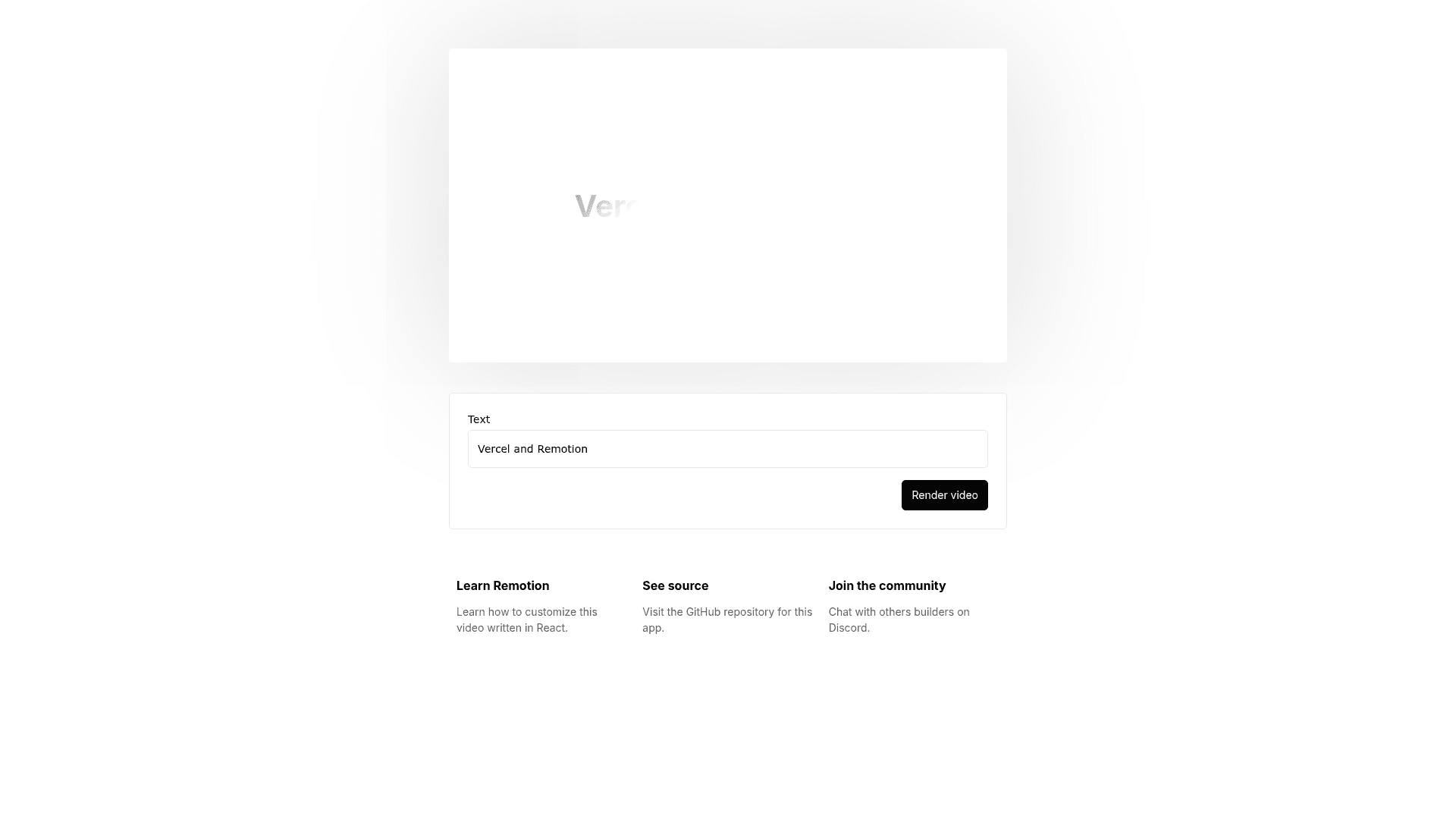
Remotion on Vercel is a Next.js boilerplate for building programmatic video apps with the Remotion Player and server-side rendering via Vercel Sandbox.
What is Remotion on Vercel?
Remotion on Vercel is a Next.js template that pairs the @remotion/player component with Vercel Sandbox for server-side video rendering, storing output in Vercel Blob. It runs on the Next.js App directory with TailwindCSS and is maintained by the Remotion team (remotion-dev). The template takes a Remotion composition, renders it to a video file in a Vercel Sandbox environment, and saves that file to Blob storage so it can be served to users.
Key Features
- @remotion/player integration — Embed an interactive video preview in a Next.js app that plays Remotion compositions directly in the browser.
- Vercel Sandbox rendering — Videos render server-side inside Vercel Sandbox, so you don't need to operate your own render servers or worker fleet.
- Vercel Blob storage — Rendered videos are stored in Vercel Blob; attaching a Blob store to the same Vercel project automatically provides the
BLOB_READ_WRITE_TOKENenvironment variable. - Next.js App directory — The template is built on the modern App router, with TailwindCSS handling styling.
- create-video scaffolding — Start a new project with
npx create-video@latest --vercelor use the GitHub "Use this template" button. - Remotion Studio — Run
npx remotion studioto open the visual composition editor during development. - Local environment setup — Vercel CLI commands (
vercel login,vercel link,vercel env pull .env.local) pull the Blob token for local rendering.
Who is it for?
- Developers building video-generation apps — Use the template to set up a pipeline that renders custom videos on demand without managing render infrastructure.
- Startups creating personalized video products — Generate user-specific videos (e.g., personalized greetings, social clips) and store them in Blob for easy retrieval.
- Next.js developers exploring Remotion — Get a working App-directory project with Tailwind and Remotion Player preconfigured, ready to extend.
What can you do with it?
- Programmatic video apps: Accept user input (text, images, data), render a video in Vercel Sandbox, and return a Blob URL to the finished file.
- Server-side rendering: Offload video rendering to Vercel's sandboxed functions instead of running a long-lived render server.
- Interactive previews: Use @remotion/player to let users preview a composition before final rendering.
How does it work?
After cloning, run npm i to install dependencies. To render on Vercel, create a Blob store in your Vercel project and attach it; the BLOB_READ_WRITE_TOKEN is then available automatically. For local development, link your project with Vercel CLI, pull environment variables with vercel env pull .env.local, and start the dev server with npm run dev.
Pros and cons
- Pros: No render server to manage; Blob storage integration is automatic; works with Remotion Studio; one-command scaffolding via create-video.
- Cons: No built-in rate limiting or caching (must be added before public release); Sandbox snapshots and Blob data persist indefinitely and need manual cleanup.
FAQ
Does this template include rate limiting or caching?
No. The template's documentation explicitly states it does not include rate limiting or caching, and recommends implementing both before making your app publicly available.
What storage does it use for rendered videos?
It uses Vercel Blob. You create a Blob store in your Vercel dashboard, attach it to your project, and the BLOB_READ_WRITE_TOKEN is injected automatically for server-side use.
How do I deploy this template to Vercel?
Use the "Deploy with Vercel" button or clone the repository and import it into Vercel. The only setup requirement is creating and attaching a Vercel Blob store to the project.
How do I render videos locally?
Log in with the Vercel CLI (vercel login), link your directory (vercel link), pull environment variables with vercel env pull .env.local, and run npm run dev. This makes the Blob token available for local sandbox rendering.
What license does this template use?
The template falls under the Remotion license terms. Some entities may need a company license; details are in the LICENSE.md file in the repository.