Template details
RenderCV
Resume builder for academics and engineers that converts YAML to a professional PDF.
About this template
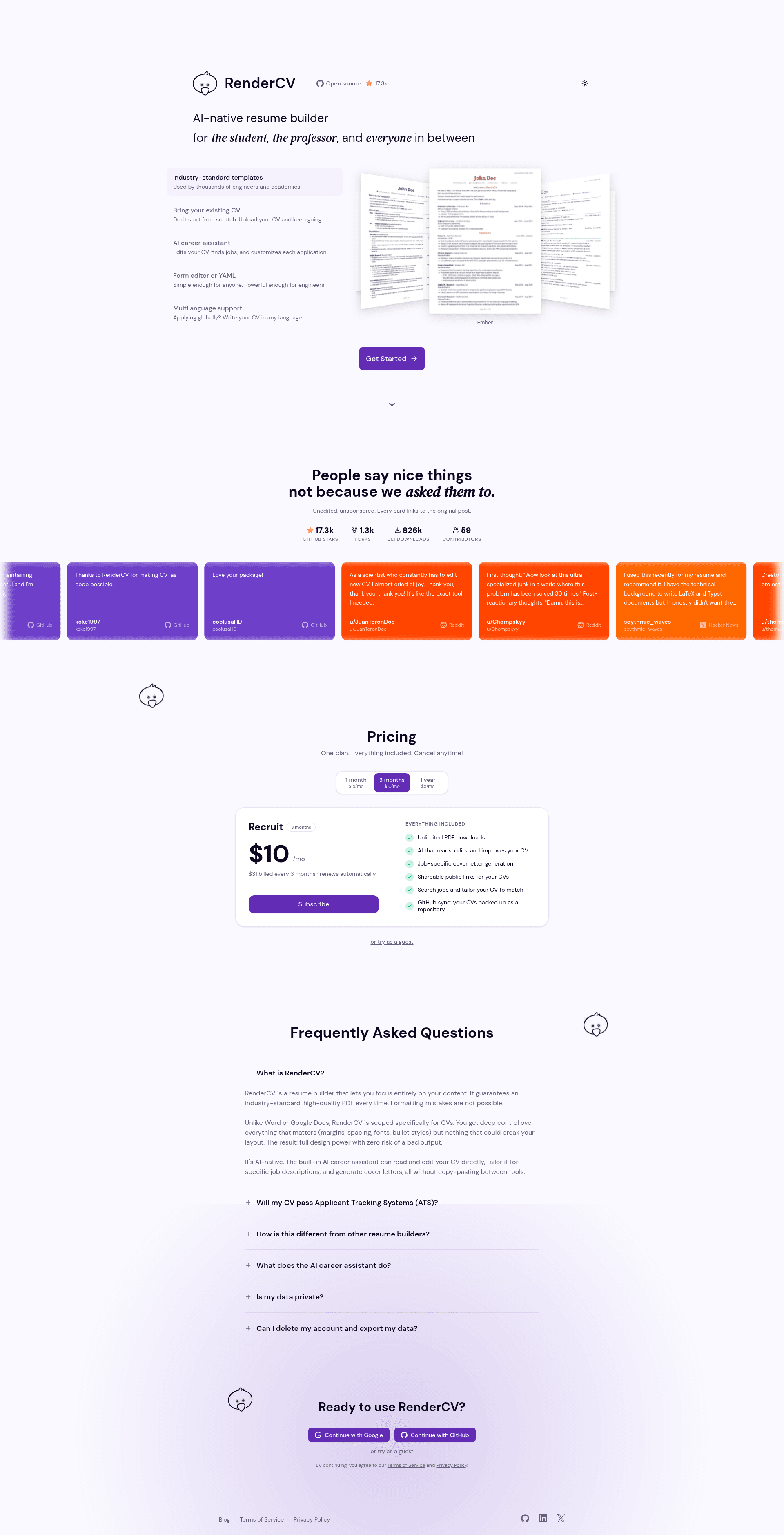
RenderCV is an open-source resume builder that converts a YAML-formatted CV into a PDF with professional typography, built for academics and engineers and hosted at rendercv.com.
What is RenderCV?
RenderCV is a command-line tool that takes a resume or CV written in YAML as input and produces a PDF with consistent alignment, spacing, and typography. It requires Python 3.12 or newer, is installable from PyPI via pip, and is open source on GitHub. The project also offers a web deployment at rendercv.com, and its source repository has more than 17,000 stars.
Who is RenderCV for?
RenderCV is designed for people who want to maintain a resume as plain text and generate a typeset PDF from it.
- Academics: researchers who need to keep a detailed CV with education, publications, awards, and teaching experience, and render it in a formal theme such as Harvard or Classic.
- Software engineers: developers who want to keep their resume under version control as plain text and generate clean, modern PDFs with themes like Engineeringresumes or Sb2nov.
- Career switchers and job seekers: anyone who wants to generate multiple tailored resume versions without redoing layout by hand, using the JSON Schema autocompletion in an editor.
What makes RenderCV stand out?
RenderCV distinguishes itself by using YAML as the source format and by providing strict validation and multiple output themes.
- YAML input — The entire resume is defined in a single YAML file, making it diffable and scriptable.
- Nine built-in themes — Includes Classic, Engineeringresumes, Sb2nov, Moderncv, Engineeringclassic, Harvard, Ink, Opal, and Ember, each producing a distinct PDF style.
- Strict validation — Invalid inputs are reported with the exact location and cause, so you know precisely what to fix.
- Extensive design options — Control page size (e.g., US Letter), margins in inches, colors for name, headings, links, and footer, plus typography settings like line spacing, alignment, and font family such as Source Sans 3.
- Locale support — The locale object lets you translate UI strings like "Last updated", months, and years, enabling CVs in any language.
- JSON Schema integration — RenderCV publishes a JSON Schema that provides interactive autocompletion and inline documentation while editing the YAML.
- AI agent skill — Installable with npx skills add rendercv/rendercv-skill, it lets AI coding agents create and edit CVs, and is evaluated with promptfoo.
How does RenderCV work?
Install the package with pip install "rendercv[full]", then create a new CV file using rendercv new "John Doe". Edit the generated YAML in an editor and run rendercv render John_Doe_CV.yaml to receive a PDF output. A live preview can be set up in VS Code, as described in the RenderCV documentation.
What can you do with RenderCV?
With RenderCV you can turn a structured YAML file into a formatted CV and automate updates to it.
- Academics: produce formal CVs for grants, fellowships, or faculty applications with structured education and publication sections.
- Engineers: keep one master resume YAML in a Git repository and render tailored PDFs for each job posting.
- AI-assisted writers: use the AI agent skill to have an assistant draft or update a resume in YAML before rendering the final PDF.
FAQ
Is RenderCV free?
RenderCV is open source, so it is free to use and modify. The code is hosted on GitHub under the RenderCV project.
What input format does RenderCV need?
RenderCV reads a YAML file containing your CV data and design settings. The YAML follows a JSON Schema that provides validation and autocompletion.
What output does RenderCV produce?
RenderCV generates PDF files with professional typography. The tool supports several themes, with each theme producing a different layout style.
Can I use RenderCV with an AI agent?
Yes. RenderCV offers an AI agent skill that can be installed with npx and works with agents that support the skills standard.