Template details
Scraper
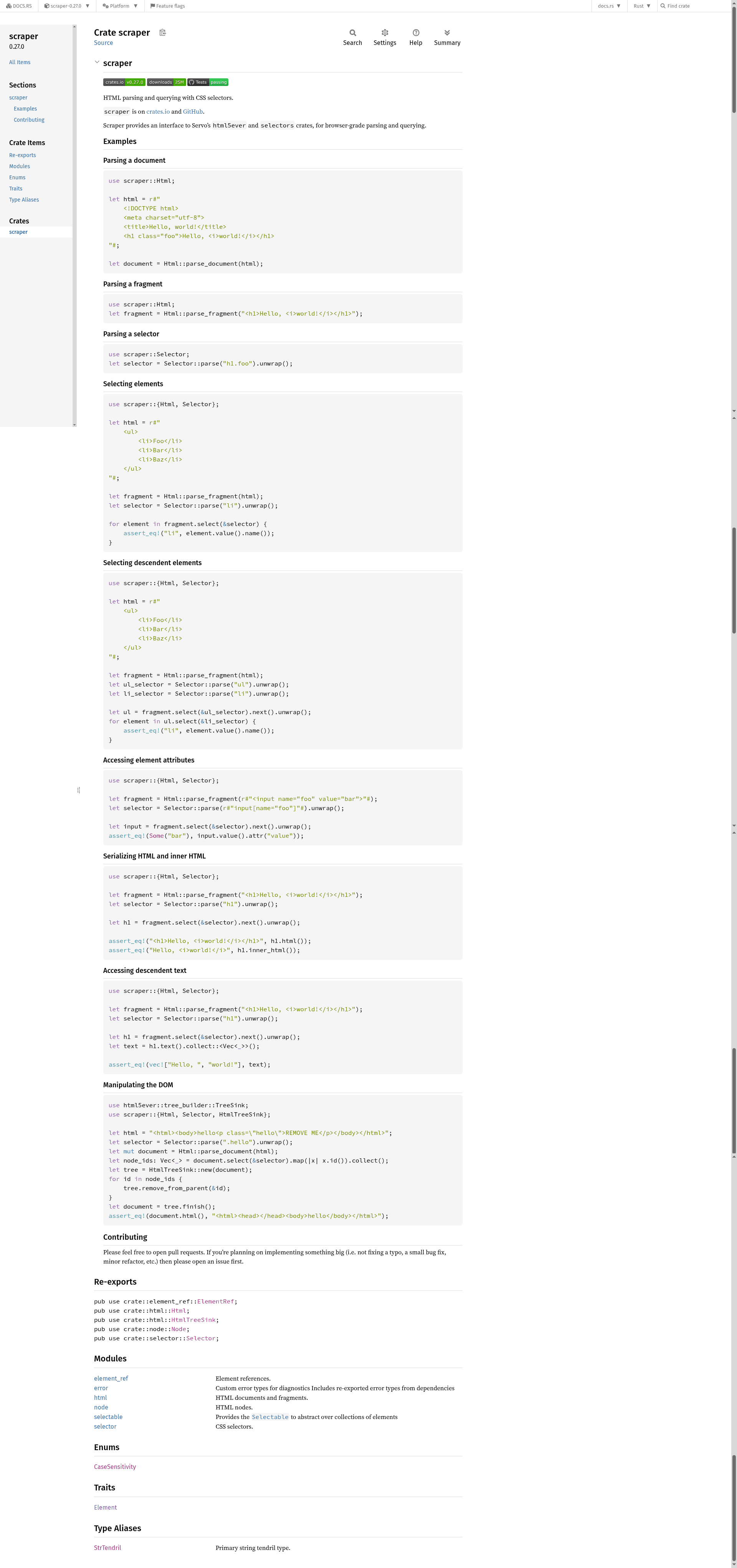
HTML parsing and querying with CSS selectors.
About this template
scraper is a Rust crate that parses HTML documents and fragments and queries them with CSS selectors, built directly on Servo's html5ever and selectors crates for browser-grade parsing.
What is scraper?
scraper is a Rust library published on crates.io (current version 0.27.0) and hosted on GitHub under the rust-scraper organization. It takes an HTML string as input and produces a queryable DOM tree via the Html::parse_document or Html::parse_fragment methods. You then use CSS selectors to select elements, read attributes, extract text, serialize HTML, and even manipulate the DOM through the HtmlTreeSink trait.
Key Features
- Browser-grade HTML parsing — Uses Servo's
html5everparser, so it handles real-world HTML with error recovery exactly like a browser would. - CSS selector queries — Uses the
selectorscrate to support selecting elements with CSS selectors such ash1.foo,ul li, orinput[name="foo"]. - Document and fragment parsing —
Html::parse_documentparses a full document;Html::parse_fragmentparses a snippet without requiring html/head/body structure. - Element attributes and text — Access attributes with
attr("value"), collect descendant text withtext(), and serialize elements to HTML withhtml()orinner_html(). - DOM manipulation — Through the
HtmlTreeSinkand theTreeSinktrait, you can remove nodes from the tree and finish back into aHtmldocument. - Cross-thread support — Enabling the
atomicfeature switches the internalTendrilstring to atomic reference counting, making the typesSendand usable across threads. - Crates.io distribution — Installable via Cargo with
scraper = "0.27.0"or with theatomicfeature enabled.
Who is it for?
- Rust developers building web scrapers — Extract data from HTML pages by selecting elements with CSS selectors instead of relying on regex.
- Crawler and bot authors — Parse and query HTML at scale with a parser that tolerates the malformed markup found in real-world websites.
- Tooling and library maintainers — Integrate scraper into your own Rust library or application that needs HTML transformation, testing, or analysis.
What can you do with scraper?
- Web scraping — Convert a fetched HTML string into a
Htmldocument and use CSS selectors to pull out specific elements, attributes, and text. - HTML transformation — Parse a document, remove or rearrange nodes via
HtmlTreeSink, and serialize the modified tree back to HTML. - Testing HTML output — Write tests that assert the structure of generated HTML by selecting elements and checking their attributes and content.
How does scraper work?
Use Html::parse_document or Html::parse_fragment to parse an HTML string into a traversable tree. Parse a CSS selector with Selector::parse, then call select on the tree to iterate over matching elements. For cross-thread usage, enable the atomic feature to change the internal string type to an atomic reference-counted Tendril.
FAQ
How do I install scraper?
Add scraper = "0.27.0" to your Cargo.toml dependencies. For cross-thread usage, enable the atomic feature: scraper = { version = "0.27.0", features = ["atomic"] }.
What is the difference between parse_document and parse_fragment?
parse_document expects a full HTML document (including doctype, html, head, and body elements) and returns a Html tree that mirrors the complete document structure. parse_fragment parses an HTML snippet without those document-level tags and returns a tree representing just the fragment's elements.
Does scraper work across threads?
By default, the internal Tendril string type is thread-local and not Send. Enabling the atomic feature switches to atomic reference counting, which implements Send and allows the types to be used across threads.