Template details
Servland
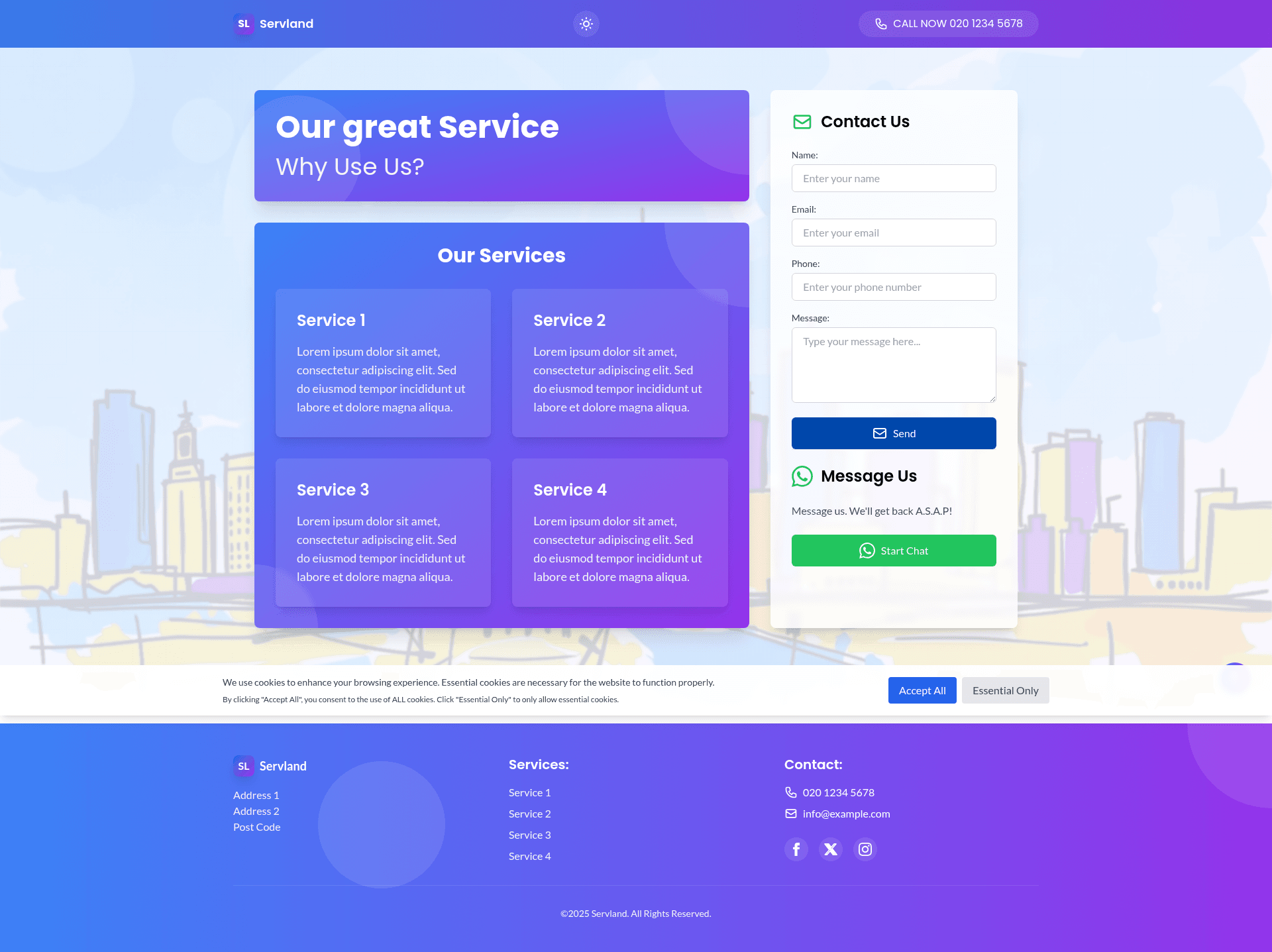
A business landing page theme built with Astro and Tailwind CSS, featuring dark mode, contact form, WhatsApp integration, and SEO-ready setup.
About this template
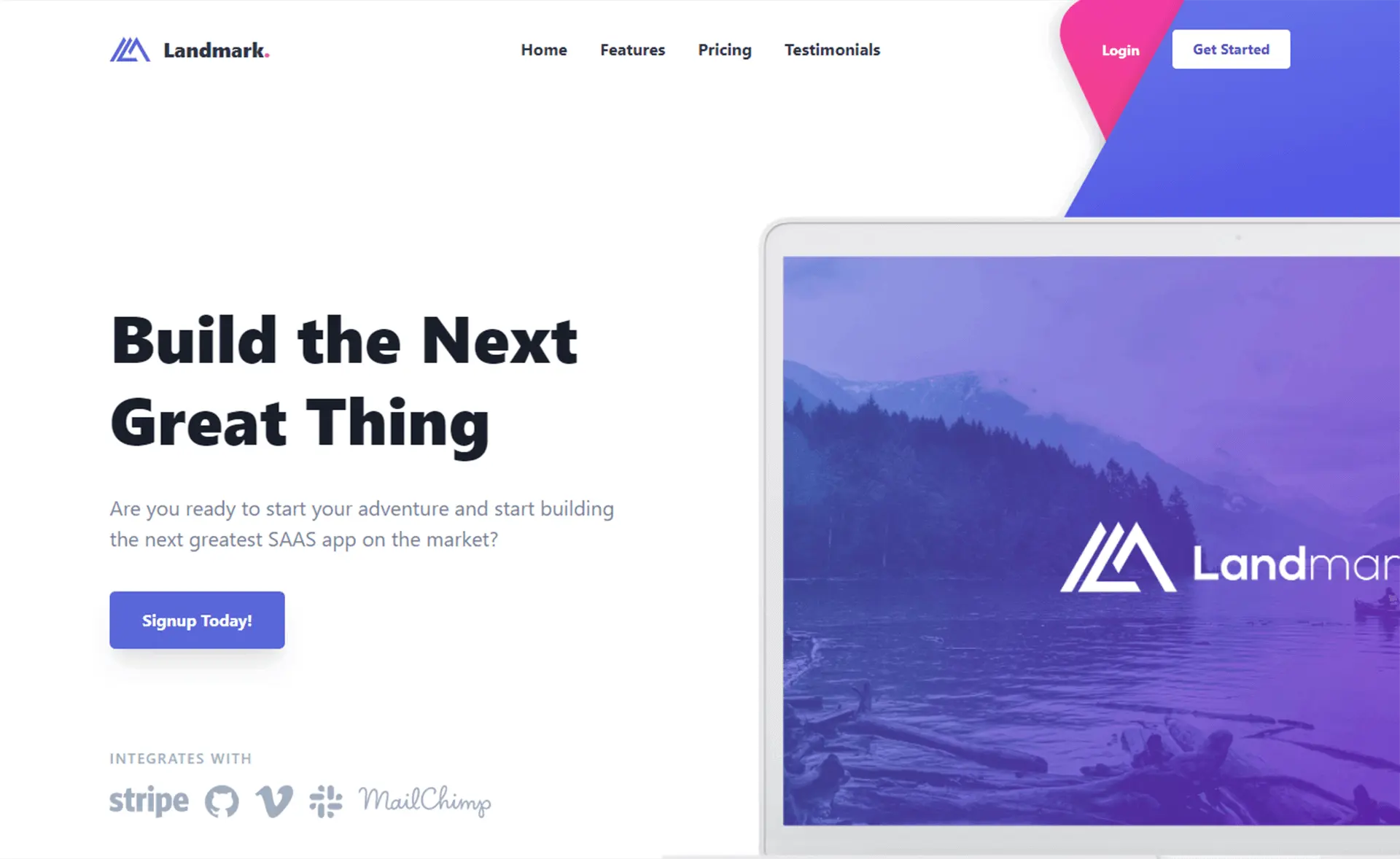
Servland is a business landing page theme built with Astro and Tailwind CSS that delivers a static, SEO-friendly website for service providers. It comes with ready-made integrations for contact forms (EmailJS or Nodemailer), WhatsApp click-to-chat, and a GDPR-compliant cookie banner.
What is Servland?
Servland is an open-source landing page template created by developer locobean and published on GitHub under the MIT License. The theme runs on the Astro static site generator with Tailwind CSS for styling, taking content edited in src/pages/index.astro and component files, and outputting a fully static site in the dist/ directory after running npm run build. It is designed for businesses and service providers that want a fast-loading, single-page online presence without maintaining a server. The template also includes automatic and manual dark mode, parallax background effects, and responsive layouts that work on mobile, tablet, and desktop.
Key Features
- Astro static site generator — Compiles the landing page to static HTML and assets in
dist/, with no required backend runtime. - Tailwind CSS styling — Utility-first styling configured in
tailwind.config.mjsfor colors, spacing, and custom fonts. - Dark mode — Supports both automatic (system preference) and manual toggling between light and dark themes.
- Contact form integration (EmailJS) — Requires setting three environment variables: service ID, template ID, and user ID; ideal for static hosting.
- Contact form integration (Nodemailer) — Sends messages through SMTP, with Gmail app-specific passwords as the documented setup example.
- WhatsApp integration — Adds a direct messaging button so visitors can reach the business via WhatsApp.
- Cookie consent banner — A GDPR-compliant banner that asks visitors for consent before cookies are used.
- SEO-ready meta tags — Includes optimized meta tags and structured data for search engine visibility.
- Parallax effects — Background sections move at different scroll speeds to add visual depth.
Who is it for?
- Small business owners — Set up a professional landing page with a working contact form and WhatsApp chat using the provided quick start steps.
- Freelancers and consultants — Use the single-page layout to present services, collect inquiries, and provide instant messaging.
- Agencies — Use Servland as a starting point for client sites, customizing colors and content per project.
- Developers — Extend the well-organized component structure and Tailwind config to build custom landing pages quickly.
What can you do with Servland?
- Service providers: Publish a fast landing page that lists your services and lets visitors reach you directly through a WhatsApp button.
- Lead generation: Collect visitor messages via the contact form and have them forwarded by email through EmailJS or Nodemailer.
- Marketing campaigns: Deploy a lightweight static page to
dist/and host it anywhere without needing a database or server-side code. - Customization: Edit
tailwind.config.mjsto change brand colors, replace fonts inLayout.astro, and add or remove components insrc/components/.
How does Servland work?
Getting started requires cloning the repository from GitHub, running npm install, copying .env.example to .env and filling in your credentials, then starting development with npm run dev at http://localhost:4321. Production builds are made with npm run build, and the static output goes to dist/.
FAQ
Is Servland free to use?
Yes, Servland is open source under the MIT License, so you can use, modify, and deploy it without licensing fees. The repository is hosted on GitHub, and contributions are welcome.
How do I set up the contact form?
There are two options. EmailJS is recommended for static sites: create an EmailJS account, make a template with variables for name, email, phone, and message (shown as {{name}}, {{email}}, {{tel}}, {{message}}), then add your service ID, template ID, and user ID to .env. Alternatively, configure Nodemailer with SMTP credentials and a secret key.
Does Servland support dark mode?
Yes, the theme includes both automatic dark mode based on system preferences and a manual toggle. This is built into the styling system with Tailwind CSS.
Can I customize the design and content?
Yes. Main page content is edited in src/pages/index.astro, individual sections are components in src/components/, and colors or typography are adjusted in tailwind.config.mjs. The favicon is replaced via public/favicon.svg and the site preview via public/preview.png.
Does Servland include a cookie banner?
Yes, a GDPR-compliant cookie consent banner is included, so you can ask visitors for consent before any cookies are set.