Template details
Slender
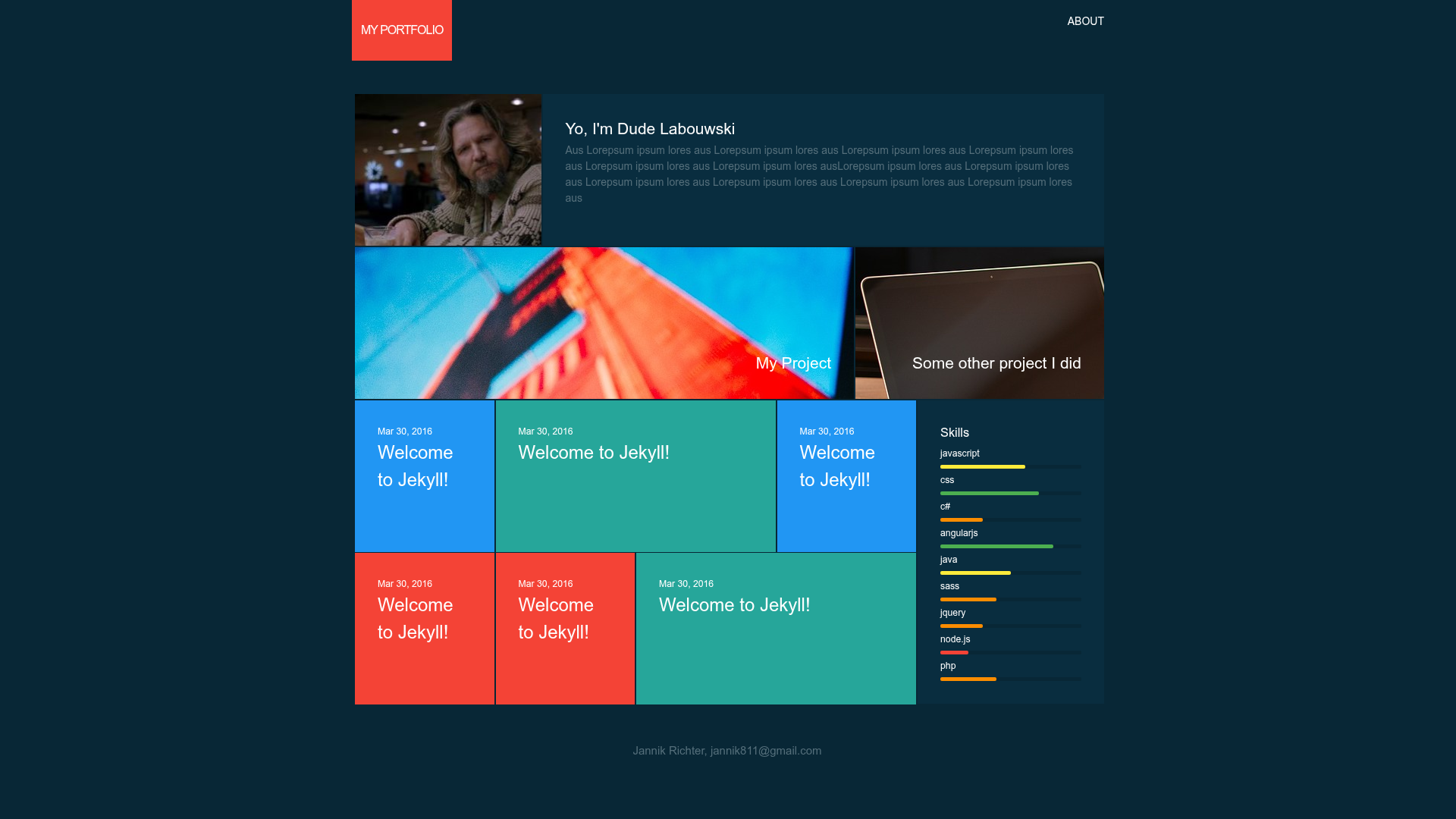
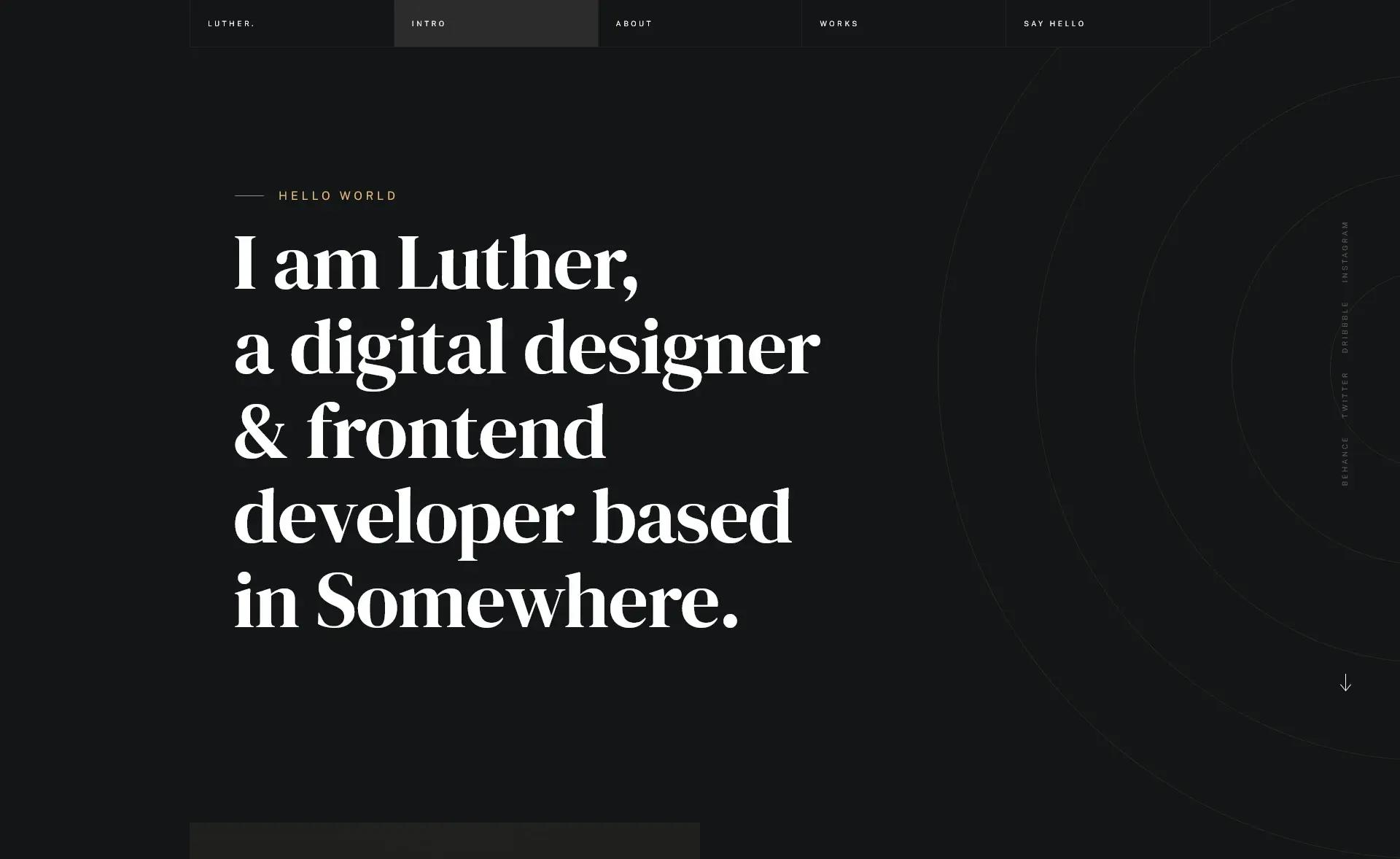
Beautiful responsive portfolio style template for designers and web developers
About this template
Slender is a free, responsive portfolio template for Jekyll, created by Nik Rich (nikrich), that gives designers and web developers a clean, content-driven way to present their work as a static website.
What is Slender?
Slender is a Jekyll-based portfolio template for showcasing creative work. It takes standard Jekyll content files and renders a responsive static website that runs locally with jekyll serve and can be hosted on any static hosting service. The template was inspired by a Dribbble shot from Balraj Chana and is maintained on GitHub, where the repository has 53 stars and a dev-branch workflow for contributions.
Key Features
- Jekyll integration — Built for Jekyll, so content is authored in Markdown and built into static HTML; a local development server starts with
jekyll serve. - Responsive design — The template is described as responsive, adapting the portfolio layout to different screen sizes for desktop and mobile viewing.
- Portfolio-focused layout — The design is tailored to present a portfolio of projects, with a look inspired by the Dribbble shot "New Portfolio Site Live" by Balraj Chana.
- Live demo — A working demo is hosted at nikrich.github.io/jekyll-slender-template, allowing you to preview the template before installing it locally.
- Community connectivity — Includes a Gitter badge for a chat channel and a Twitter badge for the author, @slender_rich, so users can get support or follow updates.
- Open-source contribution — The repository accepts contributions: clone the repo, check out the dev branch (not master), make changes, test, and submit a pull request.
Who is it for?
- Designers — set up a professional-looking portfolio to display visual work without building a site from scratch.
- Web developers — use a Jekyll workflow to maintain a portfolio of code projects and live demos.
- Creative freelancers — get a starting point for a personal portfolio site with minimal configuration, plus badges for chat and Twitter contact.
What can you do with Slender?
- Launch a portfolio site quickly: clone the repository, run
jekyll serve, and replace the default content to publish your own projects online. - Showcase design and development work: present project screenshots and descriptions in a responsive portfolio layout built for creative professionals.
- Contribute to the template: fork the repo, branch off the dev branch, implement improvements, and submit pull requests to help evolve the project.
How does Slender work?
Slender runs on Jekyll, so you start by cloning the GitHub repository and switching to the dev branch. Then jekyll serve compiles the content and starts a local server at localhost:4000 (Jekyll's default port). You edit content files in Markdown, refresh the browser to preview changes, and build the site for deployment when ready.
FAQ
Is Slender free?
Yes, Slender is open source and publicly available on GitHub. You can download and use it without payment; the repository does not mention any paid license or commercial restrictions.
What do I need to run Slender?
You need Jekyll installed, since Slender is a Jekyll template. Running jekyll serve from the project directory launches a local development server, and the built site can be deployed to any static host.
Where can I see a live demo?
A demo is hosted at nikrich.github.io/jekyll-slender-template#. You can browse the responsive portfolio layout there before cloning the repository locally.
How can I contribute to Slender?
Clone the repository, check out the dev branch (not master), make your changes, and submit a pull request. The contributing guide explains that testing with jekyll serve is expected before submitting.
What design inspired Slender?
The template was inspired by a Dribbble shot called "New Portfolio Site Live" by Balraj Chana, linked in the repository description.