Template details
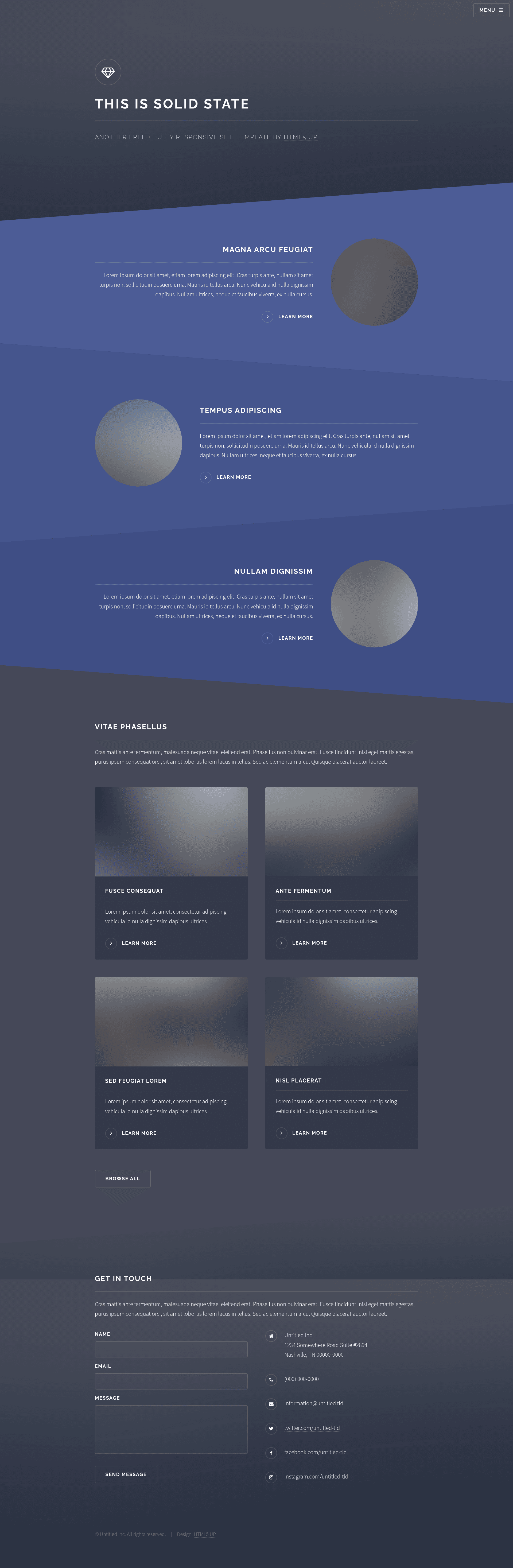
Solid State Jekyll Theme
A Jekyll version of the 'Solid State' theme by HTML5 UP.
About this template
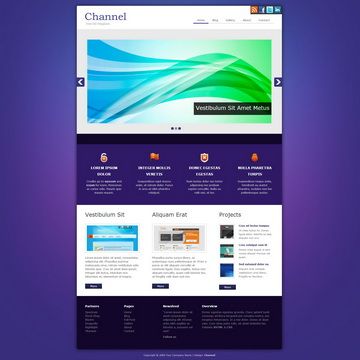
Solid State Jekyll Theme is a Jekyll port of the HTML5 UP "Solid State" design, a multi-page site template adapted for the Jekyll static site generator and maintained by Andrew Banchich. It takes standard Jekyll content — front matter, posts, and pages — and renders a static multi-page website with the original "angular" visual style, aimed at portfolios and business sites.
What is Solid State Jekyll Theme?
The template is a Jekyll adaptation of the "Solid State" theme originally designed by HTML5 UP (html5up.net) and ported to Jekyll by Andrew Banchich. It runs on Jekyll, so it consumes Markdown posts, pages, and _config.yml site settings, and outputs a static HTML site. According to the README, the theme is free for personal and commercial use under the Creative Commons Attribution 3.0 (CCA 3.0) license, and the original credits list Font Awesome icons, jQuery, html5shiv.js, Respond.js, and Skel.
Key Features
- Multi-page layout — The HTML5 UP "Solid State" design is described as a multi-pager with an "angular" look, giving you multiple page templates for a portfolio or business site.
- Jekyll-native workflow — Content is added through Jekyll's standard front matter, posts, and pages, so you write Markdown files instead of editing HTML directly.
- Configuration via _config.yml — Site-wide settings are managed in the Jekyll configuration file; the README instructs you to edit
_config.ymlafter forking. - GitHub Pages ready — For GitHub hosting, the README says to create a branch named
gh-pages, which works with GitHub Pages' default publishing. - Free commercial use — The CCA 3.0 license permits personal and commercial use without a fee, as stated in the included HTML5 UP README.
- Included tech stack — The original theme credits Font Awesome for icons, jQuery, html5shiv.js, a background-size polyfill, Respond.js, and Skel, all noted in the README.
Who is it for?
- Jekyll users — Developers who prefer Jekyll's static site workflow and want a ready-made design instead of building from scratch.
- Portfolio owners — Designers, photographers, and creative professionals who want a multi-page personal portfolio with the Solid State look.
- GitHub Pages site owners — People who want to deploy on GitHub Pages; the gh-pages branch workflow is documented in the README.
What can you do with it?
- Designers: Set up a multi-page portfolio by forking the repository, editing
_config.yml, and adding your own Markdown pages. - Bloggers: Use Jekyll's built-in post system to publish articles within the Solid State design.
- Business sites: Use the multi-page structure to create separate pages for services, about, and contact, following the HTML5 UP template's layout.
How does it work?
The README gives a simple setup: fork the repository, edit the _config.yml file with your site settings, and for GitHub specifically, create a branch named gh-pages. For GitLab, you can start editing the configuration file directly after forking. The static site is then generated by Jekyll from your Markdown content.
Pricing
The template is free to use for personal and commercial projects under the Creative Commons Attribution 3.0 (CCA 3.0) license, as stated in the included HTML5 UP README. No paid tiers are mentioned in the repository.
FAQ
Is Solid State Jekyll Theme free?
Yes, the theme is free for personal and commercial use under the Creative Commons Attribution 3.0 (CCA 3.0) license. The license is mentioned in the included HTML5 UP README and applies to both the original theme and this Jekyll port.
How do I install the theme?
Fork the repository, edit the _config.yml file with your site details, and add your content as Jekyll posts and pages. If you are hosting on GitHub, create a branch named gh-pages so the generated site is served automatically.
Does the theme work with GitHub Pages?
Yes. The README specifically instructs GitHub users to fork the repository and create a branch named gh-pages. Jekyll then builds the static site, and GitHub Pages serves it at your site's URL. GitLab hosting is also supported by forking the repository.