Template details
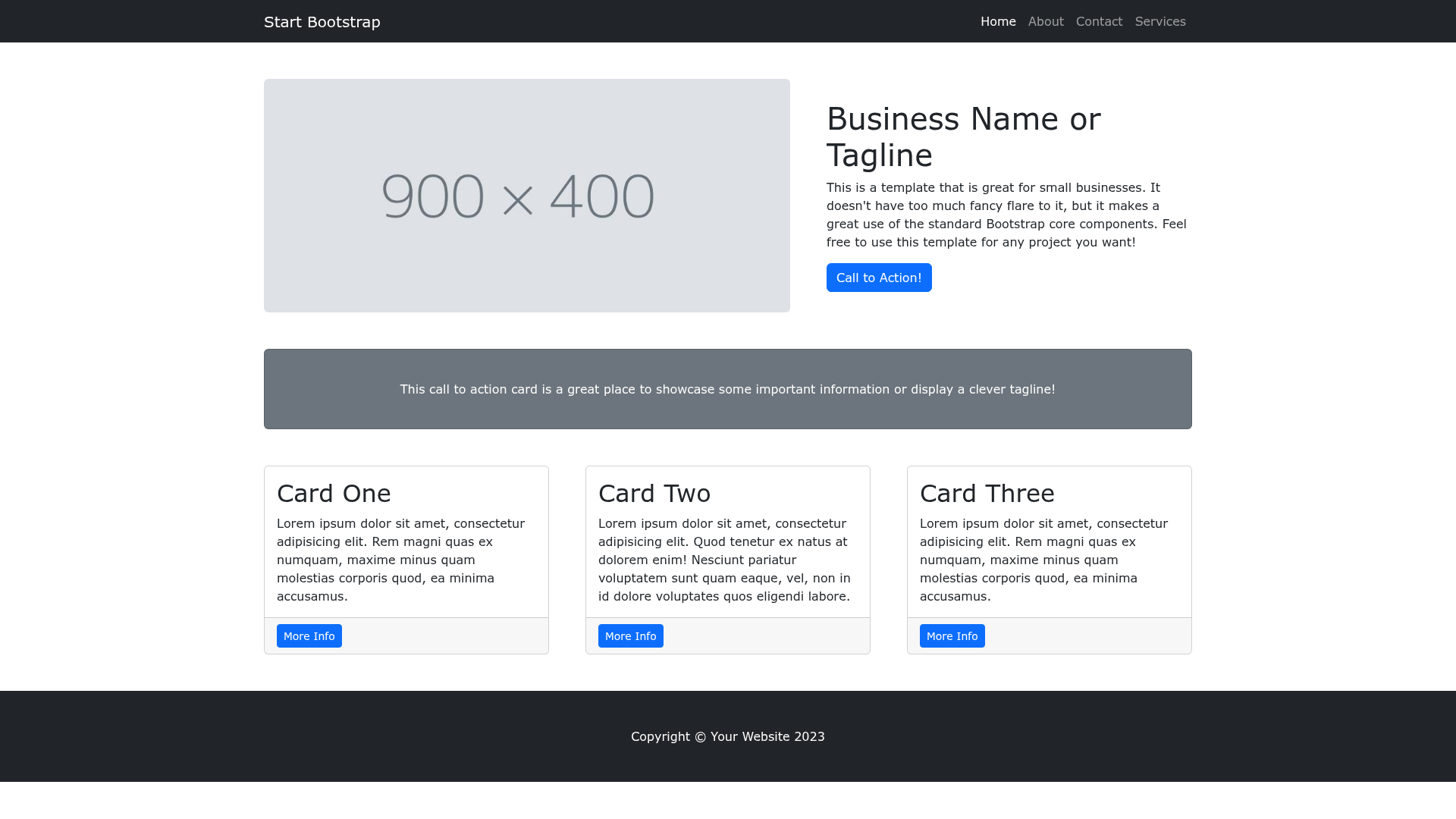
Start Bootstrap Small Business
A Bootstrap HTML template for creating marketing websites for small businesses - created by Start Bootstrap
About this template
Small Business is a free, responsive marketing landing page template built on Bootstrap by Start Bootstrap, designed to help small businesses present their brand online.
What is Start Bootstrap Small Business?
Small Business is a Bootstrap-based marketing page template developed and maintained by Start Bootstrap, an open-source library of free Bootstrap templates. It takes static HTML, SCSS, and JavaScript source files and compiles them into a ready-to-deploy dist folder containing plain index.html, CSS, and JS files. The template is best for a small business that needs a simple, professional-looking landing page without building from scratch.
Key Features
- Built on Bootstrap — The layout uses the Bootstrap framework's responsive grid and components, so it adapts to mobile, tablet, and desktop screens.
- SCSS customization — Source styles live in
src/scssas SCSS partials, which you can edit and recompile into the CSS file that ships indist. - Pug templating — The HTML is generated from Pug files in
src/pug, giving you a clean, reusable way to manage the page's structure. - Live development server — With
npm start, you get a browser preview that automatically reloads when you change files insrc, making iteration faster. - Simple static output — The built version in
distis plain HTML, CSS, and a single JS file, ready to upload to any static host or open directly in a browser. - MIT license — The code is freely usable for personal and commercial projects; you can modify and redistribute it.
- npm scripts — The included
package.jsonprovides commands likenpm run buildto rebuild all assets,npm run build:scssto compile SCSS, andnpm run build:pugto compile Pug templates.
Who is it for?
- Small business owners — who need a professional marketing page quickly without writing HTML from scratch.
- Freelance developers and web designers — who want a Bootstrap starter template they can customize with SCSS and Pug and then hand off to a client.
- Startups and entrepreneurs — who need a static landing page to promote a new product or service, and can edit the HTML directly in the dist folder.
- Agencies — who need a simple, open-source base for small-business client projects and want to rebuild the visual style with SCSS.
What can you do with it?
- Small business owners: Build a professional one-page marketing site by editing the content in
index.htmland uploading thedistfolder to any web host. - Developers: Extend the template by modifying the Pug and SCSS sources and rebuilding with
npm run buildto generate a newdistbundle. - Students and learners: Study how a Bootstrap template is structured and use the npm build tooling to understand SCSS compilation and live reload workflows.
How does it work?
Download the latest release from Start Bootstrap or install via npm with npm i startbootstrap-small-business. For simple edits, open the dist directory, change the HTML and CSS, and refresh the preview in your browser. For advanced development, clone the repo, run npm install, then npm start to launch a live preview that watches source files and rebuilds automatically.
Pricing
Small Business is free to download and use. Start Bootstrap releases all its templates under the MIT license, so you can use the template for any purpose, including commercial projects, without paying a fee.
FAQ
Is Start Bootstrap Small Business really free?
Yes. The template is released under the MIT license, meaning you can download, modify, and use it for personal or commercial projects at no cost. You don't need to purchase a license or credit Start Bootstrap.
What do I need to run the advanced workflow?
For the build environment, you need Node.js and npm installed on your computer. Once you clone the repository, run npm install to install dependencies and npm start to launch the development server with live reload.
Can I edit the template without using npm?
Absolutely. The dist folder contains static HTML and CSS files. You can directly edit the HTML in index.html and the CSS file, then open index.html in a browser to preview changes. No build step is required.
How do I change the colors and fonts?
The advanced setup uses SCSS source files in src/scss. You can modify the SCSS variables, run npm run build:scss to recompile the CSS, and the updated styles will appear in dist. Since it's Bootstrap-based, you can also override styles in the compiled CSS directly.