Template details
TailStore
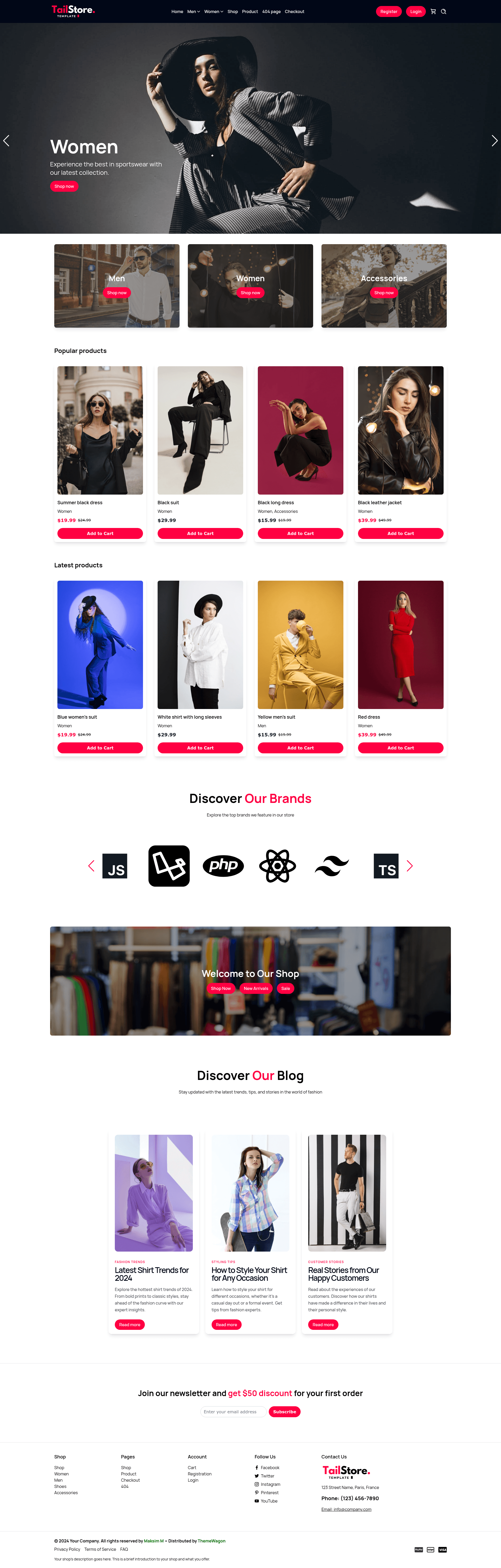
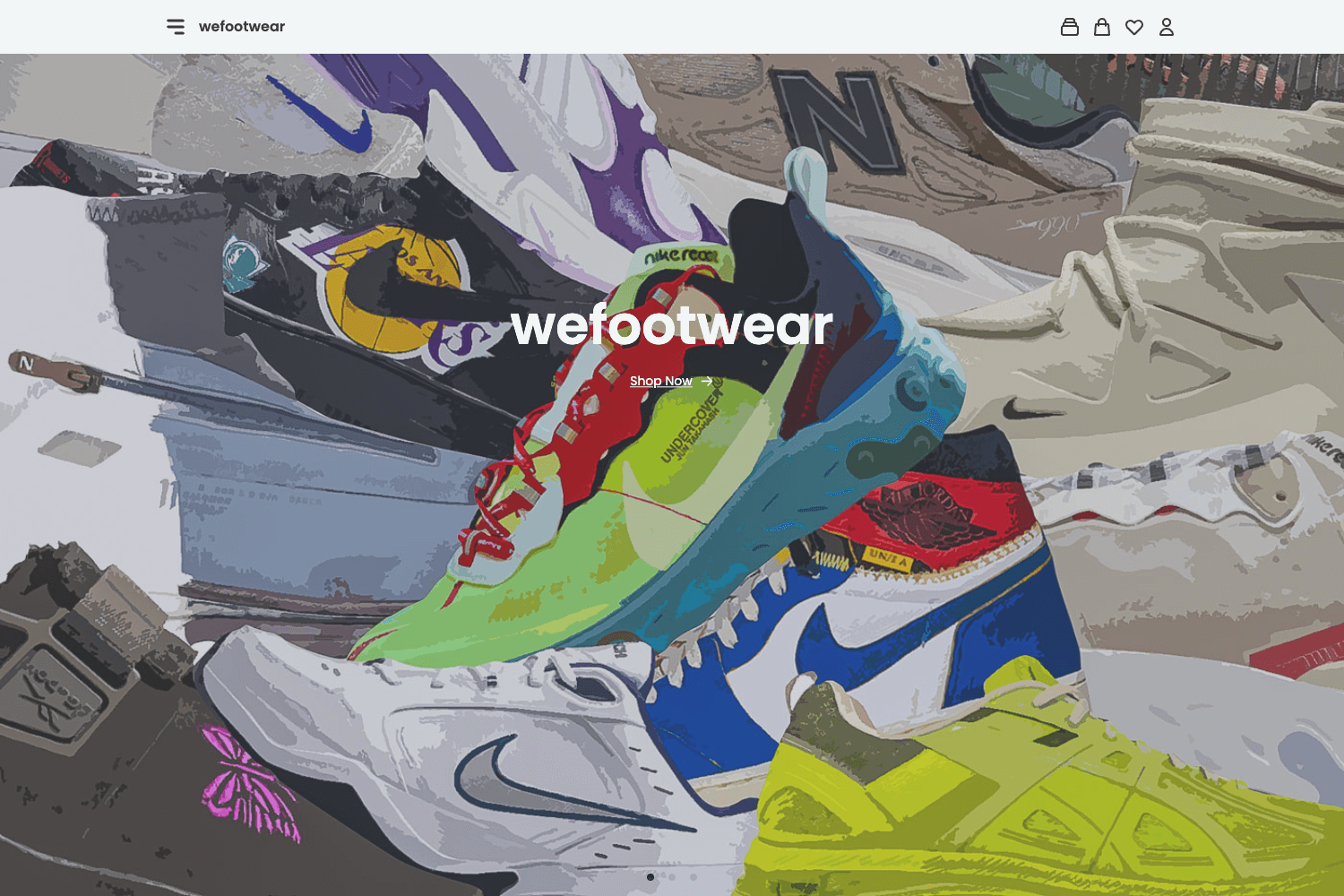
Free multipage Tailwind CSS clothing store template with product cards, cart, blog, auth pages, and Swiper carousels.
About this template
TailStore is a free, multipage eCommerce website template for clothing stores, built with Tailwind CSS v4.1.6 and Swiper, that delivers a fully responsive storefront with product cards, cart, blog, and authentication pages.
What is TailStore?
TailStore is a free HTML website template built for clothing and fashion eCommerce sites, created by Maksim M and distributed on ThemeWagon. It takes static HTML/CSS assets and produces a complete multipage storefront, with more than 6 prebuilt pages including home, cart, login, blog, and a 404 page. The template runs on any static web host or local server, requires no build step, and ships with all demo images, libraries, and plugins included.
Key Features
- Tailwind CSS v4.1.6 — Styling is handled entirely by Tailwind CSS version 4.1.6, so you customize the design by editing utility classes in the HTML rather than writing custom CSS.
- Multipage eCommerce layout — The template includes over 6 prebuilt pages covering the storefront, product grid, cart, authentication, blog, and error page, saving you from building common flows from scratch.
- Swiper-powered carousels — The hero header and brand sections use the Swiper slider library for responsive carousels, including a header carousel and brand carousel.
- Product cards and pagination — Ready-made product card components with hover effects and a paginated catalog layout let you display large inventories without extra CSS work.
- Cart and authentication pages — A dedicated cart page plus login and registration templates give you the essential conversion and account flows out of the box.
- Modal search and sticky navigation — A modal search bar, sticky top navigation bar, and dropdown menu bars keep browsing smooth on both desktop and mobile.
- Page-speed-optimized and SEO-friendly — ThemeWagon lists the template as page-speed-optimized, mobile-first, cross-browser-compatible, and SEO-friendly, which supports faster loading and better search visibility.
- Newsletter form and social icons — A built-in email subscription form and social media icon set in the footer help capture leads and link to your social profiles.
Who is TailStore for?
- Independent clothing brands — Launch a professional online storefront without hiring a developer; just replace the demo images and text with your products.
- Freelance web developers — Use the clean Tailwind codebase as a starting point for client projects, then customize layout and components with utility classes.
- Ecommerce startups — Quickly assemble a catalog, cart, and blog experience to validate a retail idea or run an MVP.
What can you do with TailStore?
- Fashion retailers — Display products using the product cards, carousel, and pagination, and guide shoppers to a cart page.
- Brand marketers — Publish articles with the included blog pages and collect email addresses via the newsletter subscription form.
- Designers — Restyle the entire site by modifying Tailwind utility classes, with a clean codebase that supports smooth customization.
FAQ
Is TailStore free?
Yes. The template is free to download from ThemeWagon, open source, and licensed for use in commercial projects with lifetime free updates. ThemeWagon also offers a premium "Phoenix" kit for users who want design support, 24/7 help, and Figma files.
What does TailStore include?
The download includes 6+ prebuilt HTML pages, all demo images, and the libraries and plugins used, namely Tailwind CSS and Swiper. There are pages for the storefront, cart, authentication, blog, and a 404 error page.
Does TailStore require a build tool?
No. TailStore is plain HTML with Tailwind CSS and Swiper included, so it runs by simply opening the files in a browser or uploading them to any static hosting service.
Which browsers are compatible with TailStore?
The template is listed as compatible with Chrome, Edge, Firefox, Opera, Safari, and mobile browsers on Android, iPad, and iPhone, and it is described as having fewer cross-browser bugs.
How does TailStore work?
To get the template, enter your email address on the ThemeWagon download page and a download link is sent to that address. After downloading, unzip the archive, open the HTML files in a code editor, and replace the demo content with your own products and brand; you can host the resulting static files anywhere.