Template details
Technology LandingPage
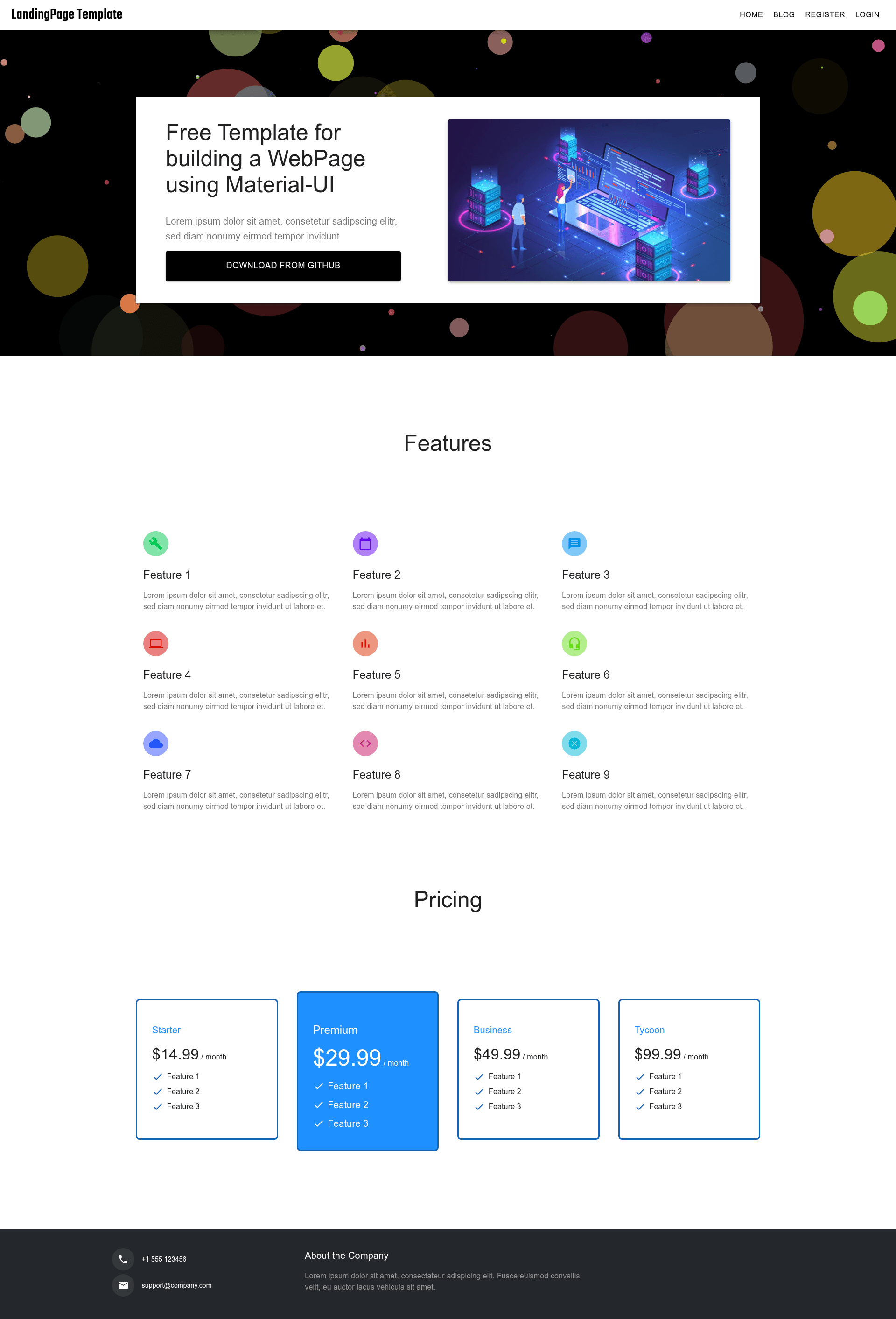
A React-based landing page template for science and technology products with particle background effects.
About this template
Technology LandingPage is a React-based landing page template for science and technology products, built with particles-bg animated backgrounds and forked from the react-saas-template project.
What is Technology LandingPage?
Technology LandingPage is an open-source landing page template designed specifically for science and technology products. It runs on React and uses the particles-bg library to generate animated particle backgrounds, giving the page an atmospheric, high-tech feel. The project is a fork of the react-saas-template created by dunky11, and it is distributed under the MIT License. Input is a React project scaffold; output is a customizable single-page landing site with particle effects. It includes a hosted demo at wonderfullandingpage.github.io/Technology-LandingPage/ and its GitHub repository has 83 stars.
Key Features
- React and particles-bg — The template is built with React and the particles-bg library, which renders animated particle networks behind the content.
- Material-UI theming — Styling is handled with Material-UI; changing the primary and secondary color codes in src/theme.js updates the entire color scheme.
- Atmospheric design — The visual style is tailored to science and technology products, with a dark, particle-filled aesthetic.
- Scalable codebase — The README states the code has good scalability, making it easy to extend with additional sections or components.
- CI and maintenance badges — The repository integrates Node.js CI, Dependabot dependency updates, and Prettier code formatting.
- Simple setup — Requires Node.js 12+; clone, run npm install, then npm start to launch a local development server on localhost:3000.
- Production build — Running npm run build outputs a static bundle ready for deployment to any static hosting service.
Who is it for?
- Tech startup founders — Launch a landing page for a new hardware or software product without designing from scratch.
- React developers — Use the template as a starting point for client projects, leveraging Material-UI theming and the particles-bg effect.
- Product marketers — Quickly stand up an atmospheric pre-launch page for a science or technology campaign.
- Open-source contributors — Fork the repository and customize it, since it's MIT licensed and accepts pull requests.
What can you do with it?
- Launch a product teaser page — Set up an atmospheric landing page with animated particles to showcase an upcoming gadget or service.
- Customize branding — Edit src/theme.js to match your brand colors, then rebuild with npm run build.
- Study React patterns — Learn how a typical React + Material-UI landing page is structured, including theming and component organization.
- Deploy to GitHub Pages — The project is already hosted on GitHub Pages, so it can be adapted for static deployment.
How does it work?
- Clone the repository and install dependencies with npm install.
- Start the development server with npm start; it auto-reloads on file edits.
- Change theme colors in src/theme.js and extend components as needed.
- Run npm run build to generate a production-ready static bundle.
FAQ
Is Technology LandingPage free?
Yes, the project is licensed under the MIT License, so you can use, modify, and distribute it freely, including in commercial projects.
What technologies does it use?
It is built with React, uses the particles-bg library for the animated background, and relies on Material-UI for component styling and theming.
How do I change the color scheme?
Open src/theme.js in the repository root and edit the primary and secondary color values at the top of the file. The template automatically applies the new colors across components.
What Node.js version do I need?
The README recommends Node.js 12 or higher for the best experience; older versions may work but are not officially tested.
Can I deploy it to my own hosting?
Yes, after running npm run build, you get a static bundle that can be hosted on any static file server, including GitHub Pages, Netlify, or Vercel.