Template details
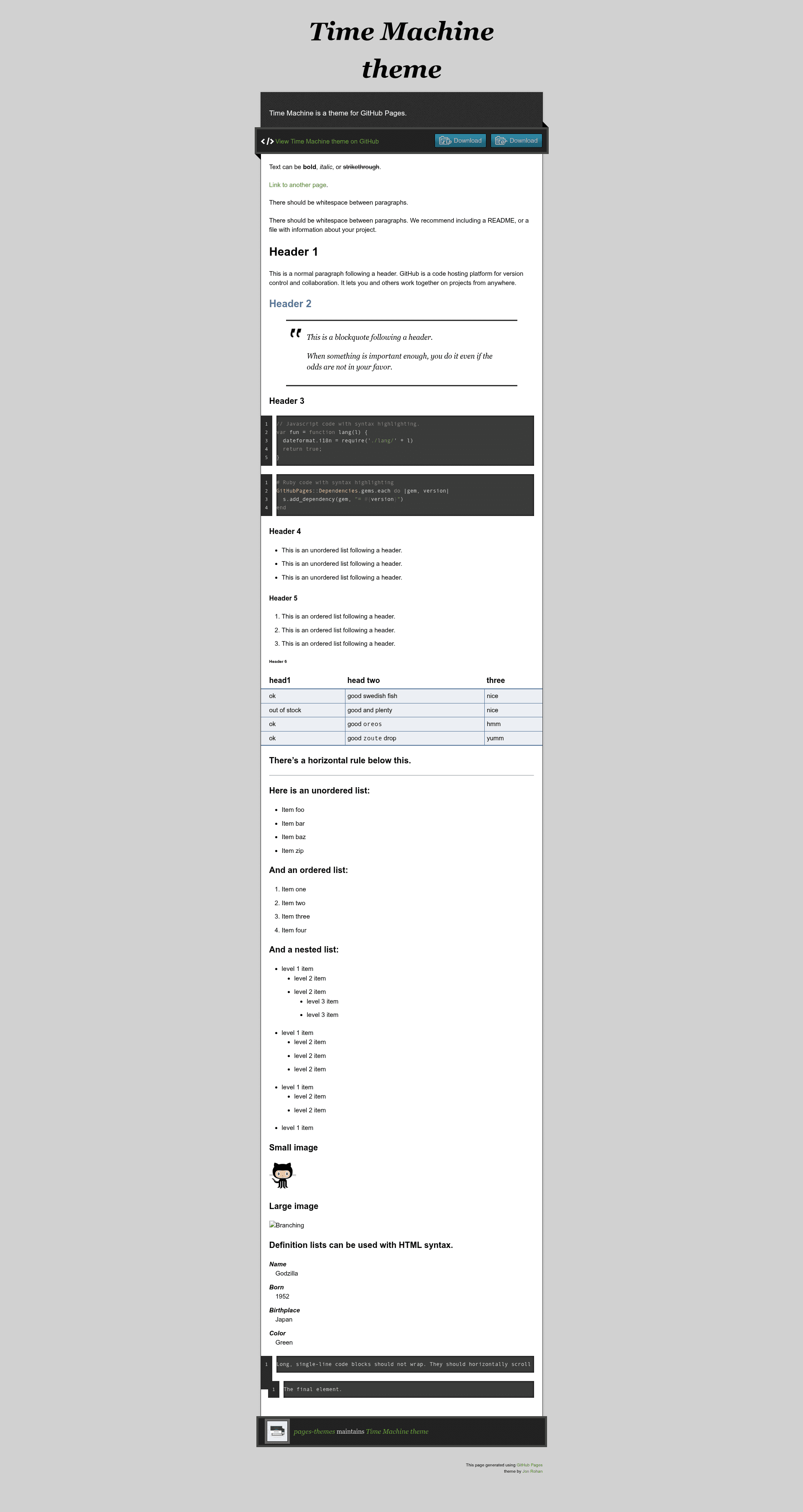
Time Machine
Time machine is a Jekyll theme for GitHub Pages.
About this template
Time Machine is a free, open-source Jekyll theme for GitHub Pages that generates a static website with a retro time-machine visual style, designed for rapid setup via the remote_theme mechanism.
What is Time Machine?
Time Machine is a Jekyll theme maintained in the pages-themes organization on GitHub and distributed as both a Ruby gem (jekyll-theme-time-machine) and a remote theme. It consumes a standard Jekyll site's configuration and content and outputs a static HTML site styled with a distinctive time-machine aesthetic. It is one of several ready-made themes that GitHub Pages users can adopt by adding a remote_theme line to their site's _config.yml, and it is available for live preview at pages-themes.github.io/time-machine.
What makes Time Machine stand out?
- Remote theme installation — Add
remote_theme: pages-themes/time-machine@v0.2.0to your site's_config.yml(along with thejekyll-remote-themeplugin) to use the theme without forking its repository. - Configurable metadata — Set
titleanddescriptionin_config.ymlto populate the site's header and HTML meta tags. - Optional download button — The
show_downloadsvariable controls whether the layout displays a URL for downloading the project. - Google Analytics support — Drop in a tracking ID via the
google_analyticsvariable, or paste custom analytics snippets into_includes/head-custom-google-analytics.html. - Customizable stylesheet — Create
/assets/css/style.scssin your site, import the theme's base styles, and append your own CSS or Sass. - Layout overrides — The default layout in
_layouts/default.htmlcan be copied into your site and changed; the theme's_includesprovide a starting point for tweaks like a custom favicon. - URL override capability — Default GitHub-provided URLs (like repository or zip download links) can be replaced by defining your own under the
githubkey in_config.yml. - Local preview and tests — Run
script/bootstrapandbundle exec jekyll serveto preview the theme locally;script/cibuildruns a minimal test suite in CI.
Who should use Time Machine?
- GitHub Pages beginners — Get a live site in minutes by setting
remote_themeand writing Markdown. - Developers building project sites — Use the theme as a clean, retro-styled base for documentation, portfolios, or personal hubs tied to a GitHub repository.
- Theme contributors — Fork the repository, run the local preview, and follow the CONTRIBUTING guide to propose changes.
What can you do with Time Machine?
- Create a personal website — Configure your title and description, add content in Markdown, and publish to GitHub Pages with the time-machine look.
- Build a project landing page — Set
show_downloadsso visitors can download a zip or release archive of your project. - Learn Jekyll theming — Study the theme's layout and includes to understand how a Jekyll theme is structured, then copy or adapt it for your own custom theme.
How does Time Machine work?
To install, you add two items to your site's _config.yml: a remote_theme line pointing to pages-themes/time-machine@v0.2.0, and a plugins list that includes jekyll-remote-theme. On the next build, GitHub Pages fetches the theme and applies its layouts and styles to your content. For local development, you add gem "github-pages" to your Gemfile and run bundle exec jekyll serve.
Alternatives
- Minimal — An official GitHub Pages theme with a simple, single-column layout.
- Hacker — A dark, terminal-styled GitHub Pages theme.
- Cayman — A GitHub Pages theme with a prominent blue header and centrally sourced design.
FAQ
Is Time Machine free to use?
Yes, Time Machine is open source and hosted under the pages-themes organization on GitHub. You can use it on any GitHub Pages site without cost, and it is also published as a Ruby gem.
How do I install Time Machine?
Add remote_theme: pages-themes/time-machine@v0.2.0 to your _config.yml, then add jekyll-remote-theme to the plugins list. To preview locally, add gem "github-pages" to your Gemfile and run bundle exec jekyll serve.
Can I customize the theme's styles?
Yes. Create /assets/css/style.scss in your site, add the Jekyll front matter, and use the theme's import directive to load the base styles followed by your custom CSS or Sass. You can also replace the default layout by copying _layouts/default.html from the theme repository.