Template details
Power Parity Pricing Strategies
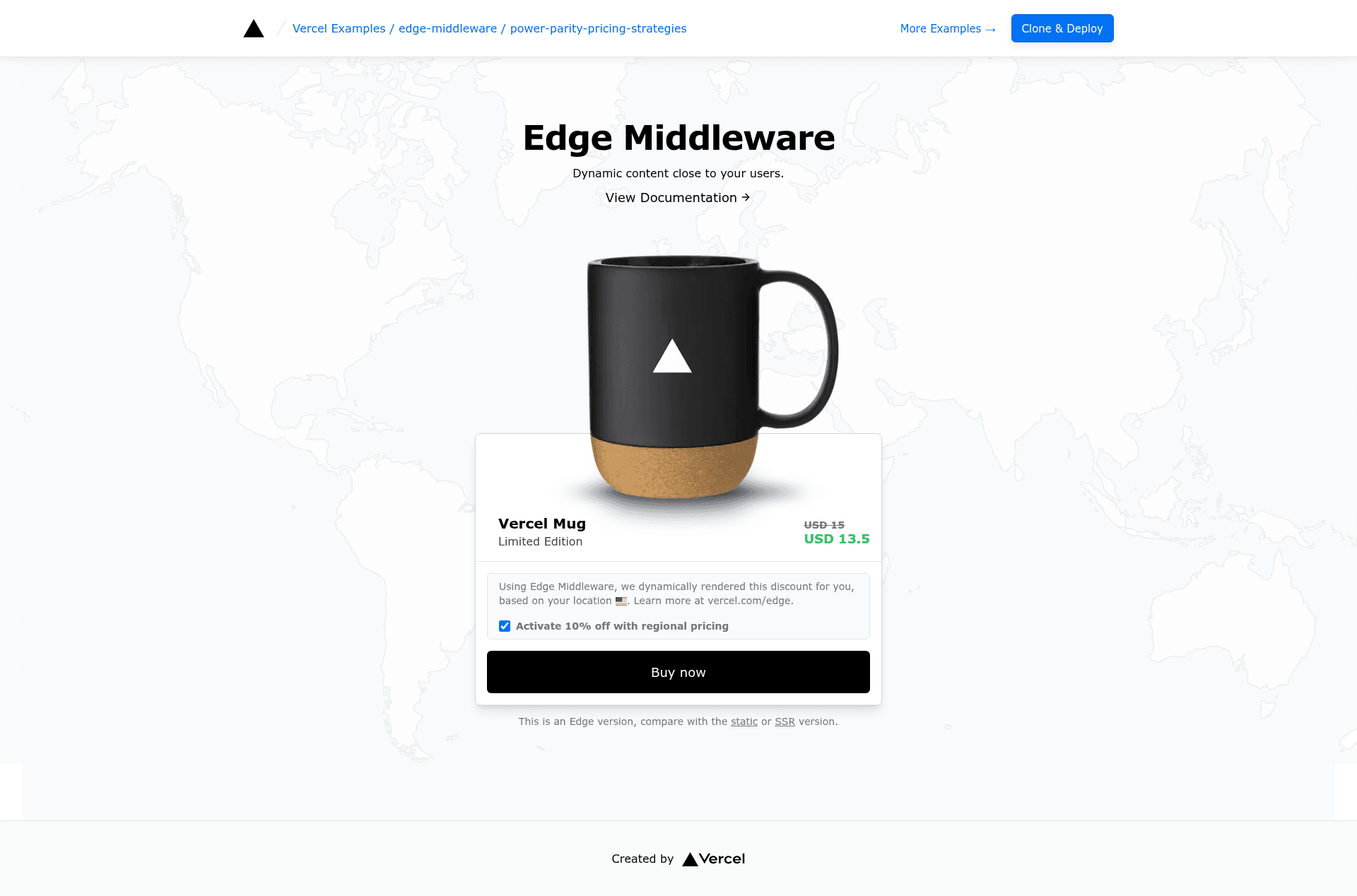
Shows the differences between doing PPP at the edge using information from the geolocation object, Node.js SSR, and client-side rendering.
About this template
Power Parity Pricing Strategies is a Vercel example template built with Next.js that demonstrates three approaches to purchase power parity (PPP) pricing — at the edge via the request geolocation object, through Node.js server-side rendering, and with client-side rendering — so developers can see the differences in one codebase.
What is Power Parity Pricing Strategies?
This template is a live demonstration from the Vercel examples repository. It takes a visitor's geolocation, derived from the incoming request at the edge, and uses it to adjust the price of a product shown on a Next.js page. The same pricing logic is implemented three ways — edge middleware, Node.js SSR, and client-side rendering — so you can compare their behavior directly. It runs on Next.js with Tailwind CSS styling and is maintained by Vercel as an open-source example.
Key Features
- Three rendering strategies in one repository — The PPP pricing logic appears as an edge middleware handler using the request geolocation object, a Node.js SSR function, and a client-side script.
- Tailwind CSS styling — The product page UI is styled with Tailwind CSS, keeping the demo focused on the pricing logic rather than custom CSS.
- One-click Vercel deployment — A deploy button clones the repository and provisions the project on Vercel without manual setup.
- Local development with pnpm — Bootstrap with
pnpm create next-app --example https://github.com/vercel/examples/tree/main/edge-middleware/power-parity-pricing-strategies power-parity-pricing-strategiesand runpnpm devto inspect the code locally. - Hosted live demo — A working demo is available at edge-mug.vercel.app so you can see the geolocation-based price changes before deploying.
- Part of a curated example collection — The code lives in the Vercel examples GitHub repository alongside other patterns such as A/B testing simple.
Who is it for?
- Next.js developers wanting to learn edge middleware and compare rendering strategies without building them from scratch.
- Ecommerce teams exploring geolocation-based pricing (PPP) and needing a reference implementation to test against their own storefront.
- Vercel users who want a one-click deploy to see a working example and then customize it for their own products.
What can you do with Power Parity Pricing Strategies?
- Test geolocation pricing at the edge: Observe how the request geolocation object in edge middleware changes the delivered price without extra server round trips.
- Compare edge, SSR, and client behavior: Run the same app and see how Node.js SSR and client-side rendering compute the same price from different execution contexts.
- Deploy for your own product: Use the one-click deploy URL to spin up a copy, then replace the demo product with your own pricing rules.
How does it work?
Clone the repository with create-next-app (or use the one-click deploy button), then run pnpm dev locally. The code implements the pricing logic in three places: middleware that runs at the edge, a server-side rendered page, and a client-side script. The live demo at edge-mug.vercel.app shows the result for each strategy.
FAQ
What is power parity pricing?
Purchase power parity (PPP) pricing adjusts a product's price in a given country to reflect that country's purchasing power, so the same product costs a different amount depending on the visitor's location.
How do I deploy this example?
You can deploy with the one-click Vercel button, which clones the repository and sets up the project, or clone it locally with pnpm create next-app --example https://github.com/vercel/examples/tree/main/edge-middleware/power-parity-pricing-strategies power-parity-pricing-strategies, then run pnpm dev and push to Vercel.
Is this example free to use?
Yes, the template is part of the open-source Vercel examples repository, so it is free to copy, modify, and deploy.
What's the difference between the three strategies?
The edge approach reads geolocation from the request object and runs the price calculation near the user. Node.js SSR computes the price on the server during rendering. Client-side rendering performs the calculation in the browser.