Template details
Wallinice Landing Page
A free Next.js landing page template for showcasing the Wallinice mobile app.
About this template
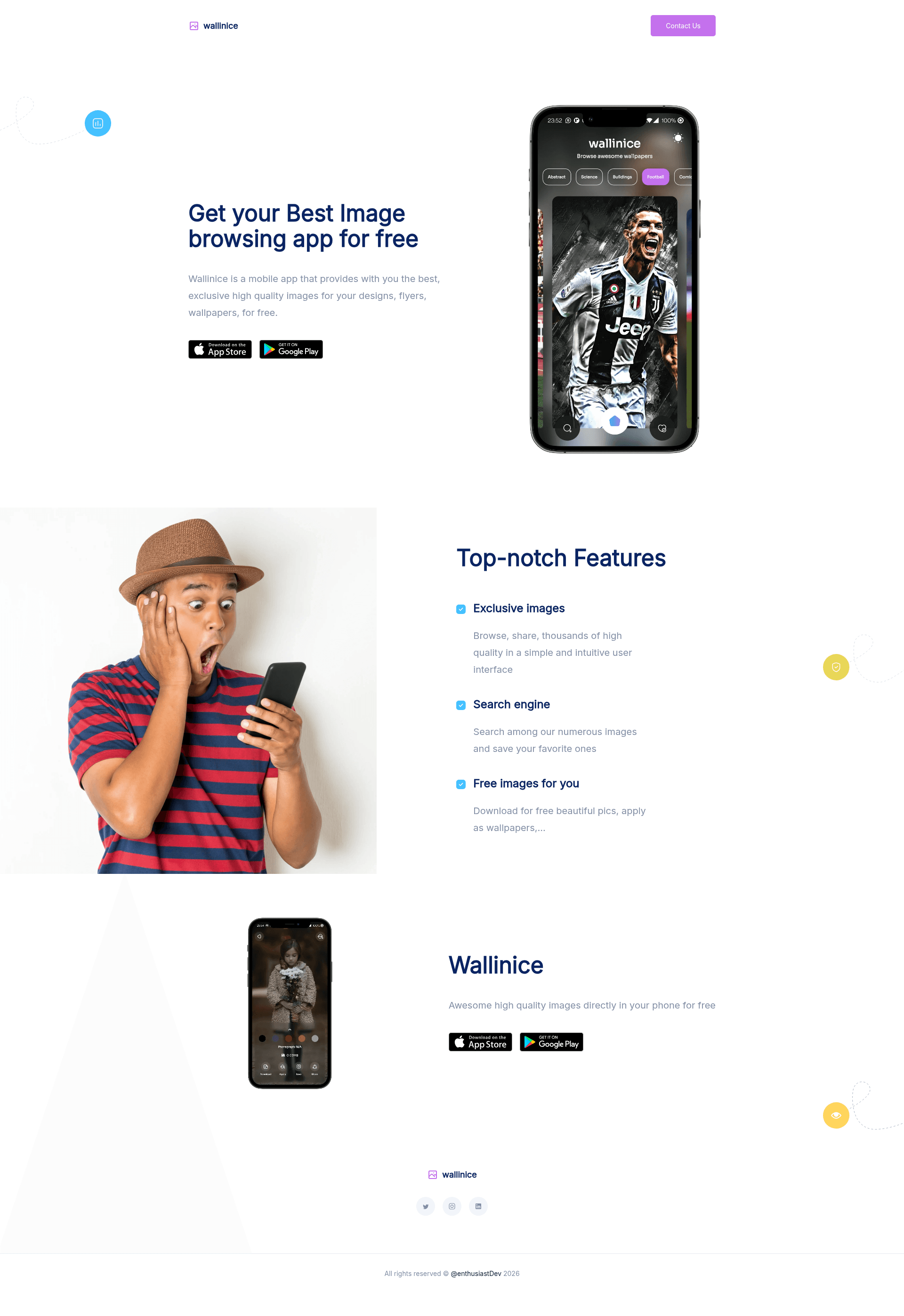
Wallinice Landing Page is a free, open-source Next.js landing page template built to promote a mobile app named Wallinice, providing a ready-made static site with a banner image and a simple production build pipeline. Created by Ethiel ADIASSA, the template is hosted on GitHub with a public repository and can be run locally with a few npm commands.
What is Wallinice Landing Page?
Wallinice Landing Page is a starter template for a single-page mobile app marketing site. It takes a developer's local machine with Node.js and Git installed, accepts commands to clone the repository, install dependencies with npm, and produces a production-ready landing page served at http://localhost:3000. The template is built on Next.js, React, Tailwind CSS, and PostCSS, and its repository metadata indicates the app being promoted is built with Flutter.
Key Features
- Next.js and React framework — The site is built as a Next.js application, giving you server-rendered React components and a standard production build process.
- Tailwind CSS and PostCSS styling — Utility-first CSS via Tailwind, processed through PostCSS, allows rapid layout and theme changes without writing custom CSS files.
- Pre-included banner image — The repository ships with a demo image at
assets/images/banner.pngthat can be swapped for your own app screenshot or logo. - Simplified setup workflow — Four commands get you from empty folder to running site:
git clone,npm i,npm run build, andnpm start. - Static output — The production build generates static files suited for deployment on any static host or Node.js server.
- Contact section in README — The project README includes the author's contact links (Twitter, email, personal website) for questions or contributions.
Who is it for?
- Mobile app developers who need a quick landing page to announce and link their app's download or preview page.
- Flutter developers — Because the repository topics list Flutter, this template is well suited for Flutter mobile app creators who want a Next.js-based web presence.
- Frontend learners — Developers new to Next.js and Tailwind can study the project structure, npm scripts, and build process for their own projects.
What can you do with Wallinice Landing Page?
- App promotion: Use the template to publish a static landing page that presents your app's banner image and basic product information to visitors.
- Rapid prototyping: Swap the banner image and edit the page content to test different marketing messages and design directions in minutes.
- Reference implementation: Inspect the configured toolchain (Next.js + Tailwind + PostCSS) as a minimal example for bootstrapping your own marketing site.
How does the template work?
The README provides a direct workflow: clone the repository with Git, install dependencies with npm i, then build and start the production server using npm run build and npm start. The server runs on port 3000 by default at http://localhost:3000. No additional configuration or environment variables are documented.
FAQ
Is Wallinice Landing Page free to use?
The template is published on GitHub as a public repository, and the README does not mention any license or cost. You can download and run it freely; check the repository for license details before commercial reuse.
What technologies does Wallinice Landing Page use?
It uses Next.js as the React framework, Tailwind CSS for utility-first styling, and PostCSS for CSS processing. The mobile app it promotes appears to be built with Flutter based on the repository's topic tags.
How do I run the template on my computer?
You need Node.js and Git installed. Then clone the repo, run npm i to install dependencies, and use npm run build followed by npm start to launch the site at http://localhost:3000.
Can I customize the banner image?
Yes, the repository includes a demo banner at assets/images/banner.png. Replace this file with your own image, and the landing page will display it in the same place.