Template details
Awesome Landing Page
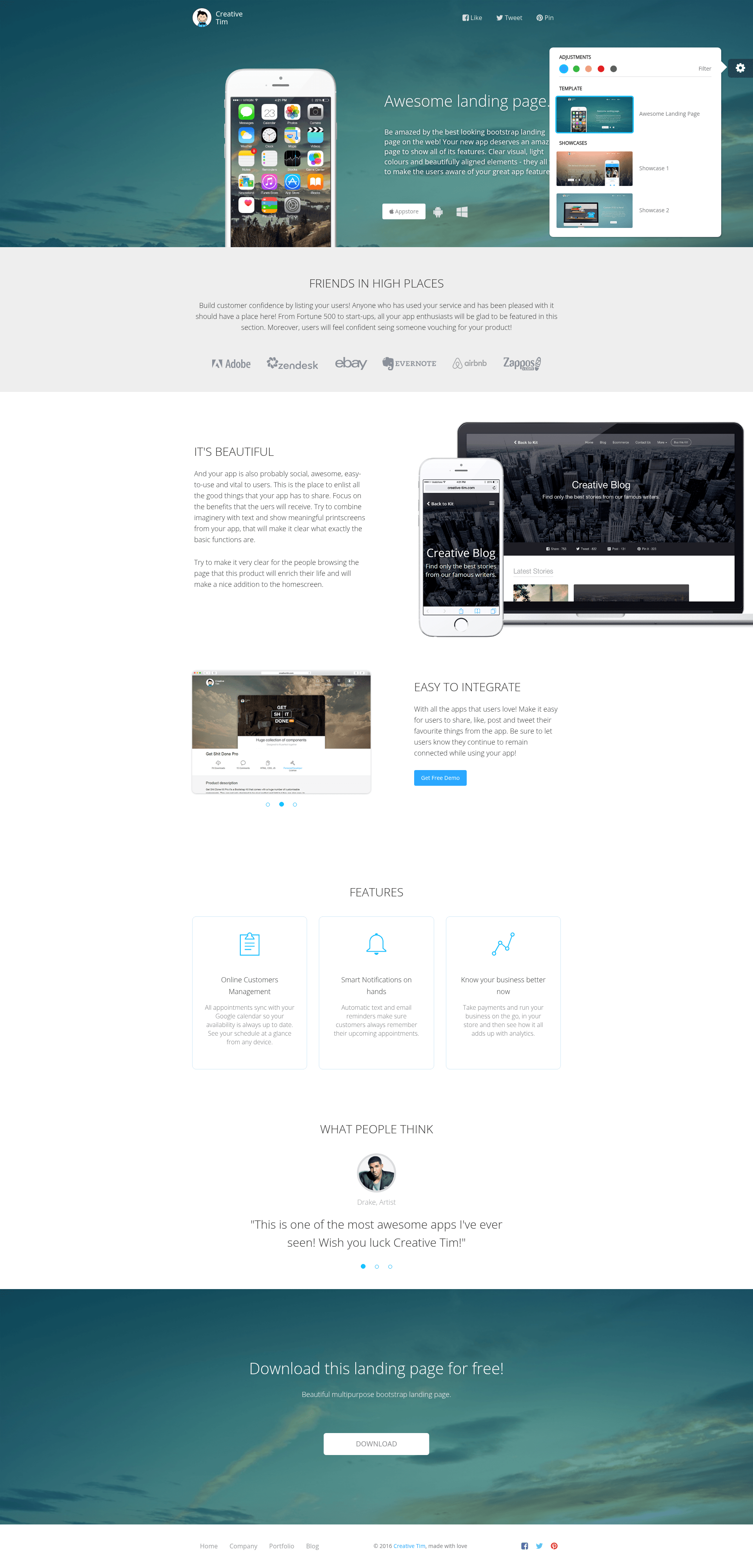
Free Bootstrap landing page template by Creative Tim with 5 color themes, parallax, and two showcase pages for apps and web services.
About this template
Awesome Landing Page is a free, MIT-licensed Bootstrap landing page template by Creative Tim, built to showcase mobile and web app features with a bright, color-customizable layout.
What is Awesome Landing Page?
Awesome Landing Page is a free HTML/CSS template built on Bootstrap that provides a complete one-page layout for presenting an app or product. It takes your app's feature descriptions, user testimonials, and social sharing links and renders them into a responsive page with five color schemes. The template runs on any static web host and includes three HTML pages: index.html for the main landing page, phone_app.html for a music app presentation, and web_app.html for a custom scene presentation. Creative Tim first released it in December 2014 and has maintained it through version 1.2.2, which switched the license to MIT.
The download bundles Bootstrap's CSS and JavaScript, jQuery 1.10.2, jQuery UI 1.10.4 custom, the Pe-icon-7-stroke icon font, and a dedicated landing-page.css file. All assets are organized under assets/css, assets/js, assets/fonts, and assets/img, so you can edit styles and scripts directly without a build step.
Key Features
- Five color themes — Version 1.1 added four additional theme colors to the original, giving you five bright color options to match your brand.
- Parallax scrolling — Added in version 1.1 and improved in version 1.2, the template uses parallax background effects for visual depth.
- User testimonial section — A dedicated area to display user logos and quotes, described as building customer confidence by listing your users.
- Social sharing integration — The layout includes placeholders for share, like, post, and tweet buttons so visitors can promote your app on social networks.
- Two built-in showcase pages — Version 1.2 introduced phone_app.html (Music App Presentation Page) and web_app.html (Custom Scene Web Presentation Page) alongside index.html.
- Pe-icon-7-stroke icon set — Ships with the Pe-icon-7-stroke icon font for UI icons without requiring an external icon library.
- One-click Genezio deployment — The GitHub repository includes a deploy button that launches your own version on Genezio directly from the repo.
- Multiple download options — Get the template as a zip from GitHub or Creative Tim, or clone the repository with git.
Who is it for?
- App developers and startups — need a polished landing page to present features, build trust with user testimonials, and encourage social sharing.
- Front-end developers — want a ready-made Bootstrap layout they can customize by editing the HTML and CSS files directly.
- Music app creators — can use the dedicated phone_app.html showcase to present a music-related product.
- Web service teams — can use web_app.html to present a custom web scene or web application.
What can you do with it?
- Launch a product page quickly — download or clone the template, replace the placeholder content in index.html with your app's copy and screenshots, and host the folder on any static server.
- Create a music app presentation — use phone_app.html as a standalone page to demo music features with the built-in layout.
- Deploy without server setup — click the Genezio deploy button in the repository to create a live project URL in one step.
How does the template work?
The template is a set of static HTML pages that rely on Bootstrap's grid and components. You obtain the code by downloading a zip from GitHub or Creative Tim, or by running git clone on the repository URL. After editing the HTML files, you host the entire folder on any web server. For a faster path, the GitHub repo includes a one-click Genezio deploy button that sets up the template as a web project from the repository.
FAQ
Is Awesome Landing Page free?
Yes, the template is free to download and is licensed under the MIT license, so you can use it in personal and commercial projects without paying license fees.
What is included in the download?
The zip contains index.html, phone_app.html, web_app.html, and an assets folder with bootstrap.css, landing-page.css, pe-icon-7-stroke.css, JavaScript files including bootstrap.js, jquery-1.10.2.js, and jquery-ui-1.10.4.custom.min.js, plus fonts and images.
How do I customize the colors?
Version 1.1 added four more theme colors to the original, for a total of five. You can switch colors by changing the styles in landing-page.css or the Bootstrap theme variables.
Can I deploy it to a static host?
Yes, the template is plain HTML and CSS, so it works on GitHub Pages, Netlify, Vercel, or any static file server. The repository also offers a one-click deployment button for Genezio.
Does it include a blog or pricing page?
No, the template focuses on a single landing page. It ships with a main index.html and two showcase pages (phone_app.html and web_app.html), but no blog or pricing section.