Template details
Alpine.js Playground
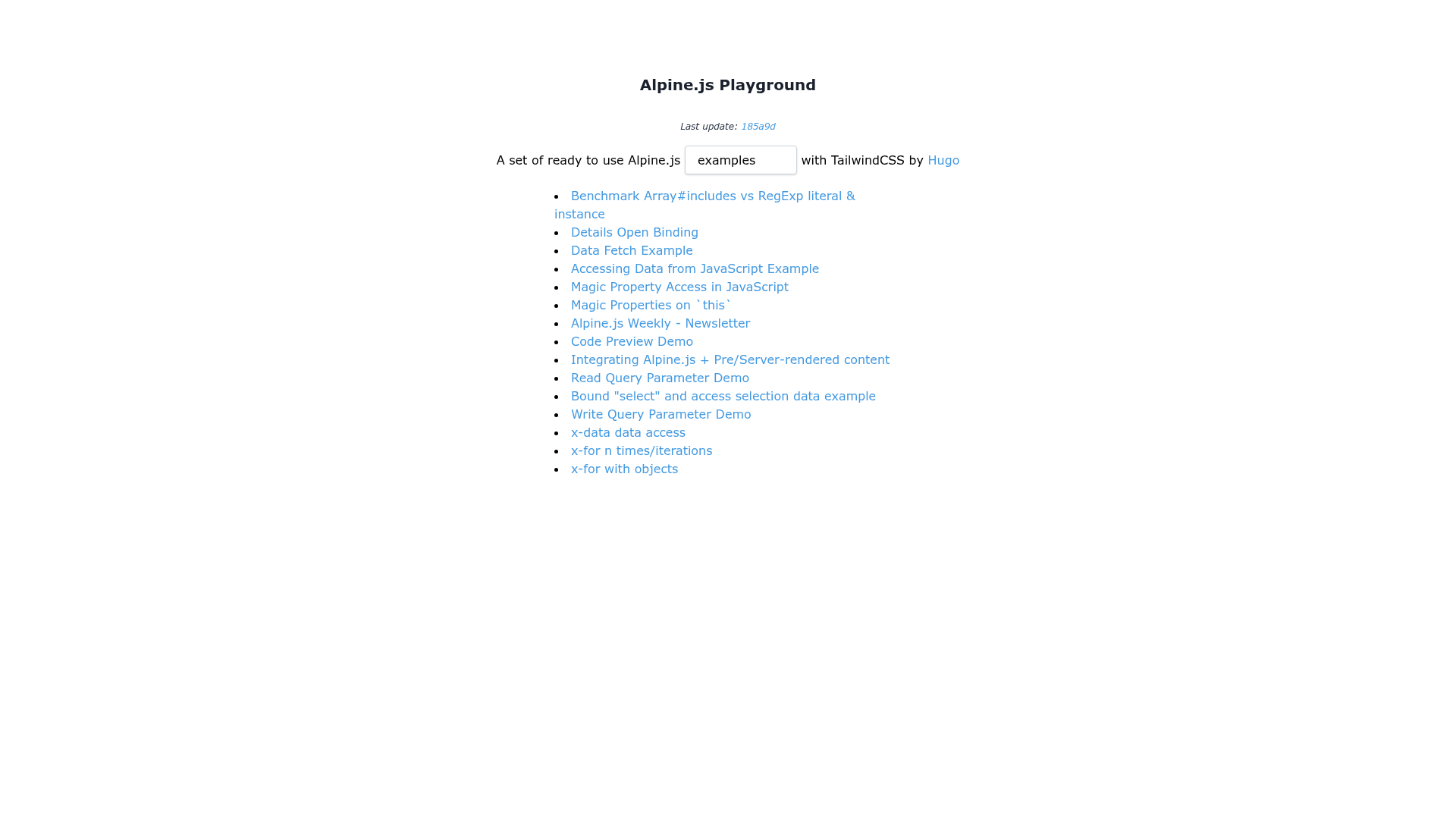
A set of ready to use Alpine.js examples with TailwindCSS
About this template
Alpine.js Playground is an open-source collection of ready-to-use Alpine.js example pages, styled with TailwindCSS and aggregated into a single static index page via a build script.
What is Alpine.js Playground?
Alpine.js Playground is a GitHub repository containing a set of HTML example pages that demonstrate how to use the Alpine.js JavaScript framework, with every example styled using TailwindCSS utility classes. The input is the collection of example files located in the pages directory; the output is a generated index.html file that aggregates those examples into a single navigable page. The repository runs on Node 10 or newer and can be installed with either Yarn 1.x or npm. It is licensed under the MIT License and had 119 stars at the time of indexing.
Key Features
- Ready-to-use examples — The
pagesdirectory contains a set of Alpine.js example pages, each focused on a specific interaction or component. - TailwindCSS styling — All examples are styled with TailwindCSS, so the UI uses utility classes and needs no custom CSS.
- Local dev server — Running
yarn startstarts a development server using ZEIT'sservepackage, allowing you to browse the examples at a local URL. - Static site build — Running
yarn buildgenerates a singleindex.htmlfile from all files in thepagesdirectory, making it suitable for static hosting. - Prettier integration — The
yarn formatscript runs Prettier on the HTML pages, keeping the example code clean and consistent. - Eleventy-based generation — The repository topics list Eleventy, indicating the example pages are processed with the Eleventy static site generator.
- MIT licensed — The code is freely available for use and modification under the MIT license.
Who is it for?
- Developers learning Alpine.js — Use the examples to see how Alpine.js directives (such as
x-data,x-for, andx-show) work in concrete HTML pages, and inspect the source in thepagesdirectory. - TailwindCSS users — Get ready-to-run interactive components styled entirely with Tailwind utility classes, which can be copied into other projects.
- Static site developers — Reference the Eleventy + Markdown structure to understand how to aggregate multiple content files into a single HTML index page.
What can you do with it?
- Learn Alpine.js concepts: Open each example page in the browser and then read its source to see exactly how Alpine.js binds data and handles events.
- Build a component gallery: Use the generated
index.htmlas a starting point to create a catalog of your own Alpine.js components, styled with TailwindCSS. - Prototype UI interactions: Copy the HTML and Tailwind classes from examples like dropdowns or modals into a new project to get a working baseline.
How does it work?
Clone the repository and run yarn or npm install to install dependencies. After that, yarn start launches a local server for browsing examples, yarn build compiles the pages directory into an index.html, and yarn format applies Prettier to the HTML files.
FAQ
What is Alpine.js Playground?
Alpine.js Playground is a GitHub repository that provides a collection of Alpine.js example pages styled with TailwindCSS. The examples live in the pages directory, and a build script aggregates them into a single index.html for easy browsing.
What are the system requirements?
The repository requires Node 10 (or a newer version) and either Yarn 1.x or npm. You must run yarn or npm install once to install dependencies before using the available scripts.
How do I view the examples?
Run yarn start to start a local development server with the serve package; the server will display the generated site. Alternatively, run yarn build to create an index.html file that you can open in a browser.
Is Alpine.js Playground free to use?
Yes, the code is licensed under the MIT License, which permits commercial and personal use, modification, and redistribution as long as the original copyright notice is retained.
What static site generator does it use?
The repository topics list Eleventy, and the build process generates an index.html from individual page files. This indicates the pages are likely authored in Markdown and processed with Eleventy, though the README does not explicitly name the generator.