Template details
Pagination with SSG
Learn to implement page based pagination with Next.js and Vercel.
About this template
Pagination with SSG is a Next.js example template from Vercel that demonstrates page-based pagination using static site generation (SSG) and incremental static regeneration (ISR) to build fast, scalable product listing pages.
What is Pagination with SSG?
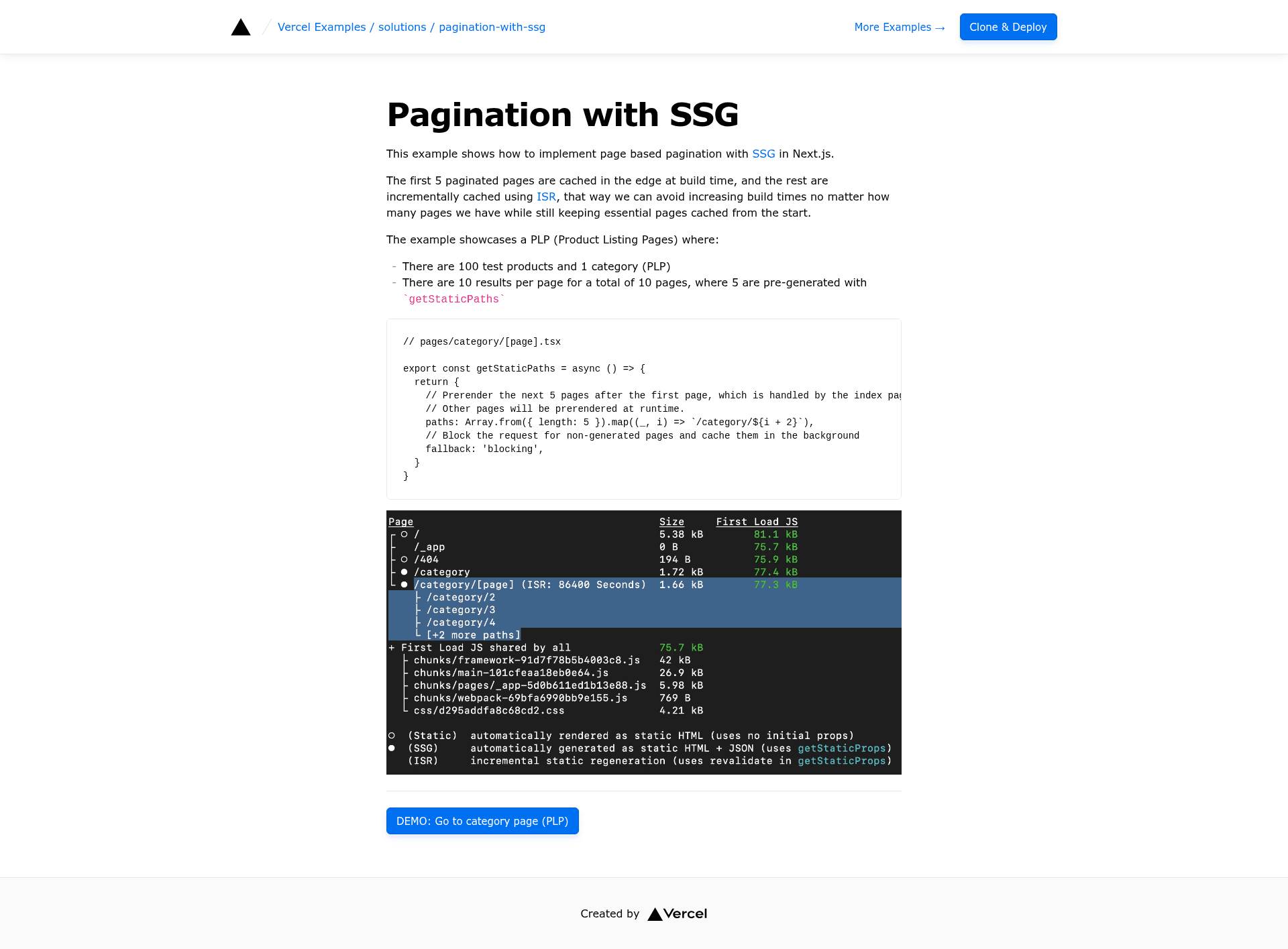
Pagination with SSG is a starter project published in Vercel's official examples repository that implements page-based pagination in Next.js. The template takes a dataset of products (the demo ships 100 test products in a single category) and generates a paginated product listing with 10 results per page, for a total of 10 pages. It runs on Next.js and is styled with Tailwind CSS, and it deploys directly to Vercel with a one-click clone. The core idea is to pre-render the first pages at build time and use ISR for the rest, keeping build times constant no matter how many pages exist.
Key Features
- Hybrid SSG/ISR strategy: The index page and the next five paginated pages (paths 2 through 6) are pre-rendered at build time using
getStaticPaths; the remaining pages are generated on first request with fallback'blocking'and then cached with ISR. - Constant build times: Because only six pages are pre-generated, adding more product pages does not increase build time, unlike fully static pagination.
- 100-test-product dataset: The demo includes 100 products and 10 pages of 10 products, ready to test and replace with your own data.
- Tailwind CSS styling: The example uses Tailwind CSS for layout and component styling out of the box.
- One-click Vercel deployment: A Deploy with Vercel button clones the repository, sets up the project, and deploys it without leaving the browser.
- create-next-app bootstrap: You can also clone locally with
pnpm create next-appusing the example URL, then runpnpm devfor development.
Who is it for?
- Next.js developers learning how to combine
getStaticPaths,getStaticProps, and fallback behavior for paginated routes. - Ecommerce teams building product listing pages that need SEO-friendly statically generated first pages while keeping build times manageable.
- Technical writers and educators looking for a minimal, readable example of ISR-based pagination to reference in documentation or tutorials.
Use cases
- Product listing pages: Display a large catalog in pages of 10 items, with the first pages cached at the edge for instant loads.
- Blog archives: Apply the same pagination pattern to post indexes or tag archives where older pages can be generated on demand.
- News or directory sites: Paginate long lists of articles, listings, or entries without rebuilding the entire site for each new page.
How does it work?
The template defines a dynamic route at pages/category/[page].tsx. In getStaticPaths, it returns five pre-generated paths (category/2 through category/6) and sets fallback to 'blocking'. At runtime, when a request comes for a path that wasn't pre-rendered, Next.js renders it on the server, caches the HTML and JSON, and serves it to future visitors. The index page handles category/1, completing the first six pages of static content.
FAQ
How many pages are pre-rendered in the demo?
The demo pre-renders six pages: the index page plus five generated paths from getStaticPaths, covering pages one through six. The remaining four pages (7-10) are generated on first visit and cached with ISR.
What does fallback: 'blocking' do?
With blocking fallback, when a user requests a page that wasn't generated at build time, Next.js waits for the page to be rendered on the server before responding. That first request is slower, but the response is cached so subsequent visits are served from the edge cache.
Can I use this with my own data?
Yes, the template is a starting point. You would replace the static array of 100 products with data from your CMS, database, or API, and adjust the per-page count to match your content.
Does this template support TypeScript?
The code snippet shown on the page is in TypeScript (a .tsx file), which is the default for Next.js examples. The repository itself is a standard Next.js example that works with JavaScript and TypeScript projects.
Why use ISR instead of SSG for all pages?
Pre-rendering every page would lengthen build times as content grows. By pre-rendering only the first pages and using ISR for the rest, the template keeps essential pages instantly available while ensuring overall build time stays constant.