Template details
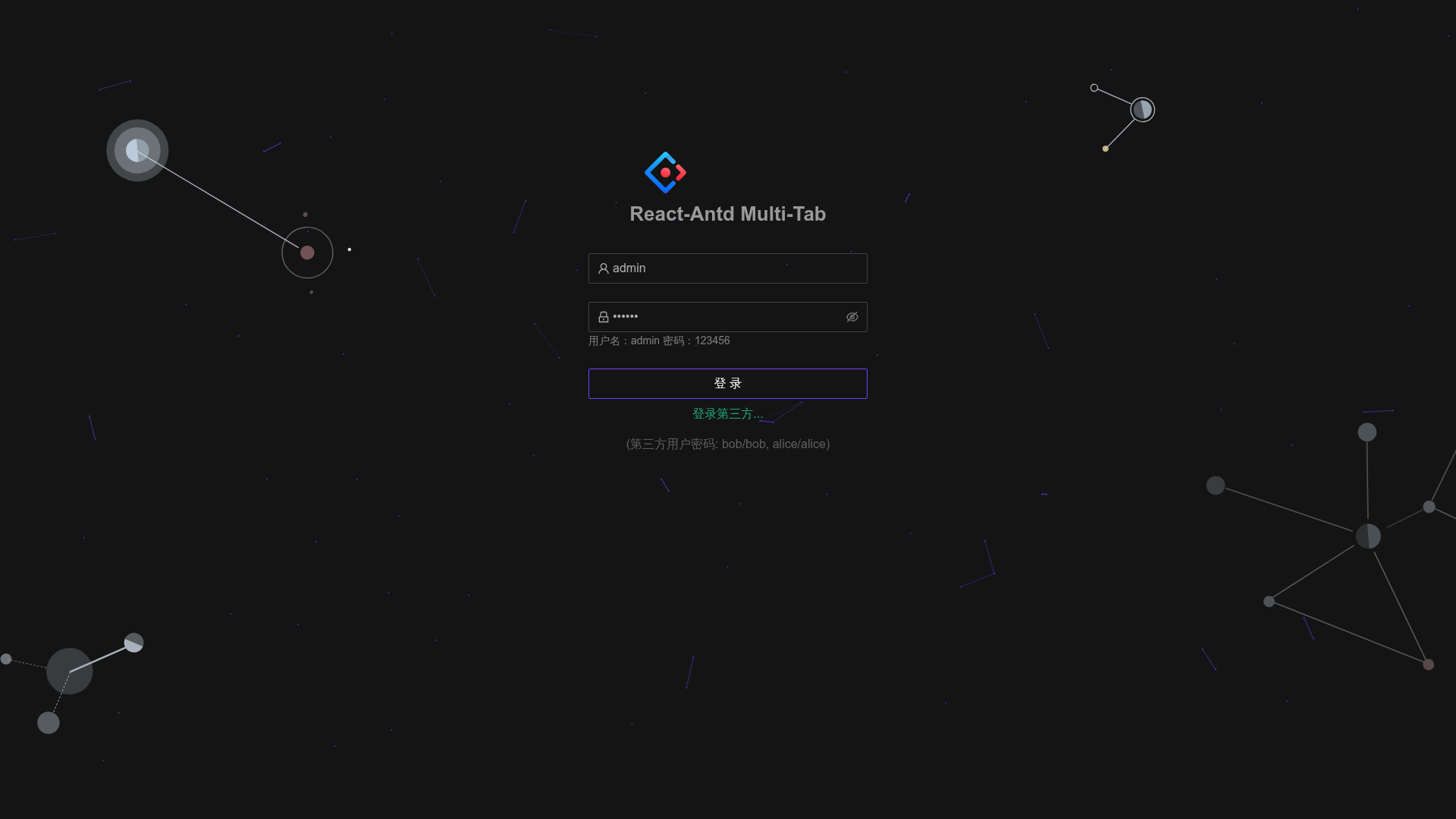
Antd Multi Tabs Admin
A lightweight React + TypeScript + Ant Design admin boilerplate with multi-tab navigation, Redux Toolkit persistence, and dark/light theme switching.
About this template
Antd Multi Tabs Admin is an open-source React admin dashboard boilerplate built with TypeScript and Ant Design, whose core function is providing a multi-tab page navigation system with right-click menu controls. It is positioned as a pure scaffold and lean alternative to Ant Design Pro, created by GitHub user hsl947, with roughly 620 GitHub stars and a public preview hosted on 4everland.
What is Antd Multi Tabs Admin?
Antd Multi Tabs Admin is a React admin dashboard template whose core function is a multi-tab (multi-pane) navigation system running inside an Ant Design layout. It takes a React + TypeScript project scaffold as its starting point and produces a running dashboard application with route permission control, theme switching, and state persistence; a live preview is available at react-antd-multi-tabs-admin.4everland.website. The project is maintained by GitHub user hsl947 and is explicitly described in its README as a clean, non-Ant-Design-Pro admin template.
What makes Antd Multi Tabs Admin stand out?
The template's defining feature is the multi-tab layout: every visited route becomes an open tab, and tabs carry a right-click context menu, so navigating between business modules never loses page state. Its second differentiator is minimalism — the author built a slim, original scaffold instead of adopting the heavier conventions of Ant Design Pro.
- Multi-tab page system — each visited route opens as a tab with a right-click context menu, and closing the active tab automatically navigates to the previous route.
- Dark/light dynamic theming — theme switching runs through a bundled less.js script at
/public/less.min.js, with deep and light color variables maintained in/public/color.less. - Redux Toolkit state management — slices use
createSlicewith per-feature reducers, actions, and selectors, and state is persisted so open tabs and settings survive a refresh. - Axios request wrapper — a preconfigured axios utility gives API calls a consistent pattern across the application.
- Route and menu permission control — menu keys gate both sidebar entries and page access, with commented-out code in three source files that disables auth entirely.
- Chain breadcrumb navigation — dynamic breadcrumbs are generated from the route configuration instead of being hand-written per page.
- Combined list and search components — a list, pagination, multi-select, and search component reduces boilerplate in data-heavy pages.
- MSW mocking and OIDC SSO — Mock Service Worker simulates API responses during development, and OpenID Connect single sign-on is integrated for production authentication.
- Custom webpack and styling — the build is configurable and optimized, and styles use less plus CSS modules for isolation, with Tailwind utility classes offered as an alternative for simple styles.
Who is it for?
React developers building back-office admin systems get a working tabbed shell without assembling the pieces themselves. The author created the template after finding existing Ant Design admin templates too heavy, so teams wanting Ant Design components without the Ant Design Pro convention stack are the primary audience.
- React developers building internal back-office systems — they can clone the repo, run
yarn installandyarn start, then register their own routes and menus in/src/route/routes.ts. - Teams migrating off Ant Design Pro — they keep the Ant Design component system while dropping the heavier Pro scaffolding, gaining tabs, permission control, and theming in a slim structure.
- Frontend leads standardizing state patterns — the Redux Toolkit slice layout with
createSliceand selectors in a feature folder can serve as a house pattern for all feature state.
What can you do with Antd Multi Tabs Admin?
- Admin dashboard builders: open multiple business modules as persistent tabs and switch between them without losing form input or page state.
- Prototype developers: use the hosted preview and the MSW mock API layer to demo a full admin UI before any backend exists.
- Theme evaluators: toggle dark and light modes through less.js dynamic theming to settle on a color scheme for a larger Ant Design rollout.
How does Antd Multi Tabs Admin work?
The README documents a command-line start: install the TypeScript CLI globally, clone the repository, run yarn install, then launch with yarn start to serve the app at http://localhost:666. Permission control is wired through menu key checks across the menu, container, and tab-pane components, and the README shows commented-out blocks that disable these checks so the app runs without login. Theme switching happens at runtime through less.js, with theme variables declared in /public/color.less.
Alternatives
- Ant Design Pro — the heavier Ant Design admin scaffold this project explicitly positions itself against; it bundles more conventions, layout presets, and out-of-the-box pages than this template.
FAQ
Is Antd Multi Tabs Admin free?
Yes, the repository is open source and publicly hosted on GitHub under the hsl947 account, with bugs reported through Issues and contributions accepted via Pull Requests. The README does not mention any pricing or paid tier, and a free live preview is available on 4everland.
What browsers does Antd Multi Tabs Admin support?
The README states support for modern browsers and IE11, with the last two versions of Firefox, Chrome, Safari, and Opera covered in its browser-support table. That makes the template usable in enterprises that still require legacy Internet Explorer compatibility.
Does Antd Multi Tabs Admin need a backend API?
No. The scaffold includes MSW (Mock Service Worker) for API request simulation, so the frontend runs and is developed against mocked endpoints before a real backend is connected. A preconfigured axios wrapper is included for when a real API is ready.
What state management does Antd Multi Tabs Admin use?
State is managed with Redux Toolkit, using the createSlice API to define reducers, actions, and selectors, with slices organized by feature. State is persisted so open tabs and user settings survive a page refresh.
Can I turn off the permission control?
Yes. The README provides commented-out code in src/components/common/menu/index.tsx, src/pages/container/index.tsx, and src/components/common/tabPanes/index.tsx that replaces the auth checks with always-true logic, effectively disabling route and menu permission gating.

![TacoDAO [UI] preview](https://cdn.sanity.io/images/asuw607r/production/e1ee34c0af73c2ebfc8aae0b0180cb45a7a8b8db-1500x1000.png)