Template details
Aperture
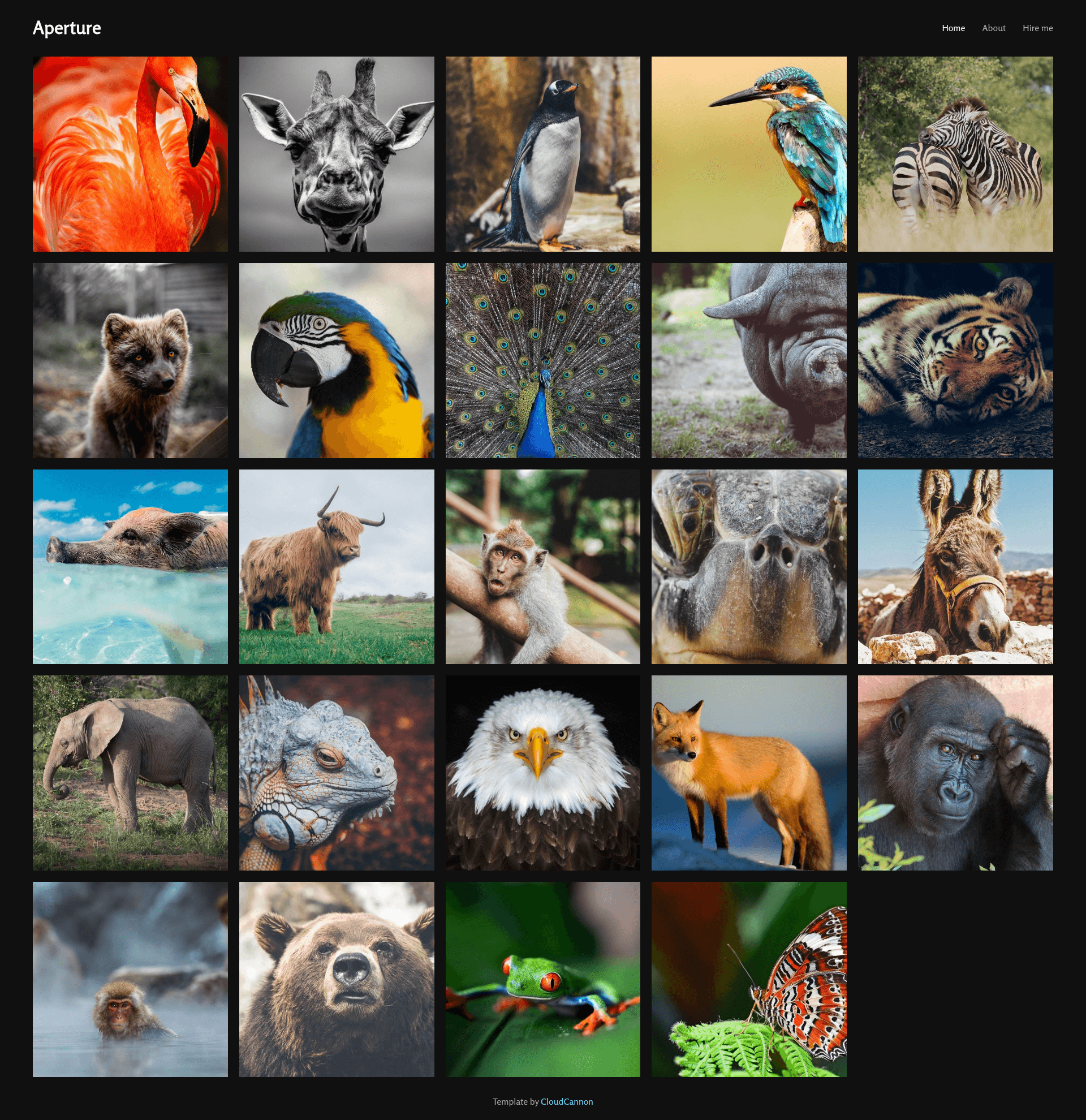
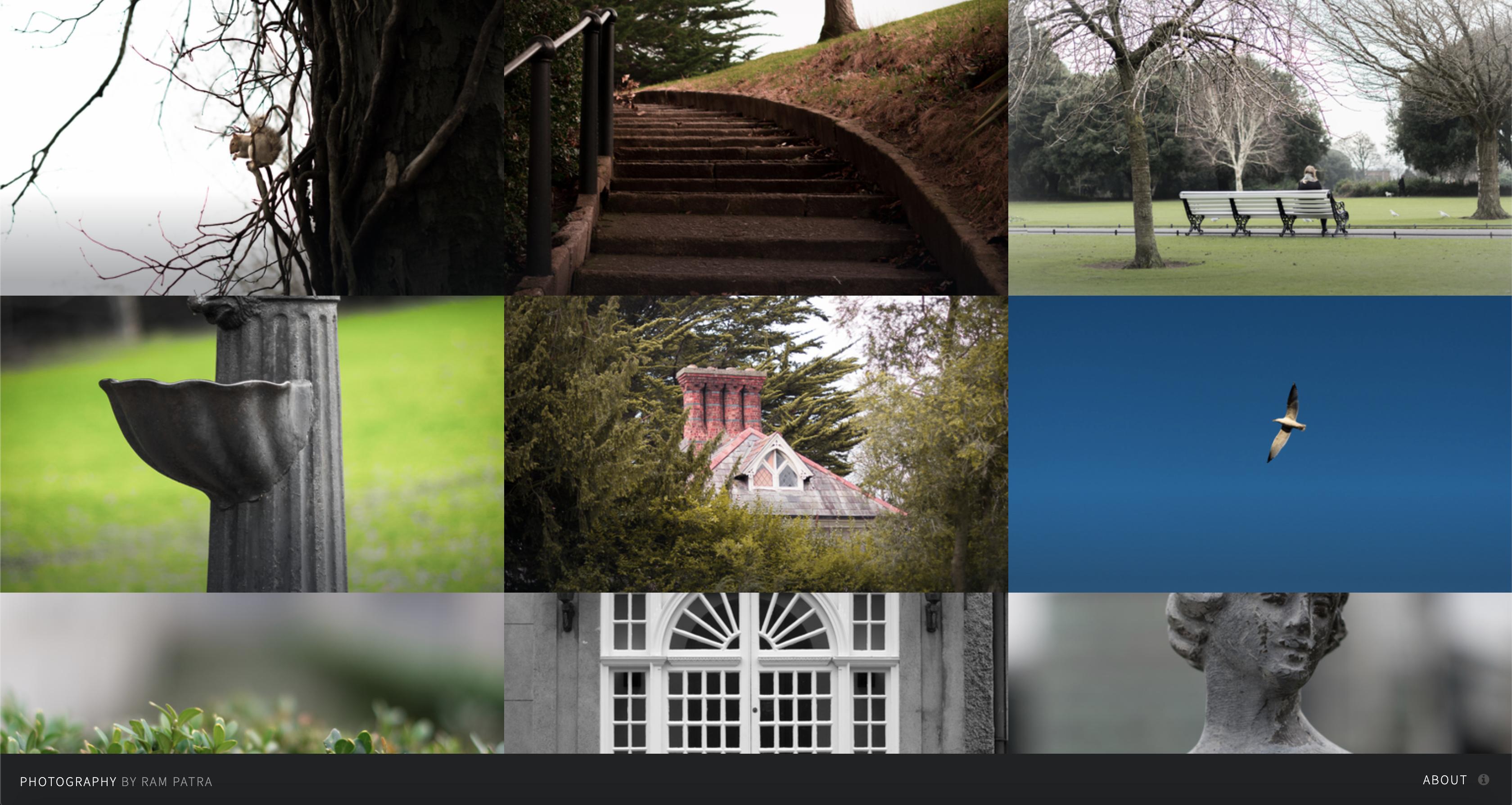
A Jekyll photography portfolio template that displays your photos in a grid with thumbnails, captions, about, and contact pages.
About this template
Aperture is a Jekyll template for photography portfolios that displays a photo grid with thumbnails and captions, built by CloudCannon for use with their Cloud CMS or any Jekyll workflow. See the live demo.
What is Aperture?
Aperture is a Jekyll-based photography portfolio template created by CloudCannon, the Cloud CMS for Jekyll. It takes photos defined in front matter and renders them into a photo grid with thumbnails and captions, along with About and Contact pages. The template was built with Jekyll version 3.7.2 and supports newer versions, and can be run locally using Bundler or hosted through CloudCannon.
Key Features
- Photo grid — Displays all photos in a responsive grid layout on the index page.
- Thumbnails — Renders smaller preview images for each photo in the grid.
- Captions — Supports captions for each photo, configured in front matter.
- About page — A dedicated page for photographer bio or site information.
- Contact page — A contact page ready for client inquiries.
- CloudCannon optimization — Photos and navigation are exposed as editable front matter and data files, making updates possible without touching code.
- Jekyll 3.7.2 — Built with Jekyll 3.7.2 and compatible with newer versions; dependencies installed via Bundler.
Who is it for?
- Photographers — to display a portfolio of photos in a clean grid with captions and contact information.
- Jekyll users — who want a simple, static-site photography blog that can be built locally or with CloudCannon.
- CloudCannon clients — who need a template that is optimized for editing in CloudCannon's CMS, with navigation managed as a data file and gallery populated via front matter.
What can you do with Aperture?
- Photographers: Showcase a portfolio with a photo grid, thumbnails, and captions, and add an About and Contact page.
- Jekyll developers: Use it as a starter for a photography blog, customizing content through Jekyll's front matter and data files.
- CloudCannon users: Edit site details and photos visually through the CloudCannon CMS without writing code.
How does Aperture work?
- Add your site and author details in
_config.yml. - Set up a workflow to see your site's output, using CloudCannon or Jekyll locally.
- Add photos to the gallery by editing the front matter array in
index.html. - For local development, install dependencies with Bundler and run
bundle exec jekyll serve.
FAQ
What Jekyll version does Aperture use?
Aperture was built with Jekyll version 3.7.2 and should support newer versions as well.
How do I add photos to the gallery?
Photos are added through the front matter array in index.html. Each entry can include the image path, caption, and thumbnail details.
Does Aperture work with CloudCannon?
Yes, Aperture is optimized for CloudCannon. Navigation is exposed as a data file in the Data/Navigation section, and the photo gallery is edited via front matter, giving clients easy access.
How do I run the template locally?
Install dependencies using Bundler with bundle install, then run bundle exec jekyll serve to preview the site locally.