Template details
Aphrodite
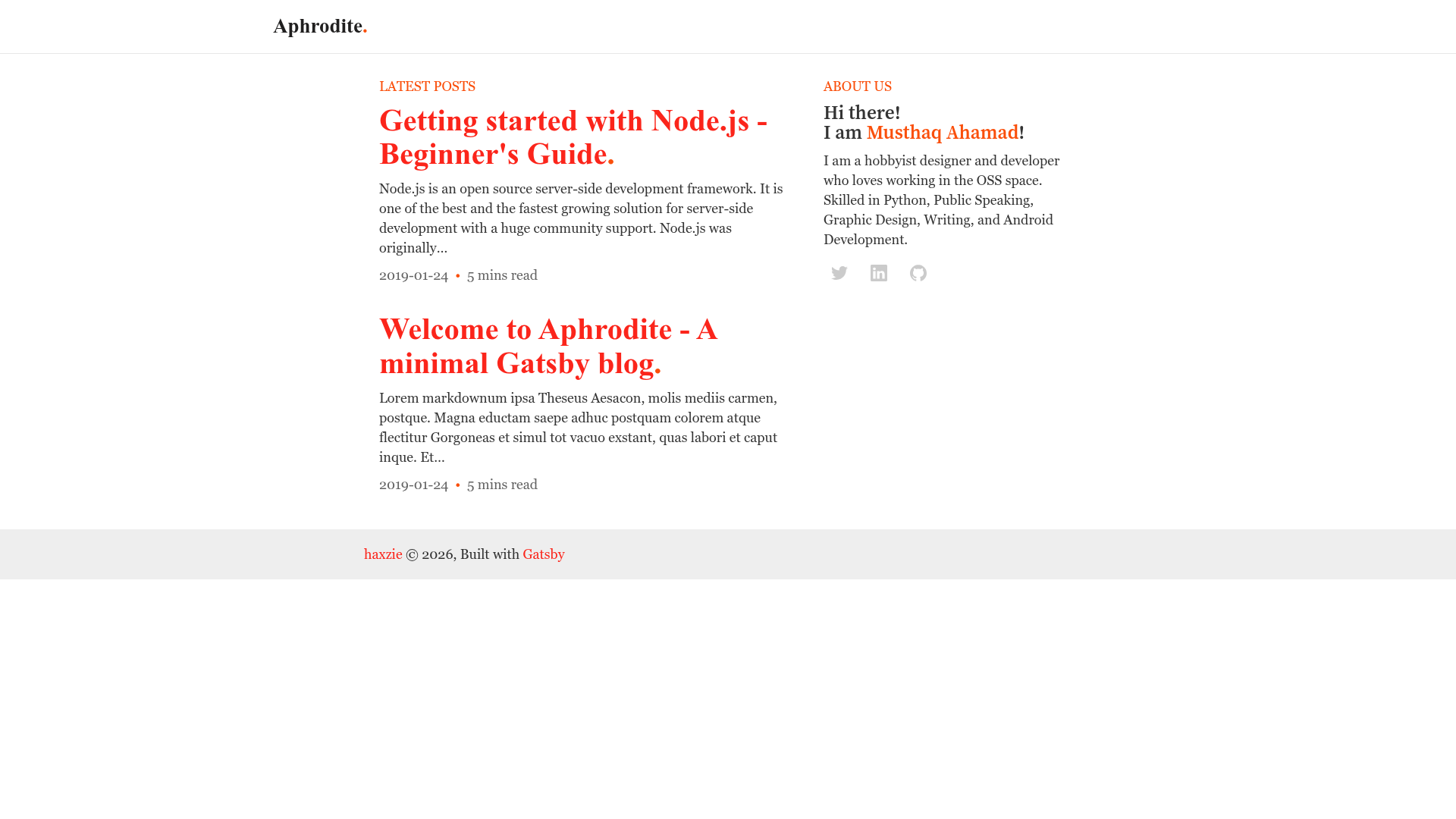
A Beautiful Gatsby Blog template optimized for SEO and Readability inspired from Medium
About this template
Aphrodite is a free Gatsby blog template optimized for SEO and readability, built for creating personal publications with a Medium-inspired reading experience.
What is Aphrodite?
Aphrodite is a Gatsby site template for building blogs and personal publications. It accepts standard Gatsby source files—such as src/pages/index.js, gatsby-config.js, and gatsby-node.js—and compiles them into a static, SEO-friendly website. The template is bootstrapped with readability and user experience in mind, meaning its design focuses on comfortable long-form reading and clear content hierarchy.
What makes Aphrodite stand out?
- SEO and readability focus: The template's stated design goal is to let you build a publication without worrying about SEO and readability, so the layout and content structure support search visibility and comfortable reading.
- Gatsby and React under the hood: Using Gatsby means it is built on React and includes a GraphQL data layer; during development, you can explore site data with the built-in GraphiQL tool at http://localhost:8000/___graphql.
- Standard project structure: The repository contains the conventional Gatsby layout: src/ for front-end code, gatsby-config.js for metadata and plugins, gatsby-node.js for Node APIs, gatsby-browser.js for browser APIs, and gatsby-ssr.js for server-side rendering customization.
- Fast iteration workflow: Edits to source files appear in the browser in real time, and the generated site can be served locally at http://localhost:8000 with gatsby develop.
- Static output: The build process generates static HTML, CSS, and JS that can be hosted on any static hosting service without a dedicated server.
Who should use Aphrodite?
- Writers and bloggers: who want a publishing-first template that handles SEO basics and provides a clean, Medium-inspired layout for articles.
- Gatsby developers: who need a minimal starting point for a content site, with the familiar Gatsby configuration files already set up.
- Developers building personal sites: who want to use React and GraphQL to manage a portfolio, publication, or official content hub.
What can you do with Aphrodite?
- Launch a personal blog or publication: fork the repository, add your own content to the Gatsby source files, and deploy the resulting static site to any hosting provider.
- Customize site metadata: edit gatsby-config.js to set your site title, description, and the list of Gatsby plugins used by the project.
- Inspect site data with GraphiQL: while running gatsby develop, open http://localhost:8000/___graphql to query your site's content and experiment with GraphQL queries.
How does Aphrodite work?
The template follows the standard Gatsby workflow: create a new site by forking the repository or using npx gatsby new, then run gatsby develop to start a live local server. After editing the source, run gatsby build to create optimized static files ready for deployment to any static hosting service.