Template details
Gatsby Starter: Minimal Blog
Typography-driven, feature-rich blogging theme for Gatsby with MDX, tags/categories, and advanced code block features.
About this template
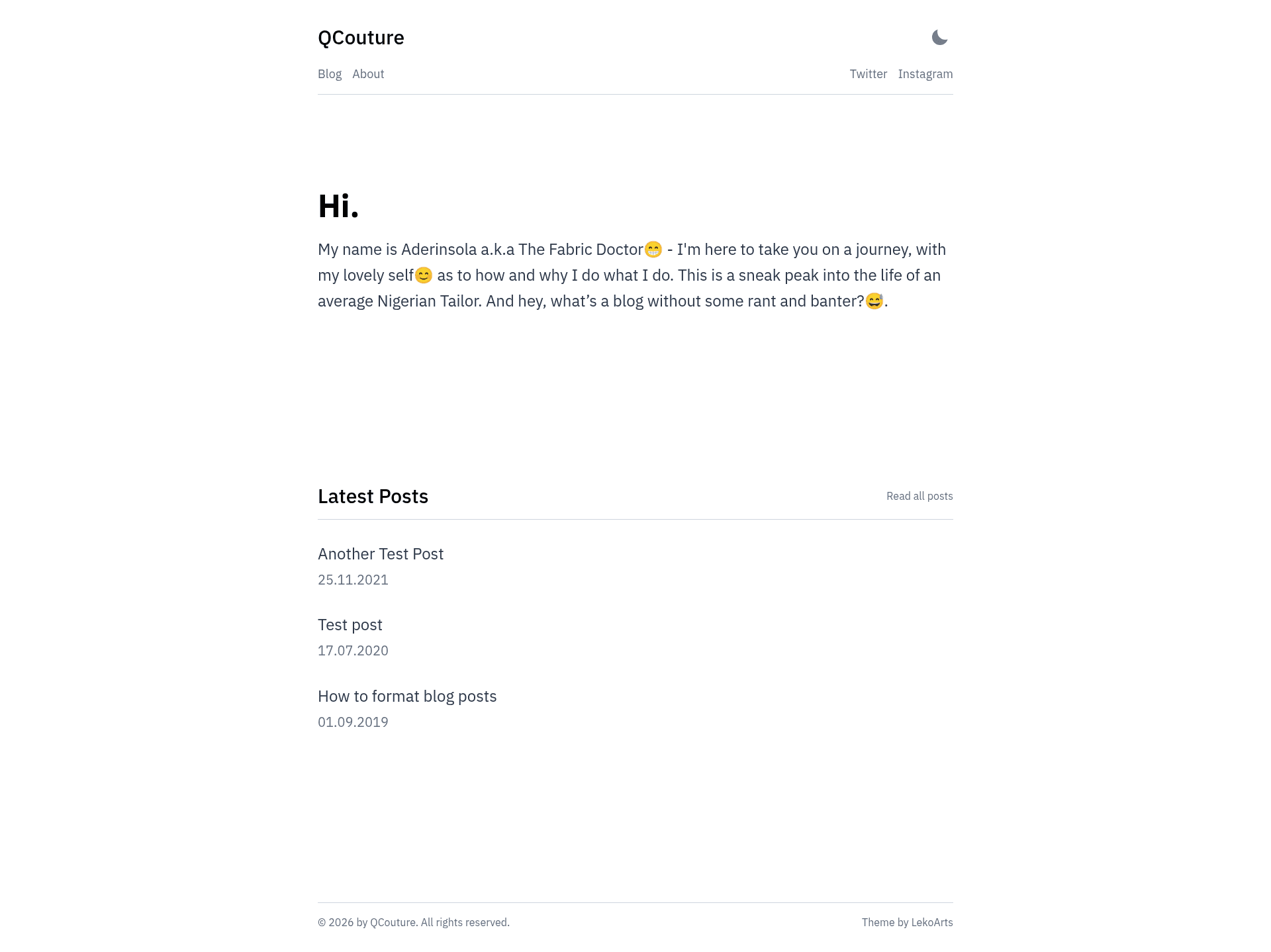
Gatsby Starter: Minimal Blog is a free, open-source Gatsby starter and blog theme by LekoArts that creates a typography-driven personal blog with MDX content, tags/categories, and advanced code block features like live previews and line highlighting.
What is Gatsby Starter: Minimal Blog?
Gatsby Starter: Minimal Blog is a starter project that installs and configures the Gatsby theme @lekoarts/gatsby-theme-minimal-blog. It takes MDX files with frontmatter as content input and generates a static blog website with an index page, blog overview, and individual post pages. The starter runs on Gatsby's build system, styled with Theme UI, and is released under the MIT license with a demo at minimal-blog.lekoarts.de.
Key Features
- MDX content — Write posts and pages as MDX files that support embedded JSX components, with frontmatter for title, date, description, tags, and banner.
- Light/Dark mode — Automatic theme switching configured through Theme UI; users can toggle between light and dark appearances.
- Tags and categories — Frontmatter tags enable tag filtering and organization across posts.
- Advanced code blocks — Built on prism-react-renderer and react-live; supports line numbers, line highlighting, language tabs, file titles, and live React previews.
- RSS feed — Automatically generates an RSS feed for blog posts.
- SEO and analytics — Includes sitemap, OpenGraph tags, Twitter cards, and Google Analytics support.
- Offline and PWA — WebApp manifest and offline support enable installable, offline-capable sites.
- Theme shadowing — Fully customizable by placing files in
src/@lekoarts/gatsby-theme-minimal-blog/to override components and styles.
Who is it for?
- Individual bloggers — who want a clean, fast, typography-focused blog with dark mode and tag organization.
- Gatsby developers — who want a pre-configured theme-based starter and need to learn theme shadowing to customize components.
- Technical writers — who write about code and want advanced code block features such as line highlighting, language tabs, and live React component previews.
What can you do with it?
- Publish blog posts — Create a folder with an
index.mdxfile insidecontent/posts; the three most recent posts appear on the homepage and all posts are listed on the blog page. - Add custom pages — Place MDX files with a
slugfrontmatter incontent/pagesto create pages like About or Contact. - Customize the homepage text — Override
src/@lekoarts/gatsby-theme-minimal-blog/texts/hero.mdxandtexts/bottom.mdxto change the hero headline and the projects section.
How does it work?
After creating a site with gatsby new project-name https://github.com/LekoArts/gatsby-starter-minimal-blog, run gatsby develop to start the dev server at http://localhost:8000. Content lives as MDX files in content/posts and content/pages, and the theme renders them with code highlighting and SEO. The static folder contains icons, social media images, and robots.txt that should be replaced per site.